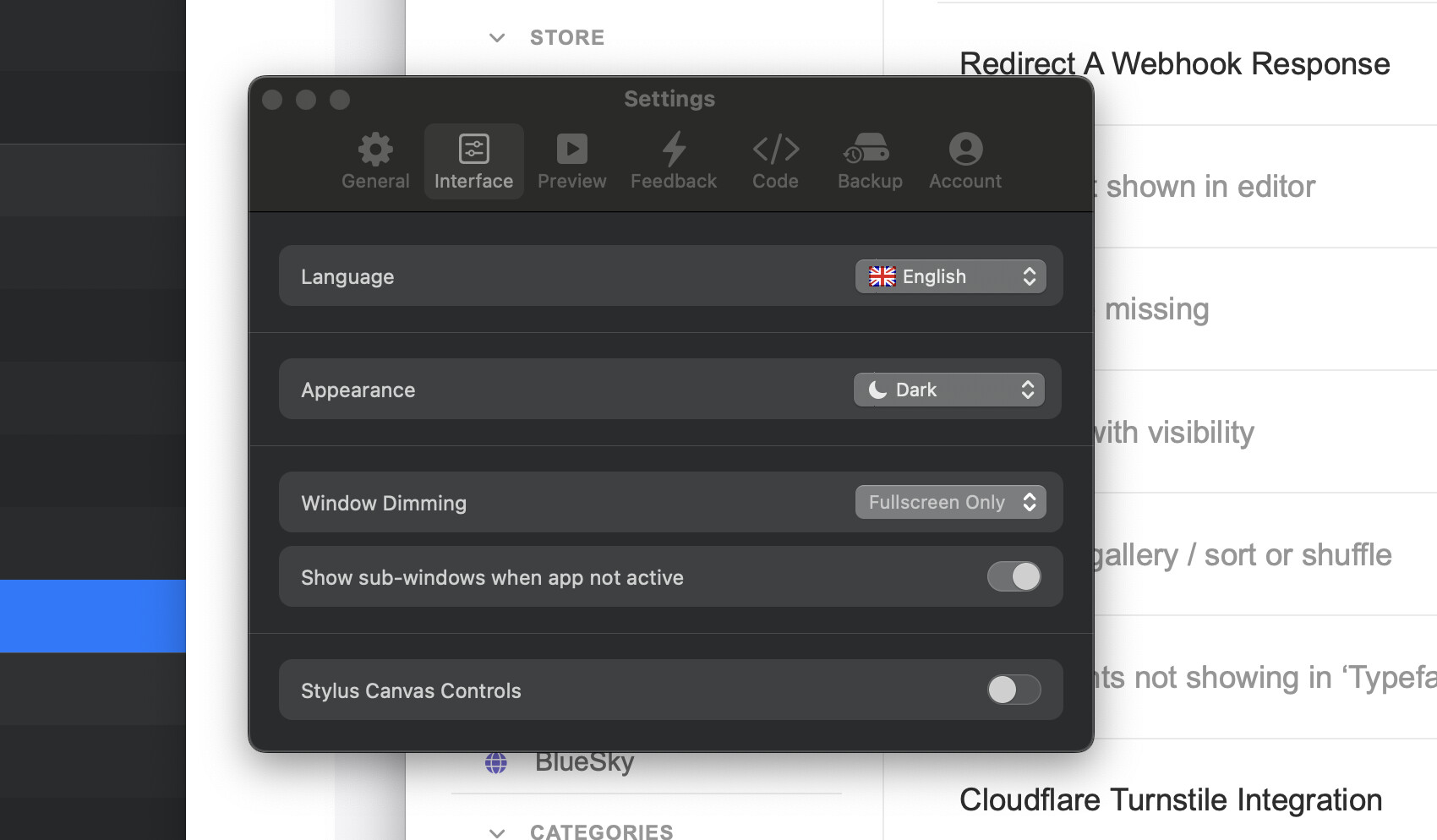
I was getting frustrated with all the sub-windows being hidden whenever I switched away from Blocs, so I did this:
“As it stands right now, it’s a bit of a PITA to drag-and-drop into the Asset Manager window as it hides itself when Blocs goes into the background.”
To remedy this situation you can change a Blocs preference…
- Open the Blocs Preferences
- Go to the General tab (you should actually land here)
- Check “Show sub-windows when app not active” at the bottom of the window"
But what I get with this option checked is the windows stay on top of everything, even the currently active application. Is that normal behaviour, or so I need to look elsewhere on my system to get them to stay visible, but be behind the currently active app?
In this screenshot Safari is the active application, not blocs.
Blocs 6
Sequoia 15.5
M4 Max MBP