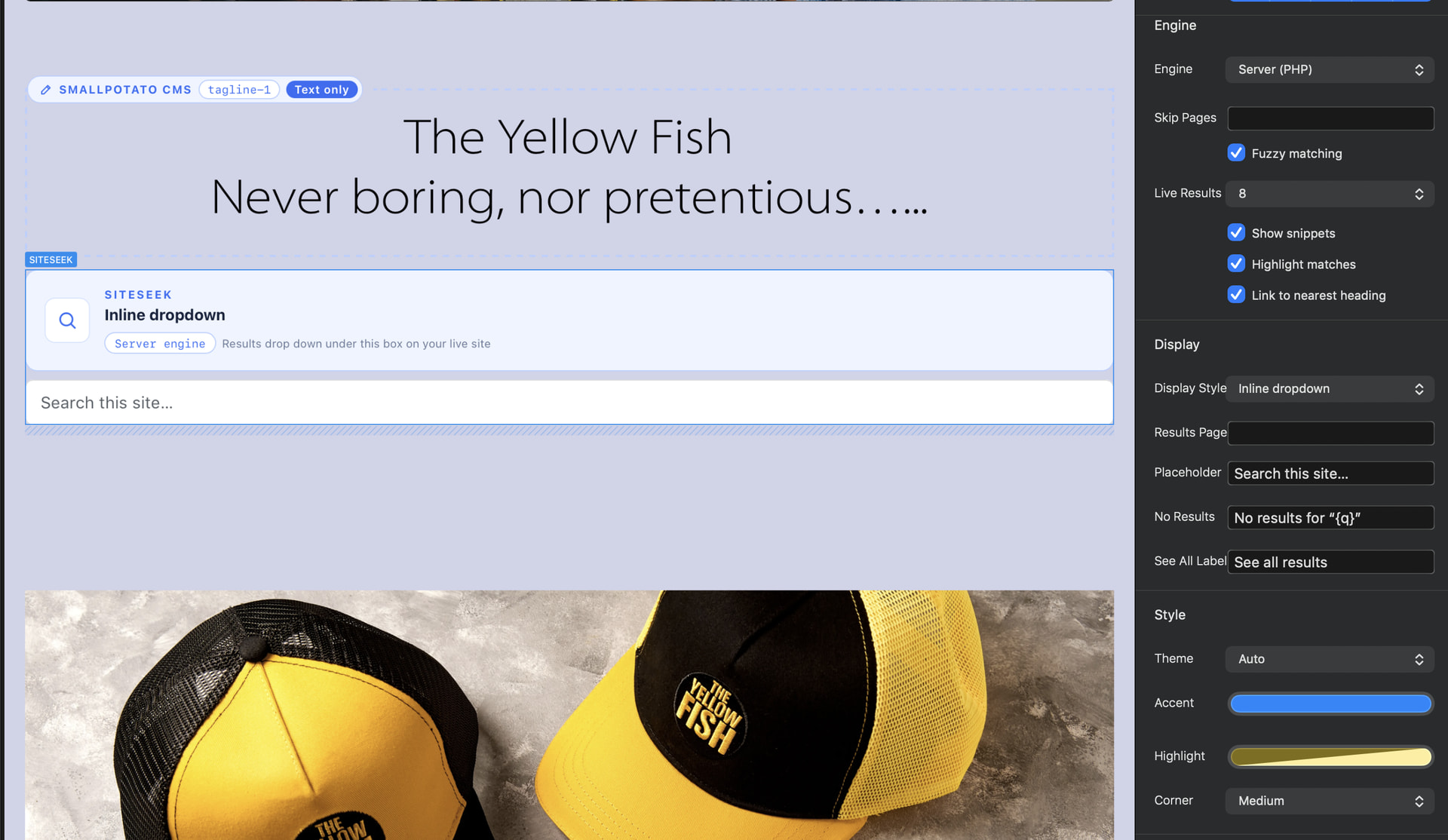
Hi Blocs Brics Fans,
We’ve just released SiteSeek.
This is the search Bric people have been requesting on this forum for years. Proper full-text search, no keyword hassle, no index to babysit, it just works!
And here’s the part I’m still a bit blown away by:
SiteSeek is the first Bric ever built 100% autonomously by a Grok Bot Rebel .
Claude wrote the code, the interface, and the manual on instructions of the Grok Bot Rebel which then assembled the Bric. No manual coding on our side.
What you get:
- Instant results as you type
- Typo-tolerant (so “restaraunt” still finds “restaurant”)
- Accent- and case-insensitive
- Weighted ranking so titles and headings win
- Deep links that jump straight to the matching section
- Two engines: PHP (fast cached index) or pure Browser (perfect for small websites.)
- Three display styles: full-screen Modal (⌘K / Ctrl+K or
/), Inline dropdown, or full Results page
- Exclude pages, folders, or individual sections (companion Exclude Bric included)
- Light / Dark / Auto / Custom themes
- Fully keyboard-accessible and screen-reader friendly
- SmallPotato CMS-aware
- Works with Bootstrap 4 and 5
Launch price
$15 for a limited time (then $25).
If you’ve ever wanted real search on a Blocs site without the usual compromises, this is it.
Get SiteSeek  : here
Read the Manual prior purchasing : here
Try SiteSeek in the Playground : here
6 Likes
Hello Blocs Brics Fans
SiteSeek 1.0.2 is out
Thanks to a great suggestion from a user, SiteSeek now takes visitors to the words they searched for, not just to the page.
What’s new
- Jump to match: click a result and the page opens scrolled to the first place your words appear, which light up for a moment and then fade. The address bar stays clean, and it works in a new tab too.
- Match Flash: a new setting under Jump to match. Choose Strong, Subtle (a soft tint) or Off (scroll only).
- Joined-up names: “potato” and “small potato” now find SmallPotato, and the same goes for any name written as one word with capitals inside.
- Split words: if “plum cot” finds nothing, SiteSeek tries “plumcot”.
Tip: put SiteSeek in a Global Area, such as your navigation. Every page then has it, so Jump to match works everywhere and one Match Flash setting covers the whole site.
Try it on the playground: https://playground.blocs-brics.store
2 Likes
Nice new feature addition 
Well done, how search should work.
Great features offered for those wanting a “Blocs Site Search”.
1 Like
Has the $15 tier already sold out? I’m sitting at checkout 
Hello @IzzyCooper.cz,
Launch price ended with the latest update. I still think $25 is an exceptional offer.
2 Likes
Hello Blocs Brics Fans,
We have just updated SiteSeek to V1.0.4.
Style the selected result your way
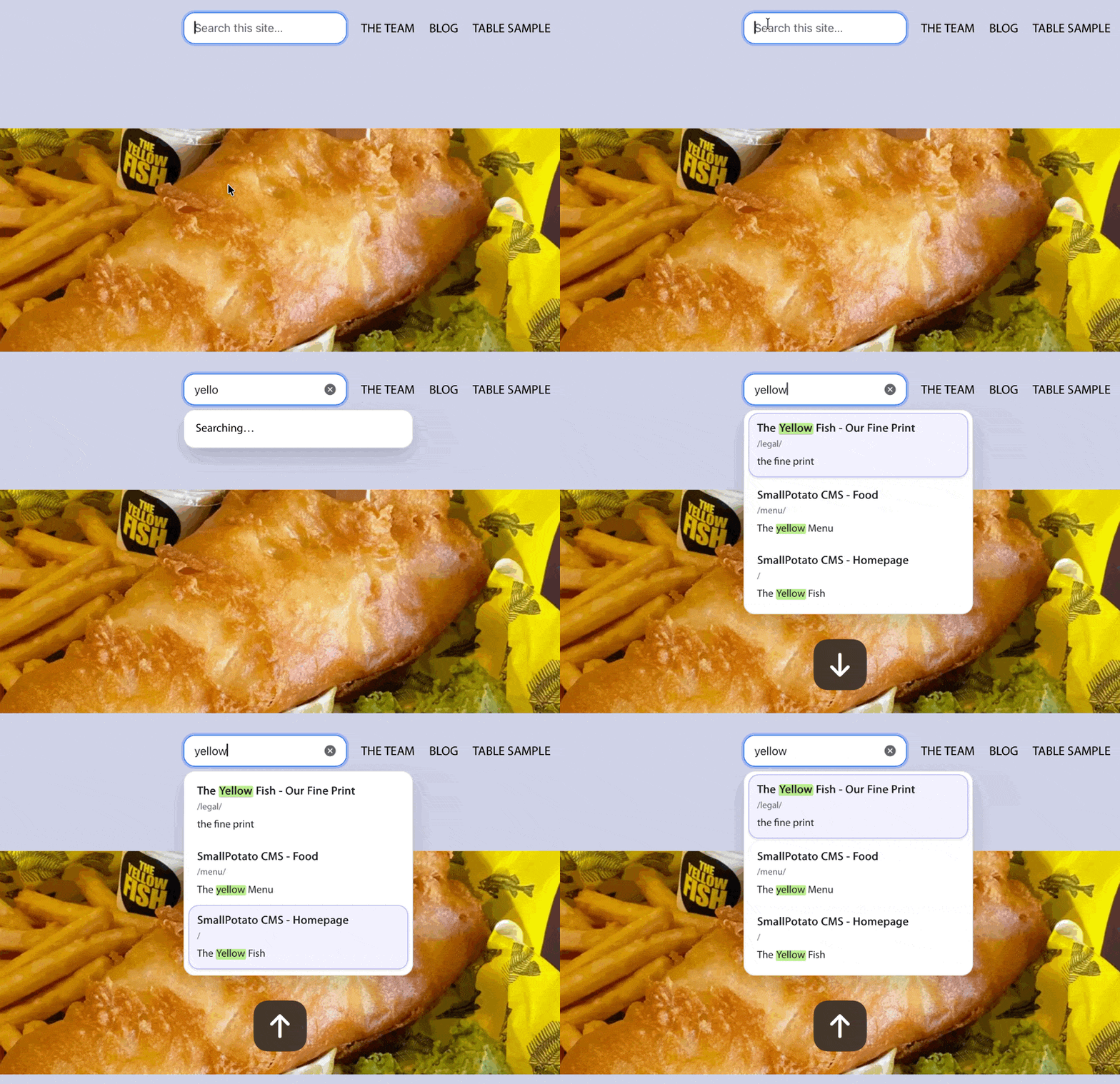
The result you pick with the arrow keys or point at with the mouse used to be marked with a coloured bar down its left side. That bar is gone. In its place, a new Selected Result section in the sidebar lets you set:
- Colour: any colour, Global Swatches included
- Opacity: how strong the tint is, from 5% to 30%
- Border: none, thin or medium, all the way round
- Shadow: none, soft, medium or strong
- Lift: raises the selected result slightly
The defaults are a light blue tint with a soft shadow and a small lift, so it looks good straight out of the box or make it match your brand style.
Try it on the playground: https://playground.blocs-brics.store
3 Likes