This is brilliant - simple to use and so effective!! GREAT work !!!
2026 for Blocs is really going places! with the new update from @Norm and developers current and new coming in - what an amazing time to be a Blocs user !!!
Brecht it wouldn’t be me without some basic questions (sorry!!!)
My biggest thing I always get asked when I build a live stream website for large companies is security. With the username and password is there anyway for this to be accessed by people diving deeper into it? - could the password be hashtag secured if needed?
@Eldar mentioned pictures and video links to be able to be edited. My head is thinking ahead not just for me but if someone has a YouTube or Vimeo video embedded - say showing latest video, if the user could just highlight the video window and a pop up for the video comes up and the user can simply paste the new one in.
Going back to the images (sorry - I know its not on here currently - but just thinking!) - I don’t have a need for it now but if a client has a PDF of a updated price list or a menu of a restaurant then a simple way to drop this in would be great too to swap over.
Looking at the posts above - so when designing the website and the text, do we design this blank in blocs and then add the text in ChartaCMS?
It would be great if you could do a basic video showing install to live edit. I know it’s pretty simple and easy which is great - but a little 2-3min video would be amazing! and I am sure help sales, which is 100% deserved.
Thanks for your great words and feedback. Let’s dive into it:
Actually, the password is hashed before storing it in the credentials.php, so even if the file is accessed (default permissions prevent it), it is still encrypted.
Well I’m currently already developing a means on replacing existing images with new ones. The major difference between Charta and the magnificent Volt CMS for example is that Charta allows replacement of existing content, but you can’t add an extra image for example. So it will be a one-for-one replacement of an image file. This is because of the fact I never want Charta to break any layout/design while still allowing the customer to edit the content.
That’s an interesting use-case. For now the “link” functionality only supports linking to urls, not files. I will investigate if I can implement a file manager too, so linking to uploaded files becomes a possibility. That will be quite a massive change, so first I’ll make sure the image-management is finished before starting on this feature.
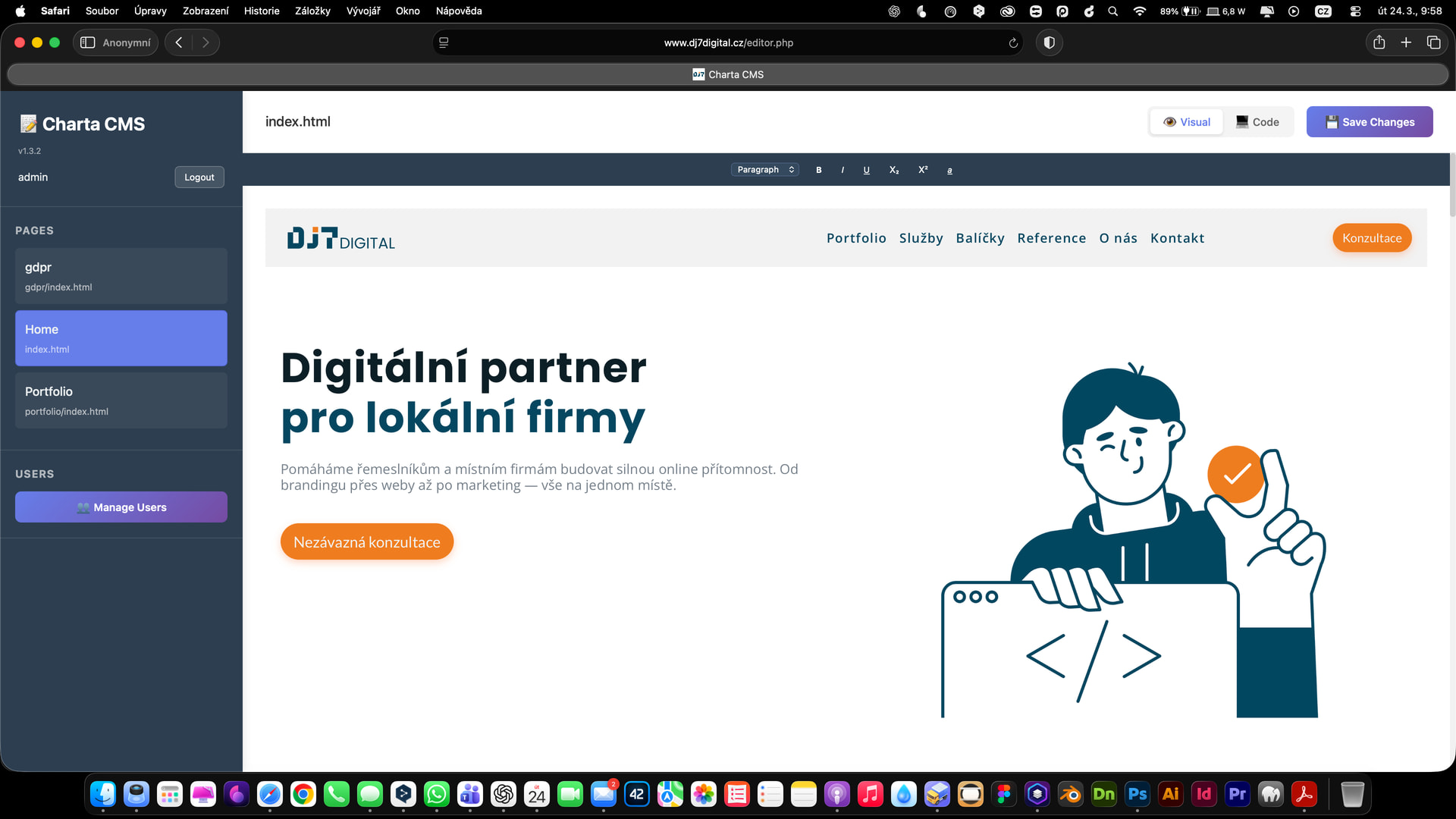
Not quite. You can fully design the website in Blocs (or any other application that generates html-sites and allows you to set a custom class for that matter). I prefer to work that way myself, as I immediately can see how my layout impacts the content. My workflow is reflected in how Charta works, I guess.
As the webdesigner, you decide what should be editable by your end user through applying the class “charta-edit” to those (for now) text-elements.
So once you deploy Charta after completing the design work, only the elements you added the class to become editable for the user in the Charta editor.
And also a question: Does it also synchronise? What I mean, if I build a site for a customer I have the content in my Blocs file. If the customer over the coming time changes some texts, what happens if I load now my “old” Blocs file? Does it load the changed texts from the server?
For that use case, VoltCMS is probably a better fit, as it stores the editable parts in it’s own directory on the server, and even usually reflects back to Preview in Blocs.
Charta on the other hand can edit text any HTML file with the class added, as I understand it. Went ahead and purchased, might come in handy later
Hello, I purchased Charta CMS, and it launched without any issues after uploading it to the FTP server and switching the website from PHP to HTML. I can see three pages in the admin panel, but I can’t edit anything visually (text). What’s causing this? Am I doing something wrong? Thank you
In the very first versions of Charta, before I released it, it did auto-detect text area’s. But with thorough testing I quickly found that this method was far too ambiguous, which caused all kinds of issues (even with the displaying of the page within the editor).
As such and too give the designer even further control over what should be editable for the end-user, I opted to make elements editable via the “charta-edit” class. It works very reliable this way and gives the designer optimal control over the experience for the end user.
I added it to my personal roadmap. I just will have to see how to deal with elements tagged as !important. But besides that, I think I will be able to integrate this quite quickly.
Are there further functions you’d love to see added to the toolbar?
It depends on how the change to the design is done. If the change is in the css (and thus style.css is altered), then you can just replace that file and that will update the design.
If there are structural changes, then yes, you will need to copy over the updated text from the live-website to avoid loosing it.
@pt2: I would never let my customers edit colors or font sizes. Allowing that might not seem much, but customers have a tendency to ruin your carefully crafted layout, content structure and seo strategy even when they can only change the text Blog entries ist a different thing imho.
@brechtryckaert: Talking of blogs, do you have plans to add a blog functionality to Charta at a later point? And what happens if I need to re upload the site. Will the changes made online disappear and get replaced by the content that’s in the bloc file?
Right now I’m focussing at bringing (existing) image editing to Charta.
On top of my head I would have to say that Charta CMS is not going to be able to manage a blog, as it is built specifically to only edit existing elements, not to add new ones (and thus potentially changing/breaking the layout).
For now the pages have to be html pages indeed. Currently Charta only supports those, but I’m adding this in my feature request list for further R&D into perhaps making this possible in a safe manner (without introducing ways to break a site).
Great, the ability to upload photos (some kind of automatic conversion of photos to a smaller file size), embed a YouTube video and it’s done. For 80% of the clients I have now, that would be more than enough.



 Blog entries ist a different thing imho.