Go to @Jannis site Iconic Gallery
1 Like
Well, I got it, downloaded it, and can’t see for the life of me where to put the folder URL of the images!
PS I know the documentation isn’t up, so this isn’t a criticism, and I don’t want Janis to reply as his time is best spent getting the docs done!
Thanks a lot guys, really 
Documentation will be added during the next hours / days.
The official release will be after the tutorial video is recorded.
Cheers!
3 Likes
Ah, that’s why I can’t set a root server folder, the Root Folder Path File Sort doesn’t show up on mine.
Do I need other bits of Volt installed?
Could you paste a screenshot of the bric settings pane?
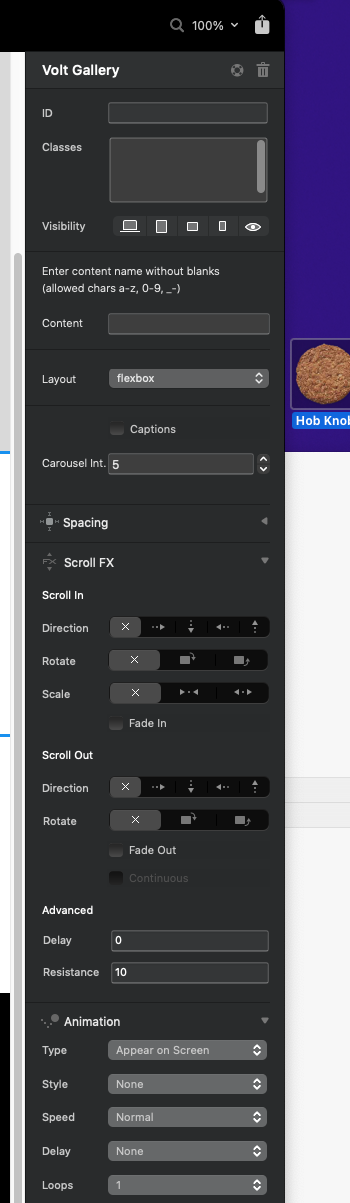
Hi, screenshot of the settings pane.
One thing I noticed was the site I was testing on was set to Bootstrap4. I upgraded it and closed and restarted Blocs, then reopened the site.
That’s Volt Gallery 
2 Likes
Have I been really stupid 
Well, I’m glad that’s sorted, I can see it now, having the right bric helps, amazingly 
4 Likes
I’ve covered this topic here in the tutorial: Photo Location Settings
Please have a look and check if the description is consistent or if anything has to be explained in addition.
Thanks!
Hello, is it possible to see the images in action before uploading to a server? ie. when building a new website and files are local only?
Kind of, you’re able to preview the gallery locally in in Blocs Preview, before uploading the page where you placed it on.
Therefore, you have to at least once publish the Bric to the server. Afterwards, you’re able to configure the folders locally inside Blocs and upload images. If you preview locally, you’re able to see the gallery with the photos from the server.
It may sound more complicated than it is, I’ll cover this in the next documentation post tonight: Preview gallery inside Blocs
1 Like
Sorry … just now saw your reply …
Cool would be when one can click on the entire image area to go to another page, as is often seen in other sliders …
Have a good Christmas!
I was trying to test the Iconic Gallery bric, but somehow I can’t get it to work.
The bric settings are:
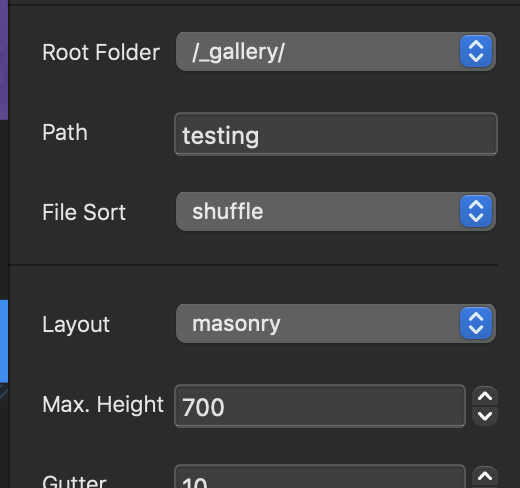
I have created a folder in the root, with a folder in it with the images
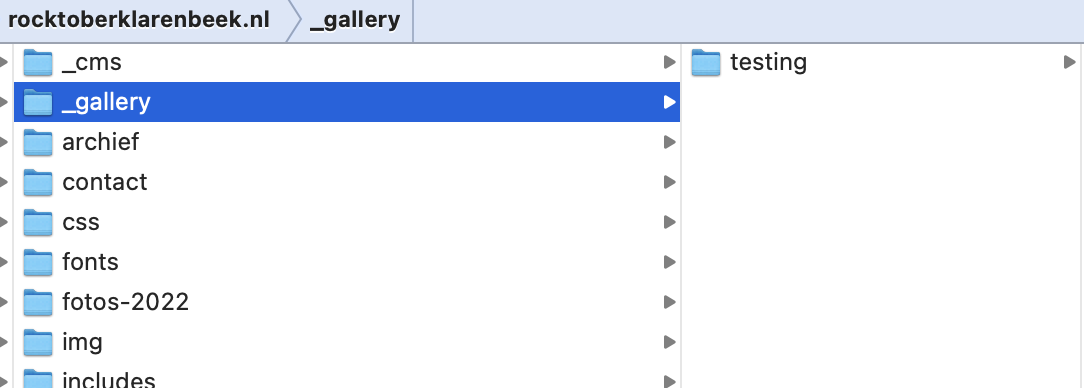
And the testpage is here:
www.rocktoberklarenbeek.nl/test
What did I do wrong?
Check to make sure your server is using PHP 8. I had the same problem and my server was using PHP7.4.
Casey
3 Likes
I am so looking forward to putting Iconic Gallery Bric to the test. Thank you for designing such an important Bric.
1 Like
Thanks, that did the trick!!! I have updated to 8.2.0
2 Likes
I just created a simple one for a youth camp our pickleball club put on.
2 Likes
Curious, does iconic work with videos?
Is there a way to add links to website when clicking an image?
No. It’s a photo gallery.
No. I’ll have a look if that might be possible in the future through links inside captions.
1 Like