Sadly, but it seems it doesn’t work really well in a case when the logo shrinks while scrolling up.
Big vague on details there @Svoy. Are you referring to the offset for the top nav? You need to re-calculate that within what ever script your using as the navbar shrinks.
Hi Malachiman.
Thank you for the prompt reply, for shrinking the logo I use “sticky .navbar-brand img” class.
You mentioned the logo shrinking when scrolling up. So you would be using a script?
You are talking about the offset right??
Yes, I just added the padding… but the weird thing is when I try just with your script only it works once and then gets back to where it was before with the second scrolling.
Do you have link or something I can look at?
I just used this - so incredibly helpful!! Thank you @Malachiman
@PeteSharp - one issue - its covering my drop down nav - do you have any suggestions for fixing that?

I address that in a follow up video from memory.
Part 2 is posted above.
Perfect, I must have missed it! Thanks
Strangely, the directions didn’t work for me. I’m not quite sure why…
It’s old and Blocs 3. I can’t look at it at the moment. But maybe later tonight.
Ah, maybe that’s the problem. I very well could have done it wrong though, too. I saw you are potentially offering a boostrap class? I just looked at your site! That would be amazing!
Yeah, coming lol.
Its all be on hold, as I have had some big projects on.
No problem, I just wanted to let you know that I thought it was a good idea. @Malachiman
I am following this on blocs 5 and I can’t make the sticky stay on top, not even using b5 built in class settings, It just ignores all clases. Pete did you sort this yet?
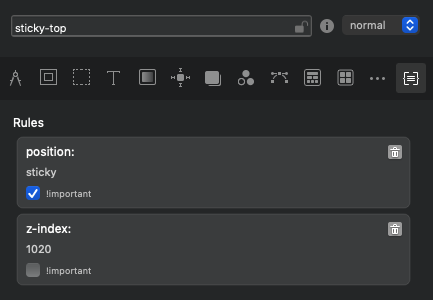
You might want to @ him
I solved the problem using a fixed bar on top
1 Like