Regarding title tags: besides the homepage title, there is also a place to enter a title for each project. What is the purpose of the project title?
Could you please share a screenshot of which input field you are referring to?
GPT Translation
どの入力フィールドを指しているのか分かるスクリーンショットを共有していただけますでしょうか?
Excuse me, I seem to have mistaken this for a social media title. What is the difference between them?
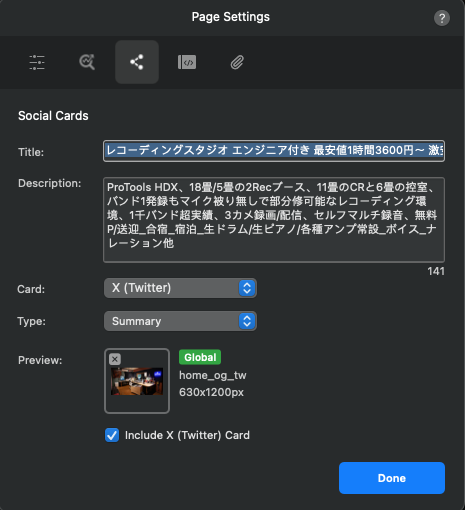
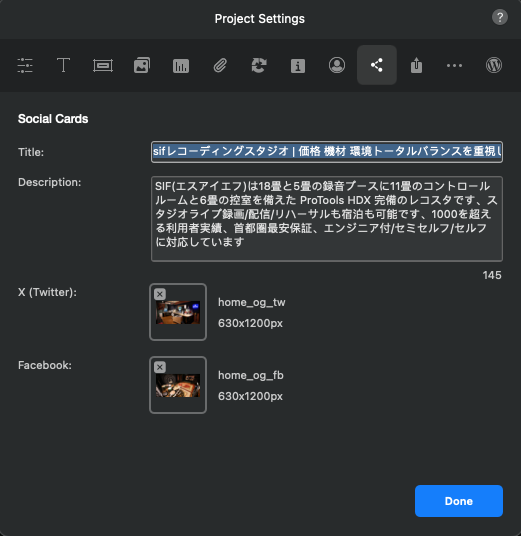
These are used for social cards, when you share the page URL on social channels such as Facebook or X, a social card is shown, this is the title for that.
I understand that it’s on each page, but why is it also on the project page? I’d like to know the difference.
In Blocs, the difference between Project Social Cards and Page Social Cards (Titles & Metadata) is mainly about scope and flexibility.
When you configure the Social Card at the project level, it acts as a global default. This means the title, description, and image you define there will automatically be applied to all pages you create within the project.
However, each page also has its own individual settings. This allows you to override the global project settings and customize the social card (title, description, and image) specifically for that page.
 In practice:
-
Project settings = default values for the entire website
-
Page settings = custom values for specific pages (when needed)
This is useful because you can maintain consistency across the site, while still having the flexibility to optimize individual pages for SEO and social sharing.
5 Likes
So, if I want to configure detailed settings for each page, is it safe to assume that I don’t need to configure anything in the project itself?
1 Like
That’s exactly it.
1 Like
Ok thank you
1 Like