Is there any way to apply gradient CSS into cards or any bloc?
over block 4 there is some cool css. I hope there can be some gradient color option in the coming updates.
I meant on top of image. So I sue image as Bg on cards.
Then I like to have gradient color overlay that image. Any idea if that can be done?
Hey @hkiyany
If you want to do this with an image by itself, place the image in a Div. Or you can use a card.
Create a class. (this class goes on the element wrapping the image, either the Div or the card).
.my-image
Set the position to relative
and then in the class editor create another class with the same name, but with the ::after or ::before Pseudo, (this is used for the gradient overlay).
.my-image::after
Set position to absolute, top and left to 0, width and height to 100%
Set a Background Gradient, make sure to utilise the opacity when setting your colours.
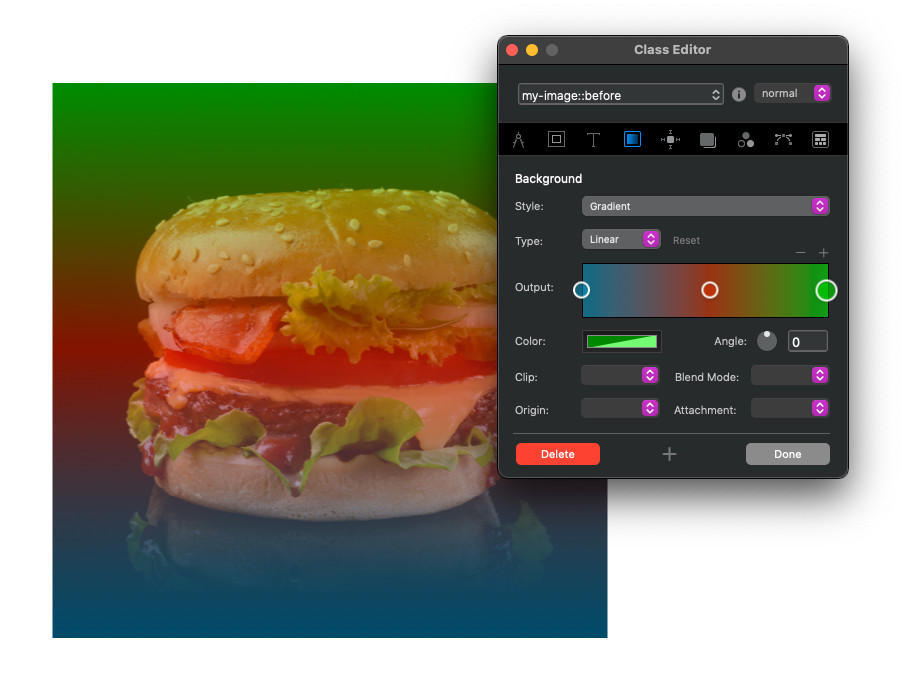
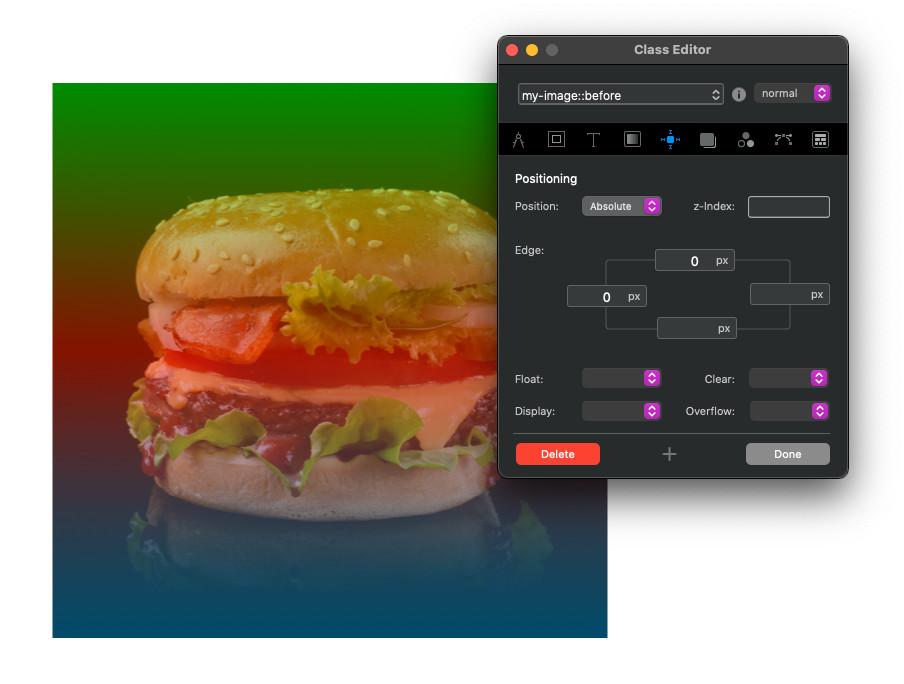
1 Like
Now this is language I can understand! Thanks million @PeteSharp
Sorry for my no code skills here.
I think it’s helpful when you describe what you need in the original post. Like over an image. 
1 Like
Agree. Quick question: If I need to apply any sort of hover, like changing gradient color. Shall I do it to first class or second one?
I tried to second one can’t see any change.
I probably wouldn’t use Pseudo Elements in that case, (again, be as descriptive with your use case as possible) I would make it with Divs.
But you can do can do it with the class manager.
No guarantees Blocs doesn’t have a fit at some stage with it though.
You can make another class (based on my example above with something like)
.my-image:hover::after
And set the hover state of the gradient.
1 Like
Hi @PeteSharp
is something like that also possible with a background picture ? 
tom
This is great stuff. Thanks @PeteSharp
another question 
Any way to use video as background for card or div?
I like to use video bg on card and keep text on top.
Check this kiyany.com/keynote
I like to use one of this card to have video instead of pic.
Anyway to do this?
Yes you can do that, a couple of ways, but they are all coded solutions and more complex.
1 Like
Thank. Hope to see blocs developers @Norm can make the easier for users like me!
Card Design has very high quality gradient overlay with a few options.
4 Likes
I have an issue here. After applying gradient to image with ::after class, text will also get affected and become hidden under the class. how to clip the text?
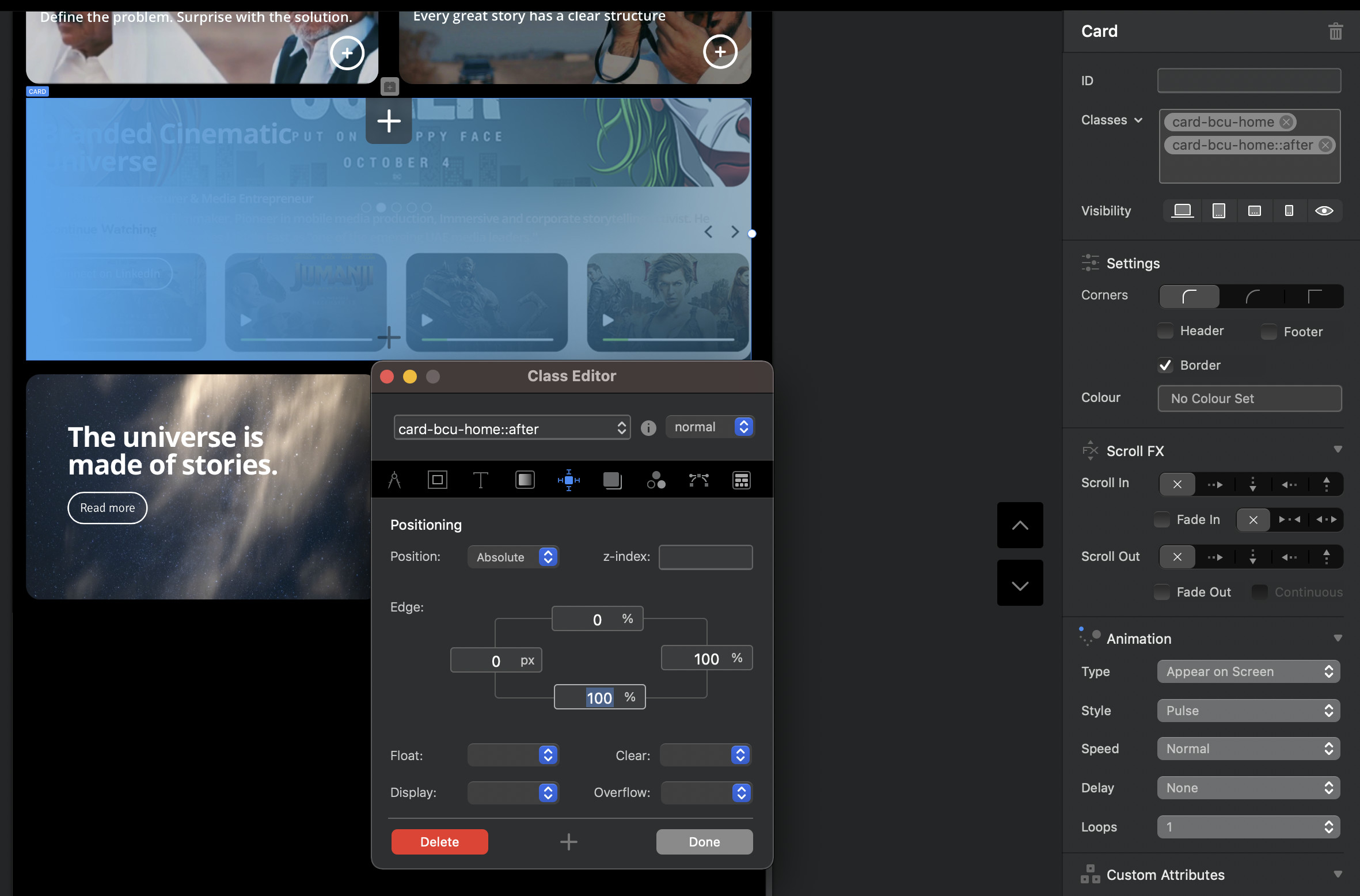
Appreciate your help.
Hassan
Are you applying this to Card Design? You don’t clip the text, you just need to apply the overlay in the right place.
Yes it’s a card design. Overlay makes no change.
Just to clarify, you are talking about the Card Designer Bric???
So if I understand correctly you want an gradient image overlay on the img on hover but the text and button visible on hover?
1 Like
Its card bloc - then I placed gradient color as bg.
then I added second class ::after by adding image.
Following your tips above this works but, text which was placed on gradient bg are not visible.
Any work around it?
I thought there should be way to clip-mask text from second css but not sure.