I have to say moving from RapidWeaver to Blocs has been super frustrating. Since the last update, the application constantly crashes and often behaves unpredictably. I can’t move stuff around. I try to adjust the navigation bar and blocks crashes. What’s going on here? I’m just about to go back to Elements can I get a refund for the purchase as it was not cheap!
Hey, sorry to hear you are getting crashes with the latest release of Blocs.
Maybe I can try and help get to the bottom of why you are encountering so many?
When you get the crashes are you reordering items in the layer tree (on the left)?
Also which version of macOS are you running?
Running into a few things that are either bugs or seriously underthought behaviour. Happy to be corrected if I’m missing something, but here’s what I’m dealing with:
1. Red dot on a Bloc — no unlock option
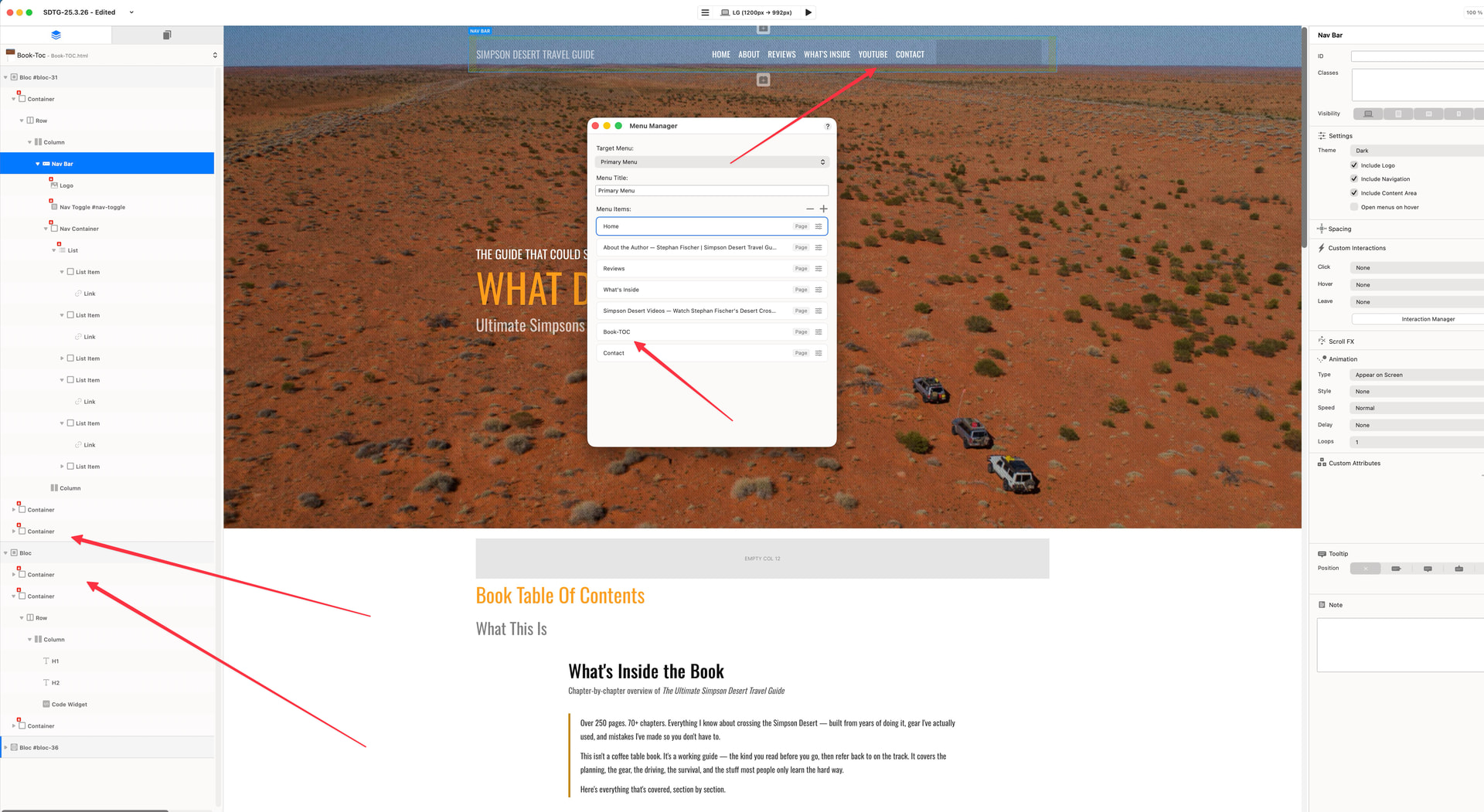
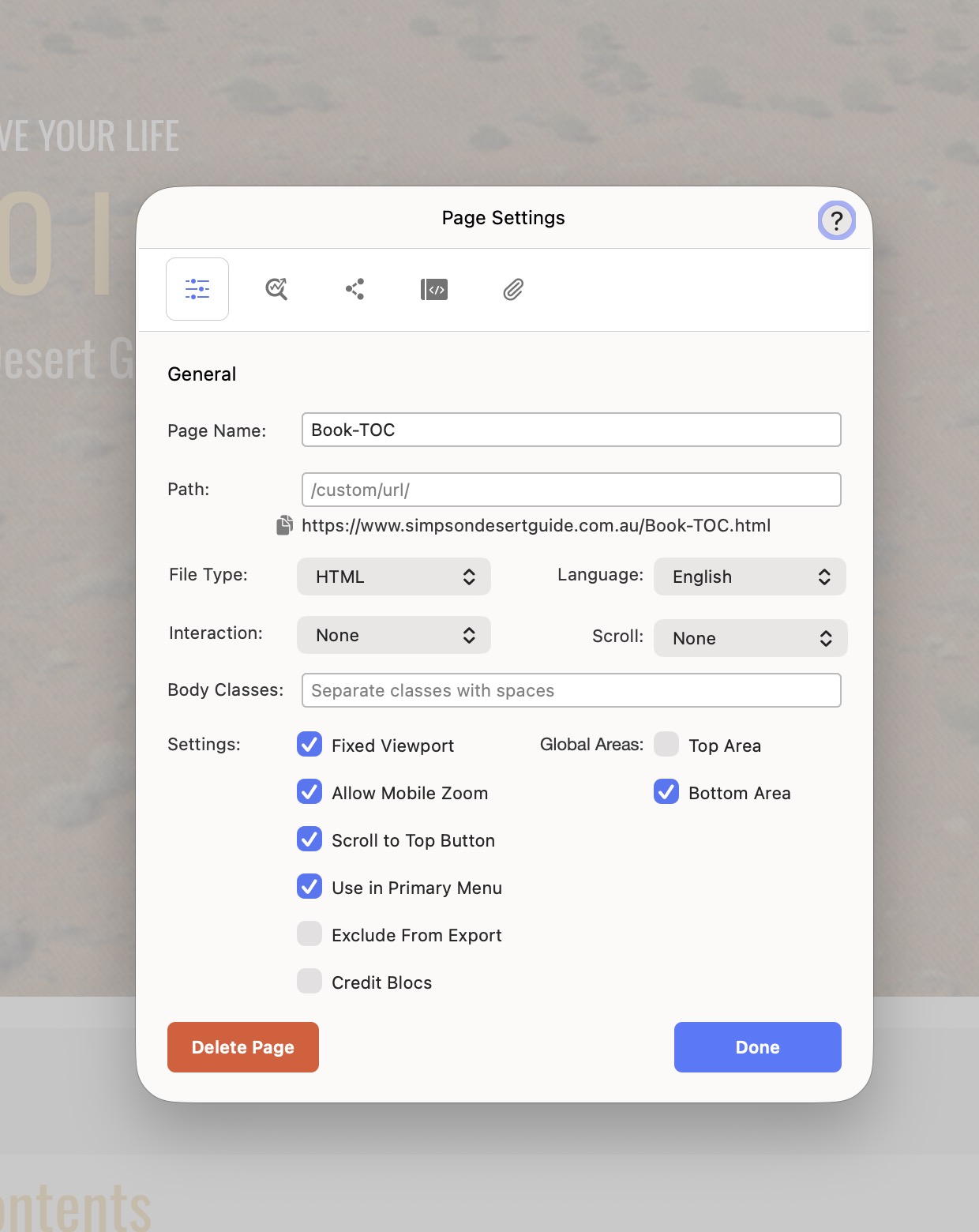
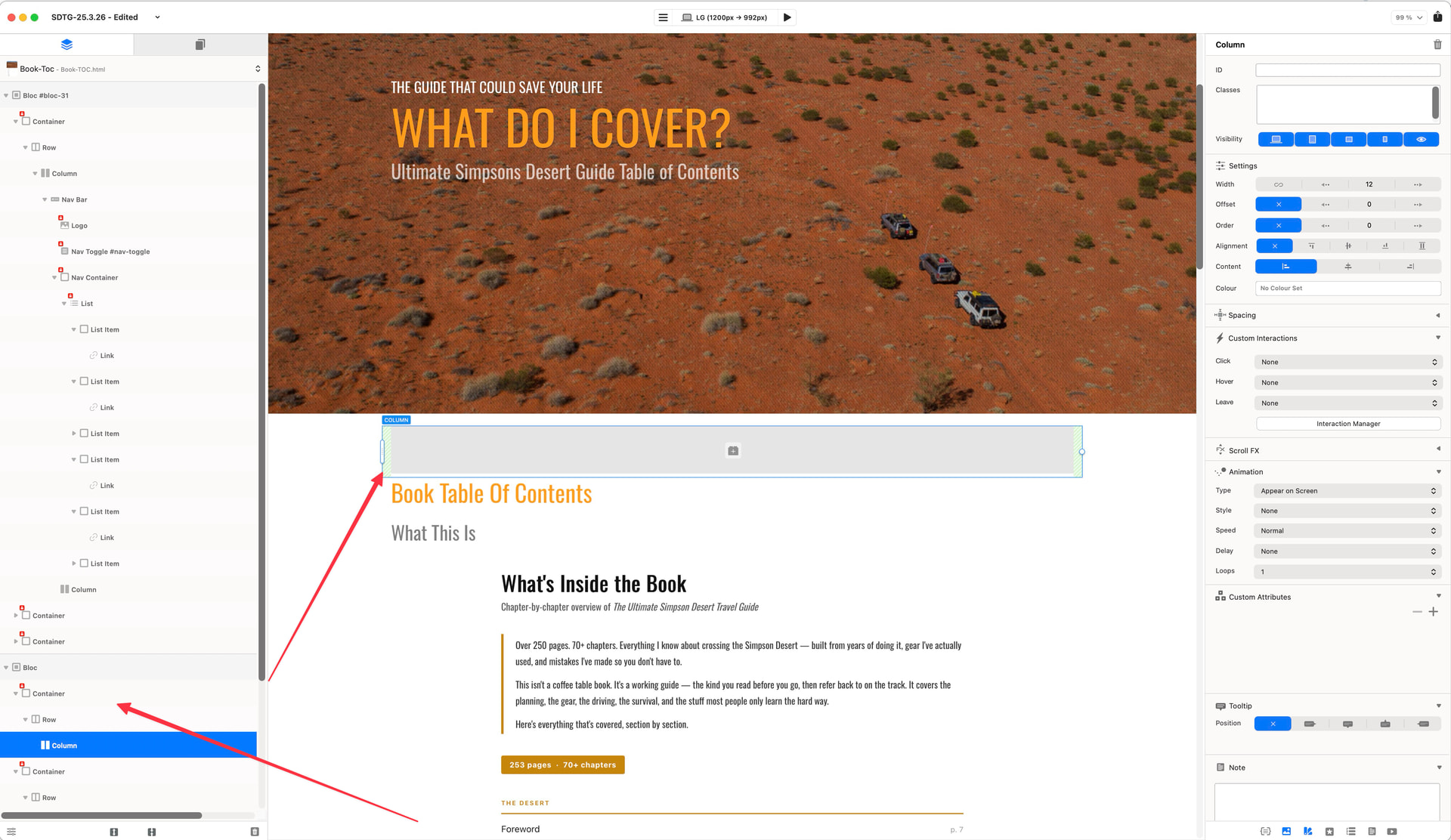
I have a Bloc in my layer tree showing a red dot indicator. It can’t be selected properly, can’t be deleted, can’t be moved. Right-clicking gives no unlock option. It’s not a Global Area Bloc (Top Area is disabled on this page). It’s just sitting there taking up space and I can’t get rid of it. What does the red dot actually indicate and how do I remove it?
2. Crashes when editing the Menu Manager after adding a Code Widget
After adding a Code Widget to a page, Blocs crashes consistently when I try to open or interact with the Menu Manager. Took three attempts just to get the Menu Manager open. This seems like the Code Widget’s content is conflicting with the editor environment. Is there a known workaround? Should all JS be kept out of Code Widgets and put in Page Settings → Custom Code → Body instead?
3. Window management is broken on dual monitors
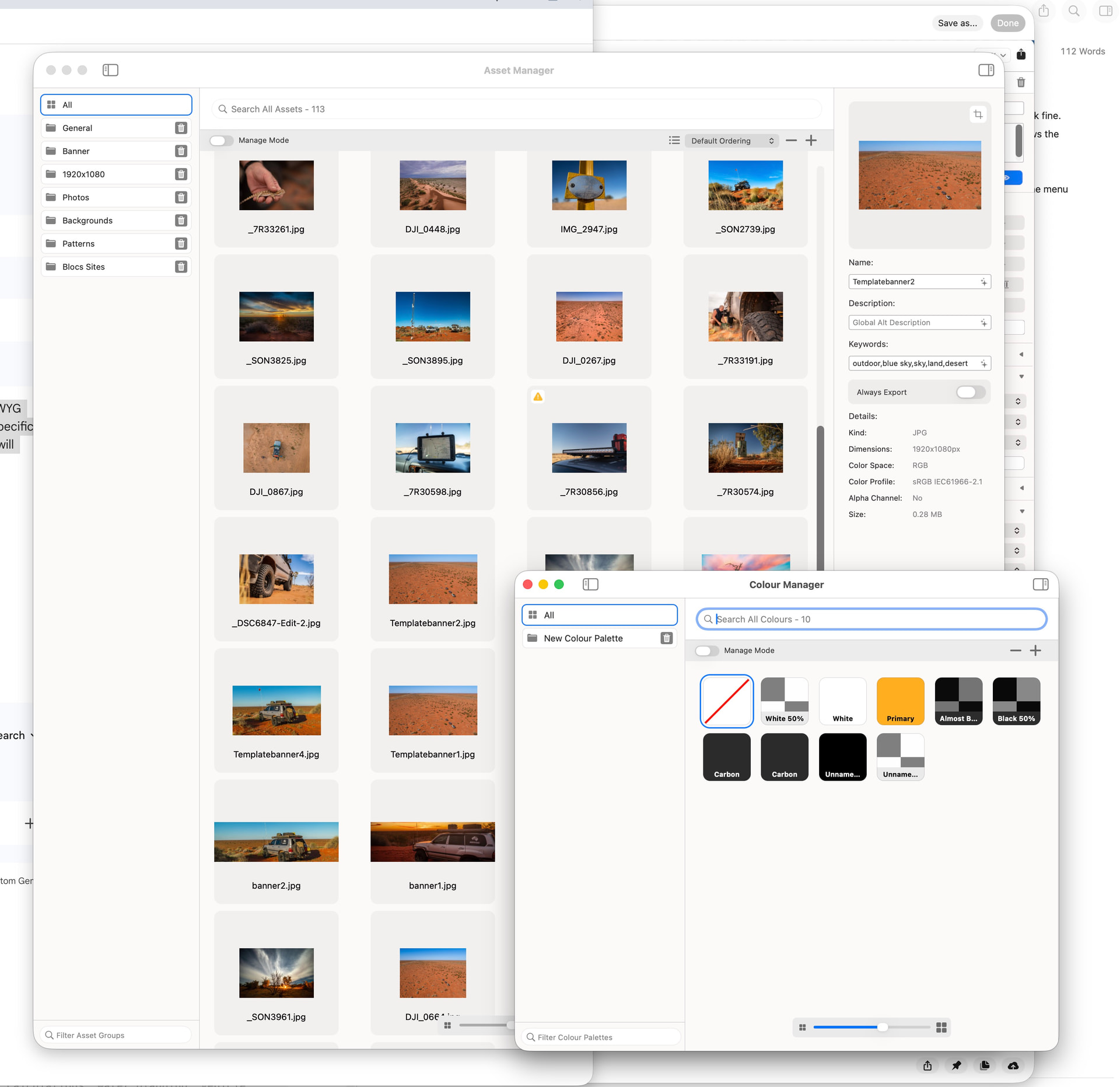
This one genuinely needs to be addressed — the Color Manager and Asset Manager panels behave as always-on-top floating windows. On a dual monitor setup, if I open either of these panels on my second screen and then switch to another application, they stay in front of everything. Every other app on the system gets pushed behind these Blocs panels.
This is not how macOS window management is supposed to work. Every other well-behaved Mac app respects the foreground application. These panels should drop behind when Blocs loses focus, not hover over my entire desktop. It makes working with reference material, Finder, or any other app alongside Blocs genuinely painful.
-
3. The AI Assistant is essentially useless
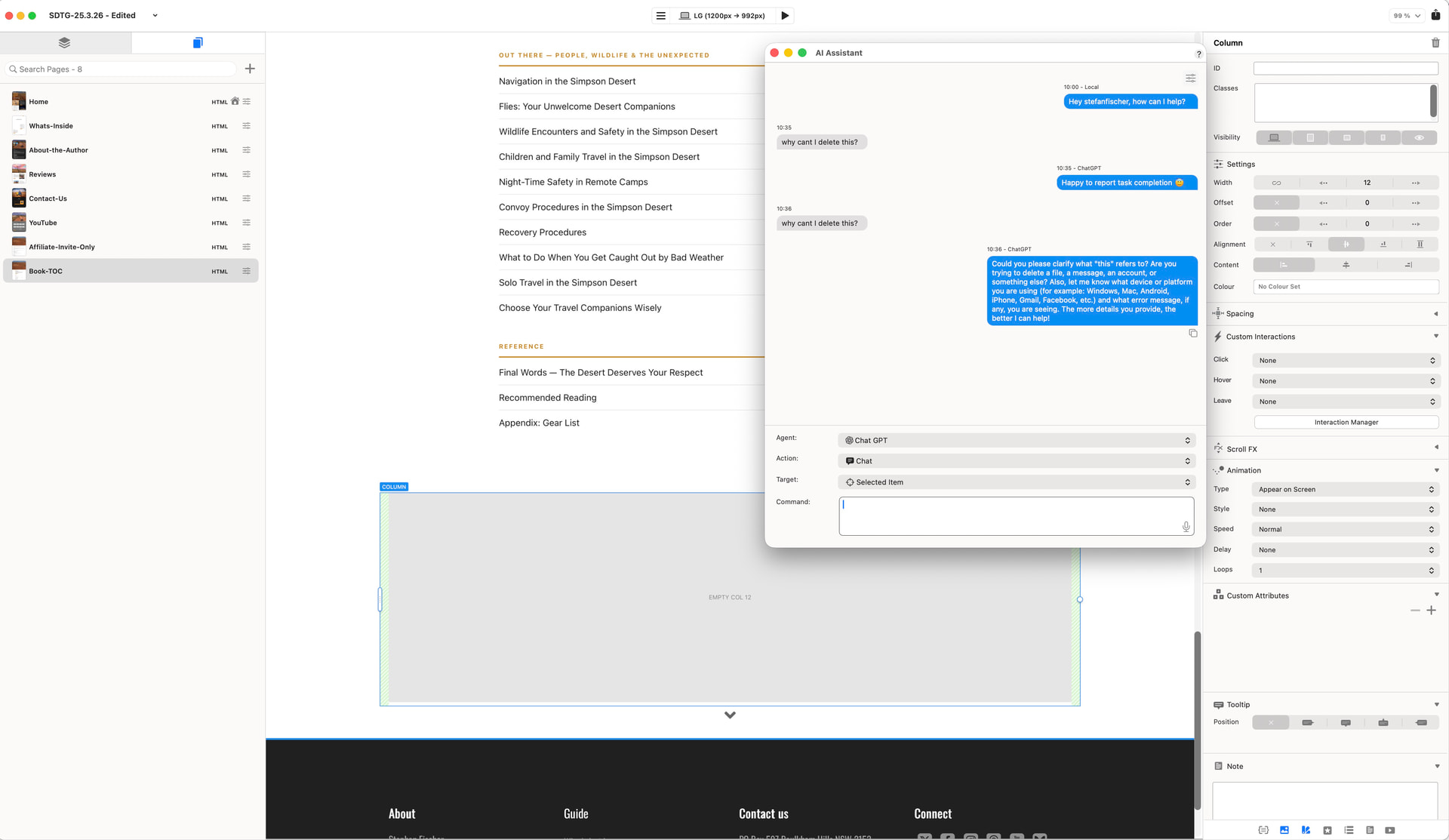
I get that this is probably still early, but the AI Assistant needs serious work. When I selected the problem Bloc (the one with the red dot I can’t delete) and asked it “why can’t I delete this?” — the first response was “Happy to report task completion
 ”. It reported completing a task. To a question. About why something doesn’t work.
I tried again. This time it responded with a generic ChatGPT response asking me what device I’m on, what platform, what error message I’m seeing. It had absolutely no awareness that it’s sitting inside a Mac application called Blocs, that I’ve selected an element, or what the context of my question even is.
If the AI Assistant is going to be useful it needs to at minimum know: what app it’s in, what version, what element is selected, and what the user is actually trying to do. Right now it’s just a raw ChatGPT chat window with zero Blocs context. That’s not an AI assistant — that’s just a browser tab to ChatGPT with extra steps.
This feels like the panels are implemented as a window level that overrides the standard macOS app layering. It needs to be fixed — it’s basic Mac HIG compliance.
Hi @rygar
Sorry to hear you are having issues with crashing - I will be honest I have not had this at all and I have been working on several projects and found it to be solid.
I do work on 2 monitors occasionally and it seems to work as it should for me - I put the panels in areas on my other screen that I need to access and to be fair, I want them to stay forward ! as hate it when they disappear as this is why I have 2 screens to keep everything visual and its how my event software works when using 2 or more screens.
Maybe send your project to @Norm somehow and he can take a look at why your projects are crashing. Good luck !
I’m pretty sure there’s an app setting that gives the option of keeping those windows on top at all times. It can be disabled.
I haven’t put the latest Blocs to great use yet, but seems stable to me except for when my iMac goes to sleep. On wake up I almost always have to force quit Blocs, but that’s all. In general use it’s been fine.
Is this in Blocs itself or is this a Mac OS thing when using dual screens? either way the option will be good - but right now to me it works as it should.
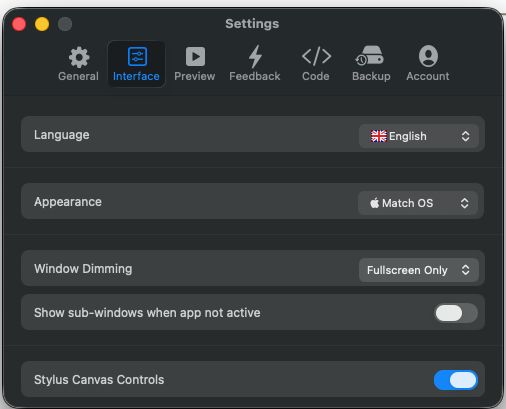
Hi @AdieJAM , it’s in the Blocs app > Settings > Interface > Show sub-windows when app not active.
As you can see, I hide mine.
2 Likes
Hi @TrevReav
aha ! I remember now - thanks for jogging my memory, mine is always in view.
Thanks for posting.
If we are talking about issues with a two monitor set-up, when Exporting the confirmation dialogs don’t always appear where you expect them. At time I sit wondering why Blocs isn’t doing any thing, and then realise the dialog box has opened on the other window this time.
Blocs doesn’t cause any problems with 2 monitors for me, and I also experienced no crash when using a code widget and the MenuManager.
I doubt that an AI can make sense of a vague request like “why can I delete this” at all. But I also lack the experience for that.
I have worked with Rapidweaver for over 15 years, and compared to that, Blocs is significantly more stable. That you are having so many problems is really strange. You should send your project to @norm.
3 Likes
I’d like to share my experience, as it might help bring a different perspective.
I’ve been using Blocs across two monitors, and in my case, it has always worked very smoothly. I haven’t experienced crashes, even while managing multiple projects simultaneously. Overall, it has proven to be quite stable and reliable in my workflow.
Regarding AI, I believe there might be a misunderstanding. As far as I understand, Blocs doesn’t have its own proprietary AI trained specifically for the app. Instead, it integrates with external systems like Apple Intelligence or ChatGPT. Because of that, these AIs are not specifically trained to provide technical guidance about Blocs itself, which may explain why the results didn’t meet expectations.
When I first started using Blocs, I also had some questions. However, the Academy videos were extremely helpful and clarified most of my doubts. They’re a great resource, especially in the early stages.
Of course, everyone’s experience can vary depending on their setup and expectations, but in my case, Blocs has been a solid and dependable tool.
4 Likes