Nope. I’m pretty sure most people have no idea what it is.
It’s not something I’m overly clued up on either  but done some recent reading.
It never ends.
Nope. I’m pretty sure most people have no idea what it is.
It’s not something I’m overly clued up on either but done some recent reading.
It never ends.
Thanks for that, and helping isolate it. I’ll push an update tomorrow.  (which for me is today as it’s 1:30am
  )
)
I wish. A fair bit to do there. Like tutorials and examples.
Some of us have jobs and can’t spend all day under the  sipping on
Too many  ?
?
Does it work again? I think I have to update the classes inside the form…
Just discovered from Page Insights that links with this bric do not have a discernible name, so Google is putting a red mark on this:
“Link text (and alternate text for images, when used as links) that is discernible, unique, and focusable improves the navigation experience for screen reader users.”
It’s basically highlighting the graphic icons in the social bric. In this case it was for LinkedIn.
I’ll check 
Further to this point, attempting to scroll through classes in the class window with the side bar just caused Blocs to crash and I lost a whole page of work. I generated a report after restart, so hopefully that will help to pinpoint what is going on. I’ll be sure to save more often now I have seen this.
I think a lot of the Blocs drop-down windows could be larger (or resizeable). Sometimes they’re very difficult to scroll.
Hey @Norm
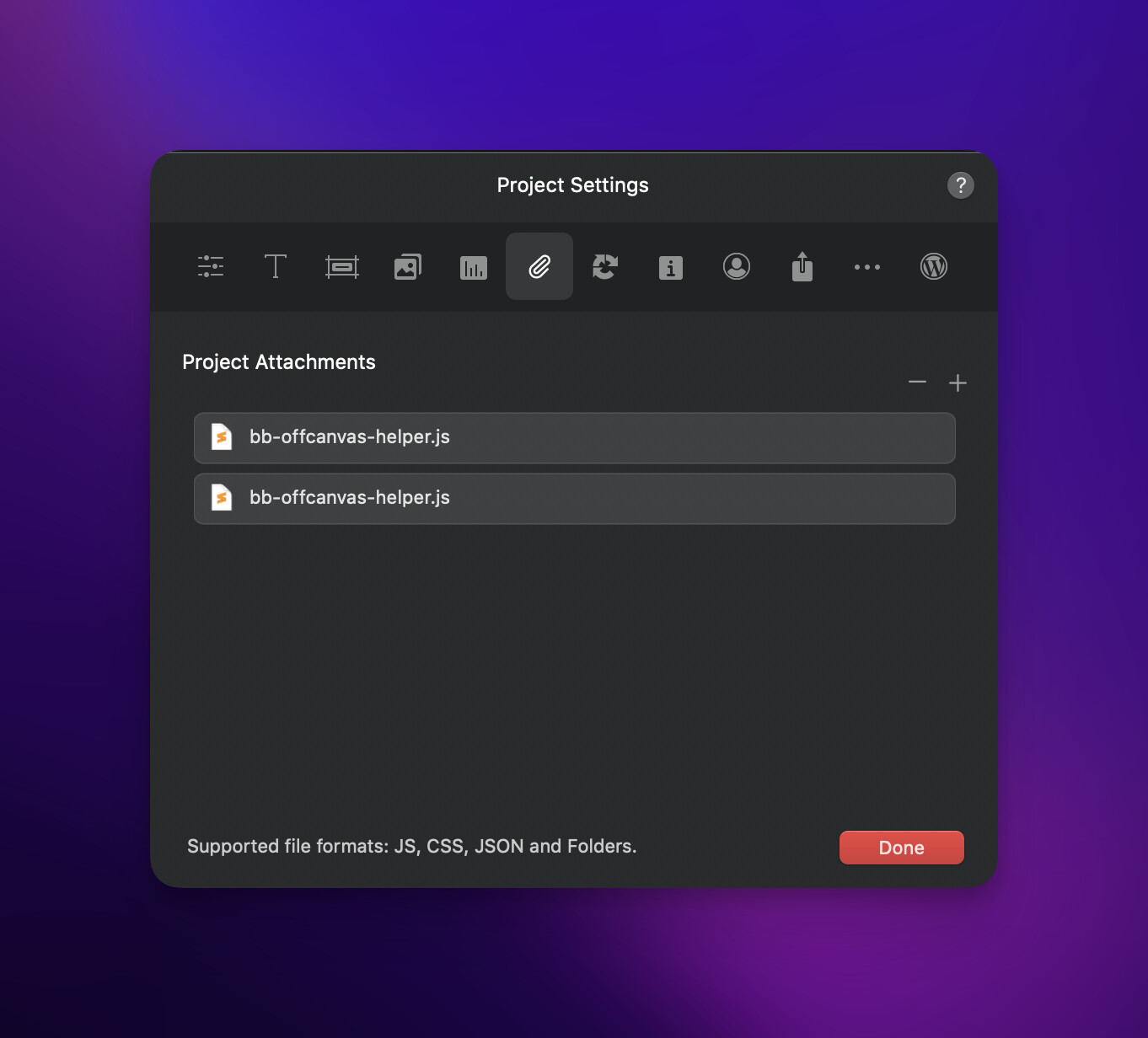
After updating Offcanvas Helper, I noticed in a couple of projects that Blocs is doubling up the resources. Looks like that old bug is back.
For anyone reading this, the solution for the moment, is delete those files, right click on Offcanvas Helper - reset resources. (You only need to choose resources, Blocs will re-add the file.)
This may be related to the beta app naming I’ll check that.
Stable build too
Did you adjust the name of the file or Bric at all?
No, that file only had a version number change at the top of the file. Otherwise it’s the same.
Hey @Norm
Not sure if this helps. But I did update the file by just opening it through the Bric builder.

A weird crash is triggered when using Box Shadow CSS
Blocs 5.1.1 on macOS Senoma Version Beta (Build: 23A5312d)
Box Shadow Issue.zip (901.6 KB)
Can we get some more Pseudo states please…
:focus-visible
:focus-within
outline would be nice too.
I was curious as to what this was, So I did some research. Not sure what the focus within is other than something used in forms.
<p class="warning"></p>

<button>Button Shadow</button>

<style>
  button {
  background-color: blue;
  color: white;
  font-size: 1.5rem;
  border: none;
  border-radius: 1em;
  padding: .5em 1em;
}

/* Keyboard will use a large outline. */
button:focus-visible {
  outline: 4px dashed black;
}

/* Mouse/Touch will use a subtle drop shadow. */
button:focus:not(:focus-visible) {
  outline: none;
  box-shadow: 6px 6px 10px rgba(1, 1, 0, .7);
}

/* Just used for feature detection. */
.warning {
  display: none;
  font-size: 24px;
  font-weight: bold;
}
</style>
better to translate by: “Nettoyer les URL de page”. 
I am currently updating a website for a client with ten new pages and each page has two forms. One for a price quote and another for making contact. Some of these forms have multiple entry fields for requested information.
I understand that input fields within forms on the same page cannot have the same ID, so Blocs automatically adds characters if they are duplicated, but I really wish that wasn’t done when they are duplicated to new pages where there would be no conflict.
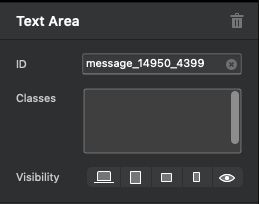
Having to now check and edit every input ID on every form across 10 pages is horribly time consuming and prone to human error. Is there no way for Blocs to avoid adding these extra digits when a bloc with a form is duplicated to another page? At that point we would only need to edit the form ID without touching the numerous text areas and consent etc.
At present we end up with tags like the one in the screenshot that then shows in the received email, unless each one is manually corrected. It’s always been like this in Blocs, but it’s one those things that really slows down the workflow or leaves uncorrected errors.
NB This also happened if you simply duplicate a page and the number of digits increases with each duplication.
It’s frustrating that we can have page settings open in preview mode, yet cannot make changes like pasting code into the page footer for example. It comes up with an error sound when attempted but no real explanation and I think this could be handled better somehow.