Thanks, Norm!
Just updated to Blocs 6.3 (build 35) and everything is working perfectly now.
Really appreciate the quick fix. Preview mode is running smoothly on my end.
Thanks, Norm!
Just updated to Blocs 6.3 (build 35) and everything is working perfectly now.
Really appreciate the quick fix. Preview mode is running smoothly on my end.
ah, found it. Normally I do “ctrl click” for a “right click”…. in this case that wasn’t working. I could fix that in my system settings… Personally I would prefer a keyboard shortcut… But this works!
Been playing with the “New” Blocs for a while. Just a small suggestion: with %year% you can set the current year. It would be really awesome if this could be done with %month% and %day% too…
So….what does everyone think?
Have we fixed the bugs now?
Is this 6.3 version stable?
Thanks fellow users…
Rich the Weather Guy
Scroll back up to see my earlier posts made yesterday. Then upgrade to 6.3 and check your sites to see if you find the same non-breaking space code appearing on any pages.
Thanks @Norm it’s working now!
Many thanks for the quick fix! I just installed the update to v6.3 and the code-splatter in Page view is now gone…
All good now!
I don’t have this.
Thanks for that update again @Norm
This feature Requires Apple Silicon and doesn’t work on SVG files.
If you are working on a Macbook (Pro) you can set this in your system preferences. Scroll down to trackpad and choose the way you want to set the secundary click…
OK.
I have Mini M2 and JPG.
Do you have Image Playground enabled on your Mac?

I mean the “adopt with playground”
I don’t know.
Where is this?
Could you try starting a new project with one of the built-in site templates. Can you adapt the images that come with that template?
If I have to enable Playground in system settings to get to work, please let me know how to do this.
I couldn’t find something like “Playground” in system settings.
EDIT:
Ok found it.
I won’t enable Apple Intelligence.
So I don’t get Playground.
I can live with it. 
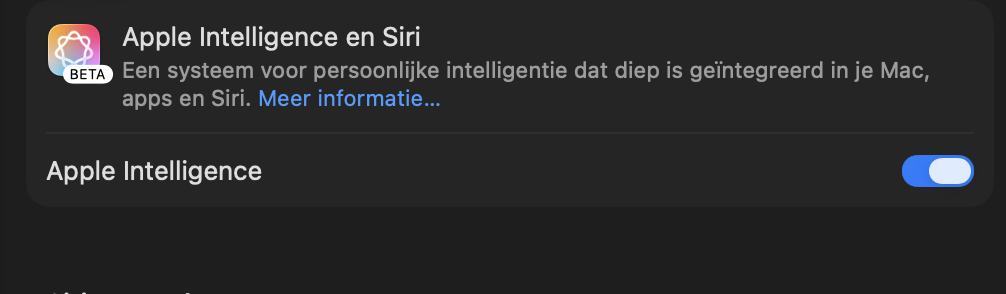
In think you should also enable Apple Intelligence in the system settings of your device. You can do that by going to your system settings, and scroll to “Apple Intelligence and Siri” to enable it… (mine is in Dutch)
THanx a lot.
I found it.