I’m very excited to let you know that after months of testing, Blocs for Mac 6.3 has now been officially released.
You can read all about this exciting new version of Blocs here.
And of course, here is the promo video for 6.3
You can read the entire release notes for this version of Blocs here.
Finally, I’d like to thank everyone who has helped to test and shape this release of Blocs, it’s thanks to your feedback that Blocs continues to be the best website builder on the Mac.
Huge list of changes. Looking forward to trying everything out. But so far the panels are still acting crazy (hiding and refusing to reappear unless the app is relaunched).
I just wanted to share an issue I’ve encountered after updating to Blocs 6.3.
I really enjoy using Blocs and have recently started using it much more actively in my client projects — especially for building WordPress-based websites.
However, after the 6.3 update, Blocs immediately quits whenever I press the Preview (Play) button, but only on my WordPress projects. Regular HTML projects work without any problems.
The crash report points to:
-[NSConstantArray objectAtIndexedSubscript:]: index 17 beyond bounds [0 .. 16]
Since I’m currently in the middle of a time-sensitive client project, this situation caught me a bit off guard.
Just letting you know that I’ve also opened a support ticket with the full crash log so that the team can take a closer look.
If anyone else is experiencing something similar, or if there is a temporary workaround, I would really appreciate any advice.
The preview does not work in any of the WP projects that I tried. Good catch @yusuf, I’ve been working on a different type of project and I hadn’t use the preview for quite a while.
For me, Blocs 6.3, doesn’t quit or crash, the preview never shows.
Some really fantastic features in there, Norm. I noticed the new Search right away! Fantastic!
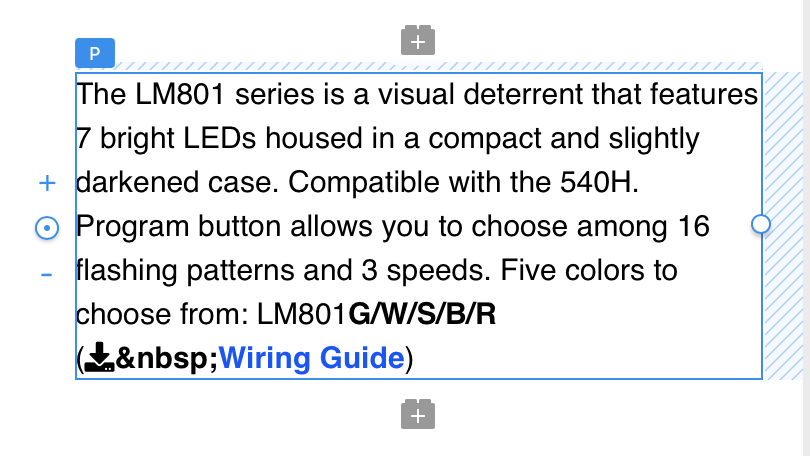
Could be that I have forgotten, but did something change in this new version, such that all non-breaking spaces are now showing the CODE rather than just a space? See screenshot below…
It does not appear in PREVIEW. It only appears in the normal design view of Blocs. But as I said, it the “code” did not appear in earlier versions of Blocs.
I have fixed up the Wordpress preview issue and released a new build of Blocs 6.3 (build 35) that includes the fix. Just run the in-app update again and your preview mode should play nice now.
Looks great!! One small (perhaps silly) question: where can I find the Adapt image button in Asset manager. I do have the generate image (playground option)…