Back with the third beta of Blocs for Mac 6.4.6, first fix for MacOS 27 in this one plus a few other bug fixes.
New in this build.
• Fixed window issue on MacOS 27.
• Fixed Bric Bar position when canvas zoomed out.
• Fixed various issues with Delete key.
Page Navigator
• Added support to duplicate multiple pages in Page Navigator.
• Added support to copy and paste pages in current project in Page Navigator.
Asset Manager
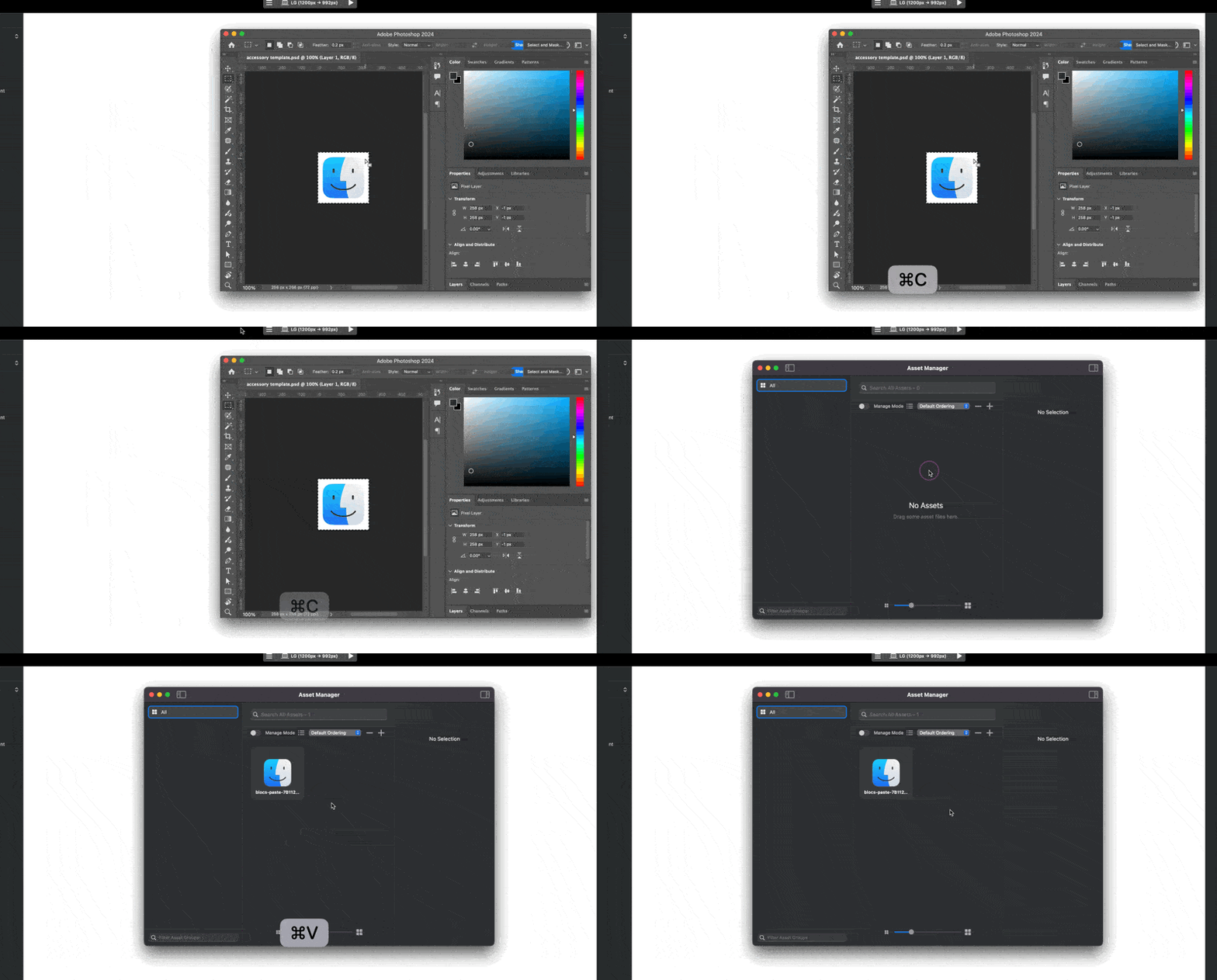
• Added support to paste assets from Finder directly into Asset Manager.
• Added support to paste asset browser urls directly into Asset Manager.
• Added support to paste directly from design apps such as Photoshop directly into Asset Manager.
Colour Manager
• Added support to paste HEX values directly into Colour Manager to add new colours.
Bug Fixes
• Fixed issue that could show wrong breakpoint when zooming the design canvas.
• Fixed issue that caused misaligned canvas when zoomed in and resizing window.
• Fixed various issues that allowed multi-line text pasted into site setting fields.
• Fixed issue that caused images used in classes to be flagged as unused.
• Fixed window issue on MacOS 27.
• Fixed Bric Bar position when canvas zoomed out.
• Fixed various issues with Delete key
Is there a video showing these two new features in action?
-Added support to paste directly from design apps such as Photoshop directly into Asset Manager
-Added support to copy and paste pages in current project in Page Navigator
Since installing 6.4.6 I’ve had a problem with the wrong breakpoints showing on the design canvas. I don’t think I had the problem on previous versions and see this was a "bug fix”.
Anyone else finding this? Can I downgrade and still open my file?
Oh maybe - It is a 13” M4 MacBook Air. It is only the SM breakpoint that shows greyed out when it should be visible. I have tried hiding layer tree etc, but doesn’t make a difference.
Try tinkering with the canvas zoom level, when zoom is used the viewport widths sometimes drift when the scaling calculates the new size (its an odd calculation issue with the OS and bounds), I have fixed it up in recent releases and have not been able to trigger it here on any of our test desktop Macs.
That’s interesting. It is correct at 100%, but shows wrong at other zoom levels. I am on OS 15.7.3.
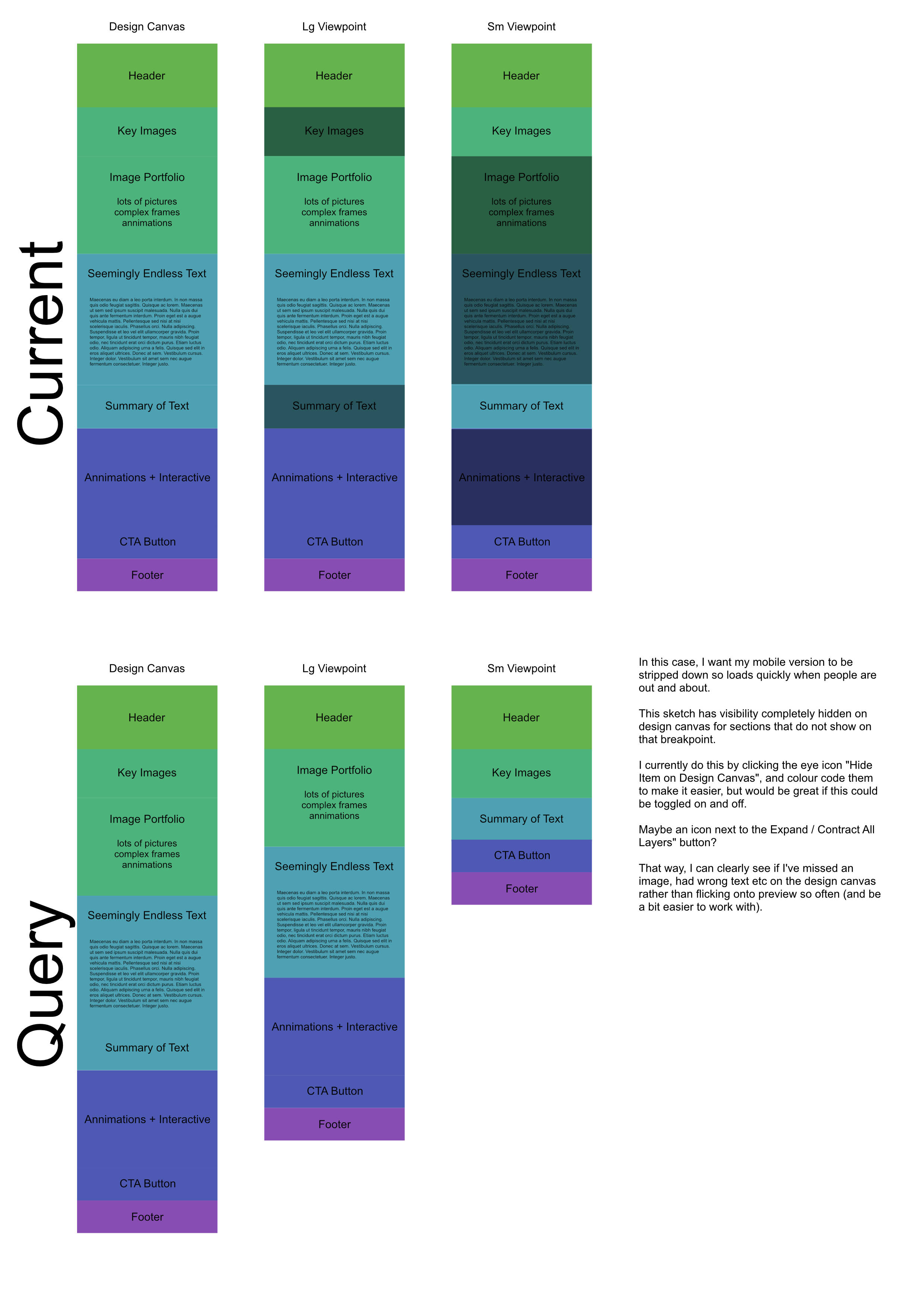
Out of interest, is there a way to hide visibility of breakpoints that don’t show on the design canvas? I had a look in settings and the forum, but couldn’t see if it was possible.
Ahhh yes, that is exactly the one. The query is if there is an option to change to “don’t show on this breakpoint” in-app rather than “show faded” in-app. When working on one breakpoint, the faded in-app parts are not visible.
I’ve just uninstalled an reinstalled to see if that would fix the viewpoints showing incorrectly, and am getting the same results.
Think the software is great though, very much enjoying using it and have been recommending to anyone who will listen! Thank you
Please support downloading not only .PDF files, but also .DOCX files.
A variant on Brics (widget) for displaying online documents, e.g. a table, which the creator can then edit online and the widget automatically displays the latest version of Google Word, Google Excel files. This can be solved via a classic widget, where you insert an iFrame from a Google Word document, but you have to play a lot with the document display so that the document is displayed in the widget, e.g. in its entirety.

 New in this build.
 Page Navigator
 Asset Manager
 Colour Manager
 Bug Fixes


 .
.