As a wish also to prevent and for those looking for the issue (secund time for me ), and not loosing time to find how-to,
Color change doesn’t works (it may be a interference prob with Pref font colors assignated, bty…)
The text color doesn’t change color,
Also not a class customisation,
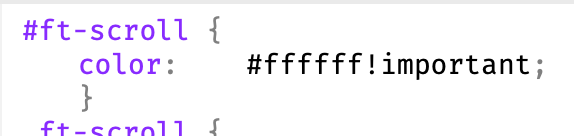
Also not a class assignated in code editor, even with !important,
But OK with an ID + !important
Problem with bric Scrolling Text Marquee to Change Color
You should not need any additional CSS to change the colour. The bric options should work.
The bric, adds the colour style inline, which generally over-rides anything else. This is called specificity, and is how browsers determine what CSS rules to apply.
Using an ID, seems to over-ride the inline style, which is really interesting, and I tried it myself. I wasn’t expecting that to work.
You will need to check the browser inspector to see why the inline style added by the Bric is being over-ridden by something else.
Off course I tried firstly directly in right-frame (supposing naturally it is prior), even after verifying there are no interference possible with anny style of any sort/way (as eg Hn in preferences, I then deleted colors…),
And I confirm you with (after all testing) certainty the text color doesn’t works (ok bg).
Same prob in two very different projects, same tests and verifications (and time spent reason why i’ve posted this for others), and same final solution with #ID in code editor.
( Site concerned https://www.m-tronic.fr )
If you confirm - and I believe you off course ! - , it’s then very curious because impossible on my side ; i’ll make a vid-screen with project from scratch.
Up @PeteSharp
Unbelievable, it works perfect from scratch. There was absolutely no reason with both projects because I verified no possible “links” at all (I wouldn’t be so sure, I would have tried from scratch as yet - bit dumb not having this reflex of testing beside first btw -, I wouldn’t have spent time to post…). There is obligately a common reason, i’ll make a quick 360° with my habits, surely a reason there… Btw sorry then my mistake.
Btw I confirm that assigning a color in Prefs/fonts/ALL is prior on the bric’s param, and then only an #ID is possible toi change its colors if you want to keep the Pref/col
Nope, click is obligated to trigg sound.
No prob, absolutely no susceptibility
I don’t know how you’ll do in 5-10 years… I hope to meet you here and continue this little discussion.
 ), and not loosing time to find how-to,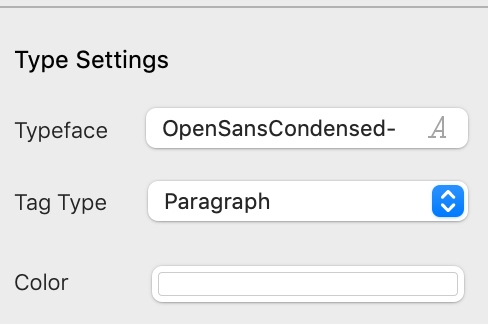
 because impossible on my side ; i’ll make a vid-screen with project from scratch.


