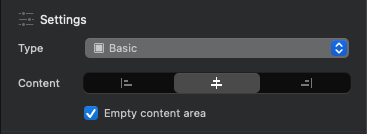
You’re not alone in experiencing this. The Option+Click shortcut to apply alignment across all breakpoints only works for text alignment within Text Brics, not for div content controls in my experience. For div containers using Settings Content controls, the alignment settings cascade from the current breakpoint to larger ones only, but don’t apply universally. The recommended workflow is to create a custom class for your div and manually set the alignment for each breakpoint in the class editor. I think it’s not a bug, but Blocs follows Bootstrap’s cascade behavior where changes don’t automatically propagate down to smaller breakpoints for structural elements like divs. Just my 2 cents.
@Blep Many thanks for the background and explanation and glad to hear I’m not going crazy, over here.
@Norm As this behavior isn’t at all clear in the Blocs interface, any chance on improving this as from what I can tell you’re alignment controls in Settings » Content appear to comprehend what’s been selected (e.g. the interface changes for div versus image).
Of course ideally, I’d love a “Apply to All Breakpoints” checkbox to be added to override this behavior.
Or if this is too much, maybe add some kind of visual indication such as an info button, triangle, etc. that calls out this behavior with more info.