Just curious if this is a Blocs bug or just something strange I don’t yet understand. If you examine the Modal in the screenshot below, you see I have text in the Modal Header with a Class applied that has “auto” in only the left side Margin. I want the text to be centered, and normally I would also need to put “auto” in the right side margin too. And indeed, that will center it in Page View in Blocs, but when I Preview, it will end up being shifted to the left, for reasons I don’t understand. So I am forced to use “auto” only in the left Margin.
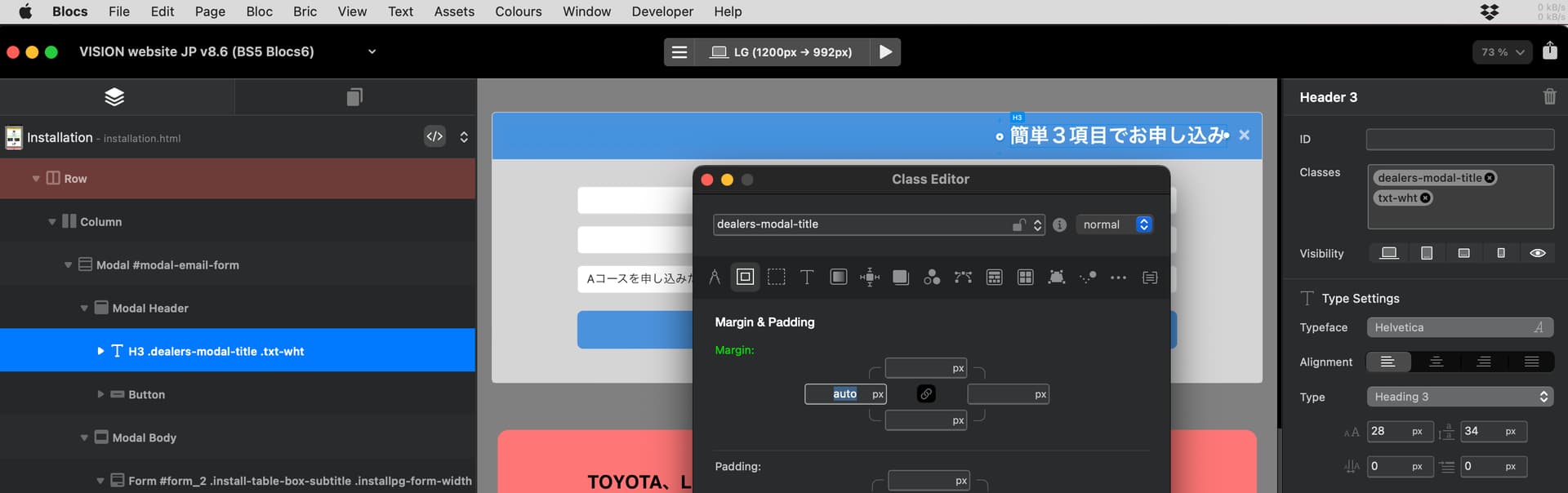
Then when I preview I see the text properly centered like this:
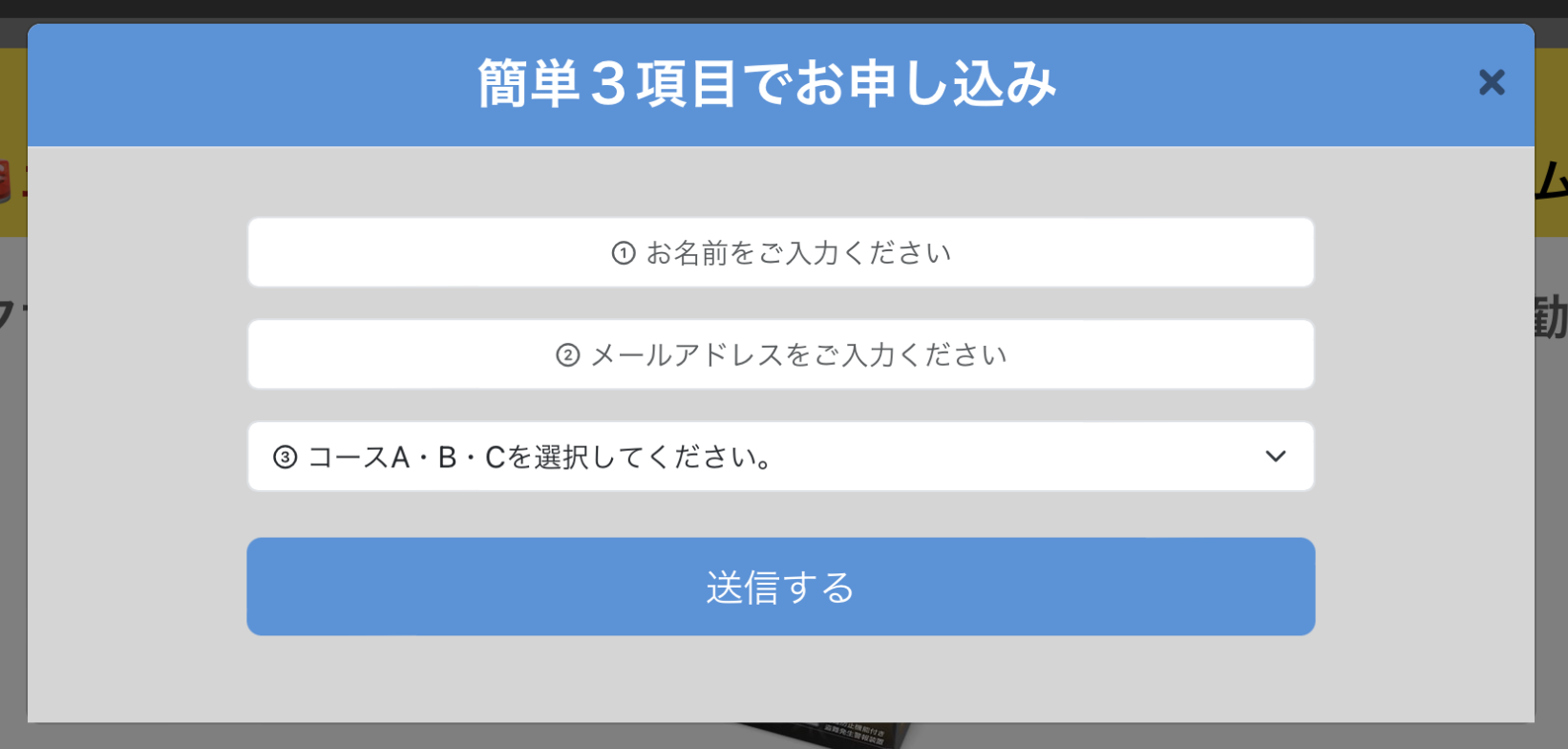
But it’s still strange that the Blocs page view is not consistent with what I see in Preview. Have any of you experienced this?
Let me now show you what happens when I set both the left and right Margins to “auto”…
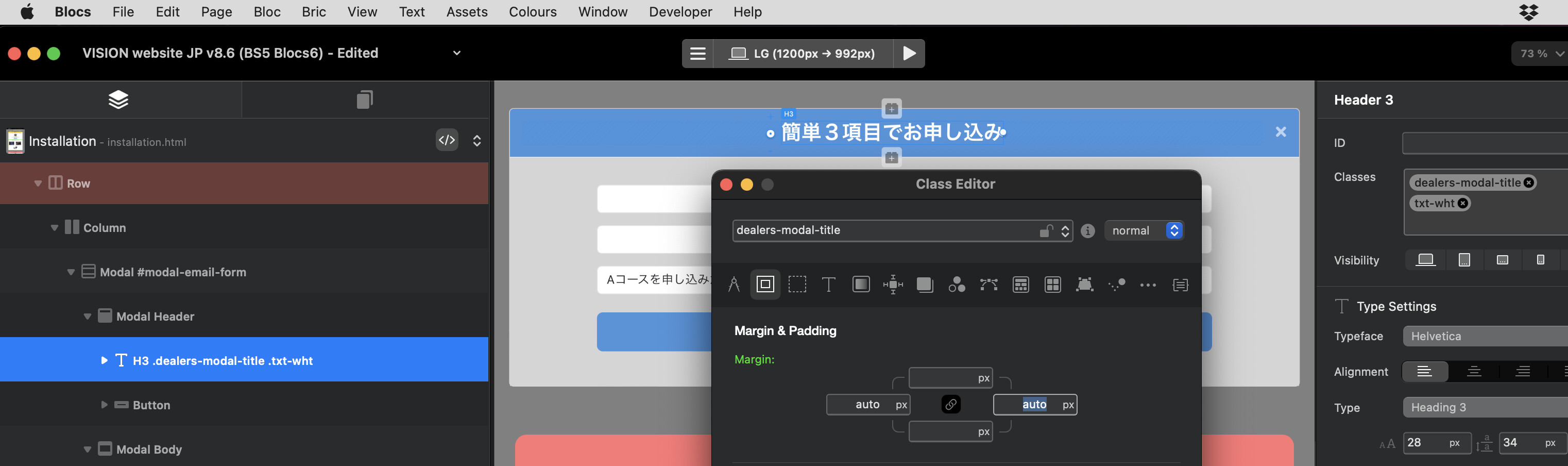
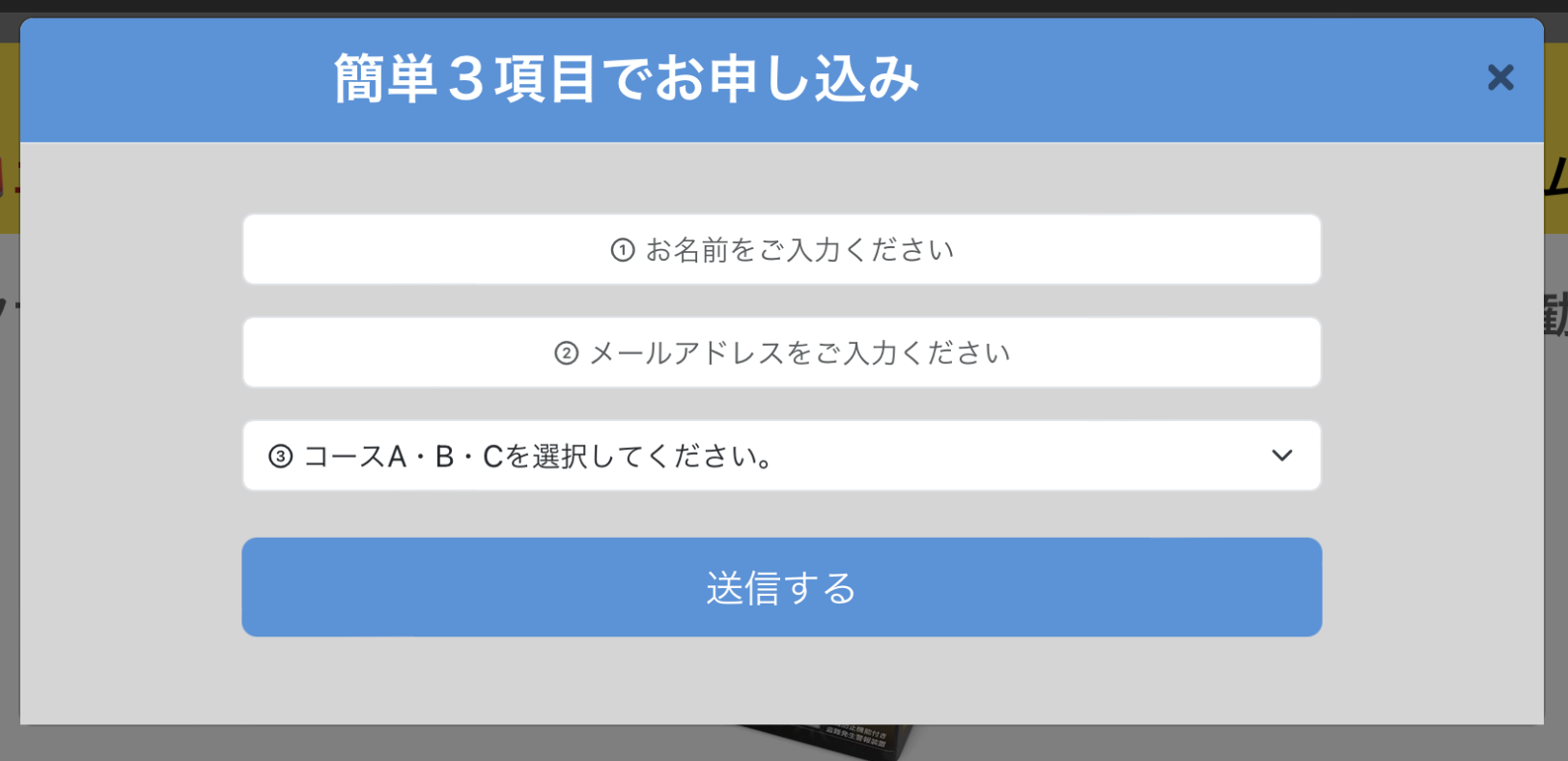
Looks great in Page view, but in Preview it gets shifted to the left! Why?