Hi guys. I am trying to update my website and need to change a four panel layout to a three panel design… essentially adding one supplier and needing to go with three rows of three instead of two rows of four. I thought there was a layout theme for this look, but cannot seem to find it on my Blocs 4.5.5. Any advice or tips on how to do this greatly appreciated. https://808supplies.com
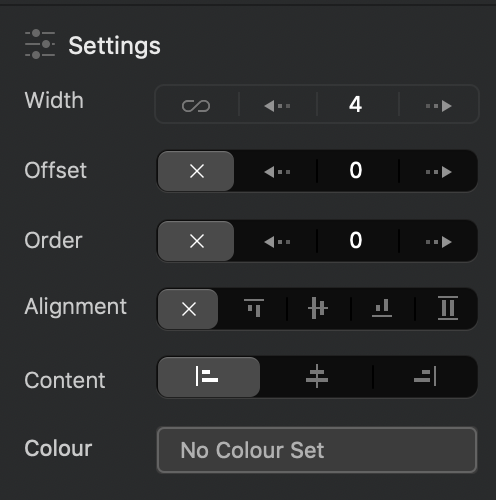
The Bloc is called Structure 3 Column, but then you can use the side panel options and change the width of each column. Bootstrap uses a 12 column layout, so to get 3 columns set a width of 4 on each column.
1 Like
Hi Pete. Thanks for the tip. Is there then an easy way to take each batch of information (the two photos and two bits of text for each business partner) and easily move them over to the three panel structure Bloc?
Drag the columns into the new bloc.
You don’t need to use a new bloc. Just modify the one you have.
1 Like