Something weird has happened to my blocs file.
I have a bloc that I have edited that wasn’t transferring the changes to the preview.
I deleted the bloc to see if that would fix it. It did not. I created a new file (save as) didn’t fix it.
Exported the project and it has not fixed it.
Have reset the preview cache (which wouldn’t fix the export obvs).
Am at a total loss and need to push a site update.
Installed version 6.3.3
macOS Tahoe
Norm
March 3, 2026, 7:58am
2
What is not updating? Text, background image colour?
I deleted an entire bloc and added a new replacement
the old block shows in its entirety, the new block does not show at all.
Norm
March 4, 2026, 10:57am
4
Are you using the Global areas for content in your website?
Would you be able to share your project file with me so I can take a look?
File uploaded to Bug Report system
Norm
March 9, 2026, 11:56am
6
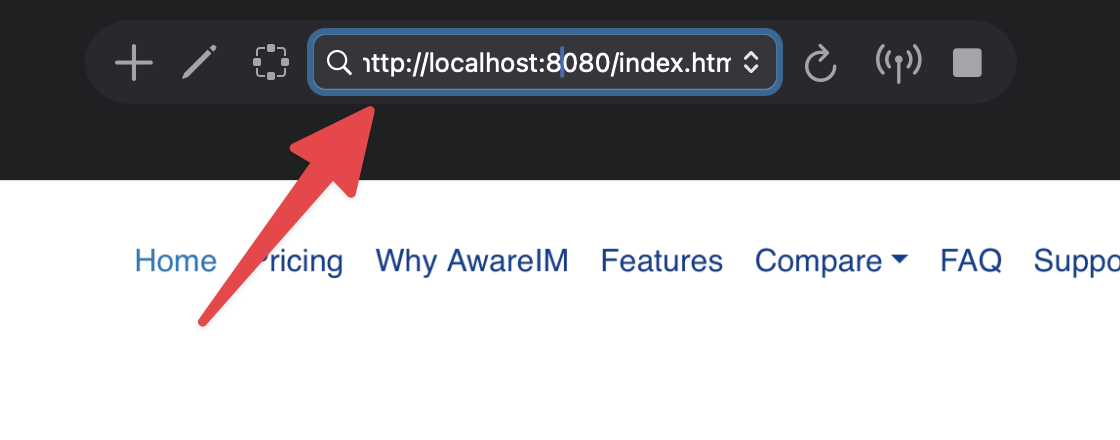
Thanks for the heads up and sharing your project. The issue is because your navigation link is pointing to a live website: https://www.awareim.com/#pricing
Blocs preview mode does not simulate your domain name locally , local preview urls look like this: http://localhost:8080/index.html/
So when you are clicking the pricing link , you are leaving Blocs preview mode and viewing the live website, which may not have this section included.
I hope that helps.