COUNTDOWN PLUS Bric 🎉 UPDATE!

Hi All!

Get the COUNTDOWN PLUS Bric – it’s much more than just a simple countdown timer! :slightly_smiling_face:
Easily customize the look and take advantage of all the extra features it offers.

You’ll find a detailed description and a video on the website.

Countdown Plus – Next-Level Timing For Your Website, Made For Blocs

Countdown Plus is a professional, fully customizable countdown timer that lets you count down to any moment, with style and precision. Every detail is under your control:
– Set exactly which time units (year, month, day, hour, minute, second) should appear,
– choose whether you want labels under the numbers,
– and adjust every color, font, size, and layout separately.

Each time unit appears in its own stylish box. You can customize not just the background, but also the margin, corner radius, width, shadow, and even the blur of each box. Add borders, shadows, background blur—whatever you want.

You’re in full control:
– Decide which page elements appear or disappear after the timer ends,
– all time units and messages are shown not only in English, but in over 30 languages,
– set a secondary date to easily manage multi-phase campaigns,
– write your own expiry message—even different messages for each language.

And if you want, a confetti rain can automatically appear the moment the countdown ends, making your site even more fun.

Countdown Plus isn’t your average timer—every detail is customizable.

9 Likes

I can say this bric works perfectly and is one I had been hoping for!
Lots of control over the elements, easy to use, the countdown end feature is lots of fun, and it performs flawlessly.

I highly recommend this bric for everyone!

Rich the Weather Guy

4 Likes

Hi @WeatherguyNH.

Thank you. I hope it will be useful to many. :slightly_smiling_face:

Not sure where I’ll use it, but it looks so good I bought it :rofl:

4 Likes

Great stuff, nice to see a more advanced option is available.

4 Likes

This look great @Boss81 :raised_hands:t2:

2 Likes

Hi @Helen

Thank You :slightly_smiling_face:

1 Like

Hi @Norm

Thank You :slightly_smiling_face:

I was trying to rethink how to use a countdown timer in a different way, with a little more functionality.

Hi everyone! :wink:

A small update has arrived for the Countdown Plus brick. From now on, you can place as many as you want on your site, and a proportionally scaled horizontal layout is now available on mobile as well.

Here are a few preview images, and there’s a new video on the website!

CleanShot 2025-09-20 at 20.41.11

If you haven’t purchased it yet, you can do so here. :wink:

2 Likes

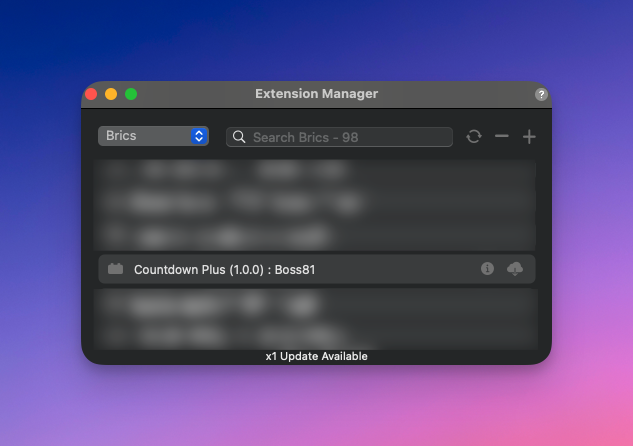
I opened Blocs and it does not say there’s an update. Should it?

Mark

Hi @casey1823

If you check the updates, it should appear—I just checked and tested it myself.

If something doesn’t work or you have any trouble, just send me a message and I’ll help you. :slightly_smiling_face:

Is the update version 1.0.0? That is what mine shows? I didnt see the cloud dowload icon or x1 update available.

@casey1823 (Mark) I remembered you from an email exchange where I helped you with a setting, but the brick you have isn’t this one—it’s Counter Up Plus. :slightly_smiling_face:

I checked my Gumroad dashboard and found your purchase, but it’s not for COUNTDOWN PLUS—it’s for Counter Up Plus. :slightly_smiling_face:

1 Like

Hi All!

A small but useful update has arrived for the mobile view, with additional features—details and video are available on the website. :wink:

2 Likes