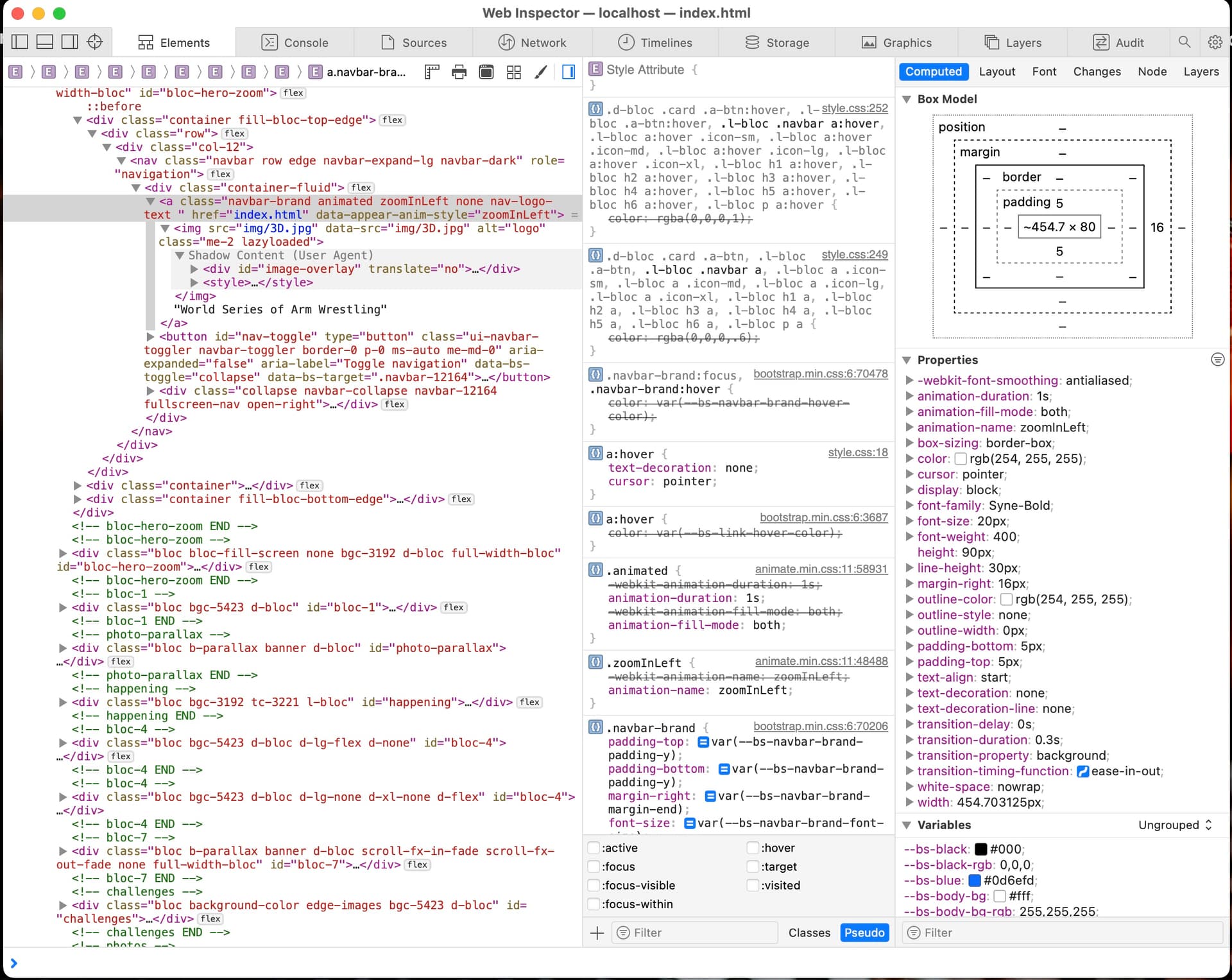
I want know how I can add a custom class to the Text on the Nav/Bar with Logo?
Looking at elements from the Inspector I don’t see a class for that, but it’s probably my limited knowledge.
I want know how I can add a custom class to the Text on the Nav/Bar with Logo?
Looking at elements from the Inspector I don’t see a class for that, but it’s probably my limited knowledge.
.navbar-brand
Changing the typography options will change the text.
If you look its all inside an a tag with a class .navbar-brand
I click on the Logo/Text. Opened .navbar-brand and inserted 50px (to see if it would change) and nothing happened.
I dont follow.
You don’t need to click on anything, just add the class to the class editor.
I did and tried to make change in the class it made link-0-sty the setting in the class does not make changes
Blocs will create that class if you use the sidebar options. Use the class editor. Works fine for me.
Instead of just saying it doesn’t work you need to explain what you did. Or this just become a very long thread, and I have other things to do… like paying clients 
On LogoText to the right. is Settings. under Type Settings I can change the Font settings. I like to customized that.
So I add the .nav-brand and then when I go the he Type Settings… Blocs immediately made the custom class link-0-sty. Inside that class when I change anything the Logo/Text does not change anything.
I hope that is clear, since I have Autism, it is the best I can do.
I am very familiar with Autism and Asperges, you can do more than you think, please don’t limit yourself.
My very first post said what you can do, you decided to do something completely different. Thats up to you.
I’m signing off. 
No worries, I’ll keep messing around.