Hi folks,
I searched the forum but couldn’t find anything.
Custom Interaction:
navigate to page > mypage
scroll to target > mytarget
It goes to the page but doesn’t scroll.
Any ideas?
Hi folks,
I searched the forum but couldn’t find anything.
Custom Interaction:
navigate to page > mypage
scroll to target > mytarget
It goes to the page but doesn’t scroll.
Any ideas?
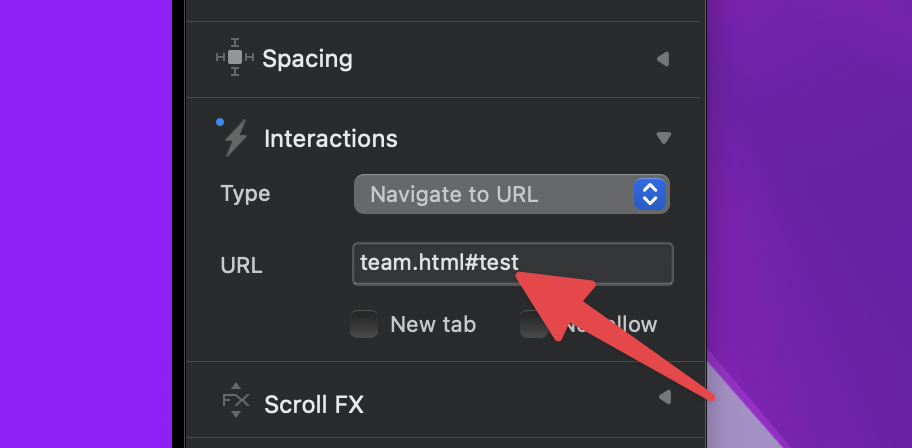
If you want to scroll to target to another page use go tu url: page.html#target
Hi Chicuelo,
yep, I know this.
But …
There is a reason I try to do this with CI.
I want to set a delay before scroll to target.
That’s because I use the Iconic Gallery from Jannis.
Loading all the the pictures causes scroll to target not to reach the desired target.
But Thanx anyway.
Hey @Bootsie,
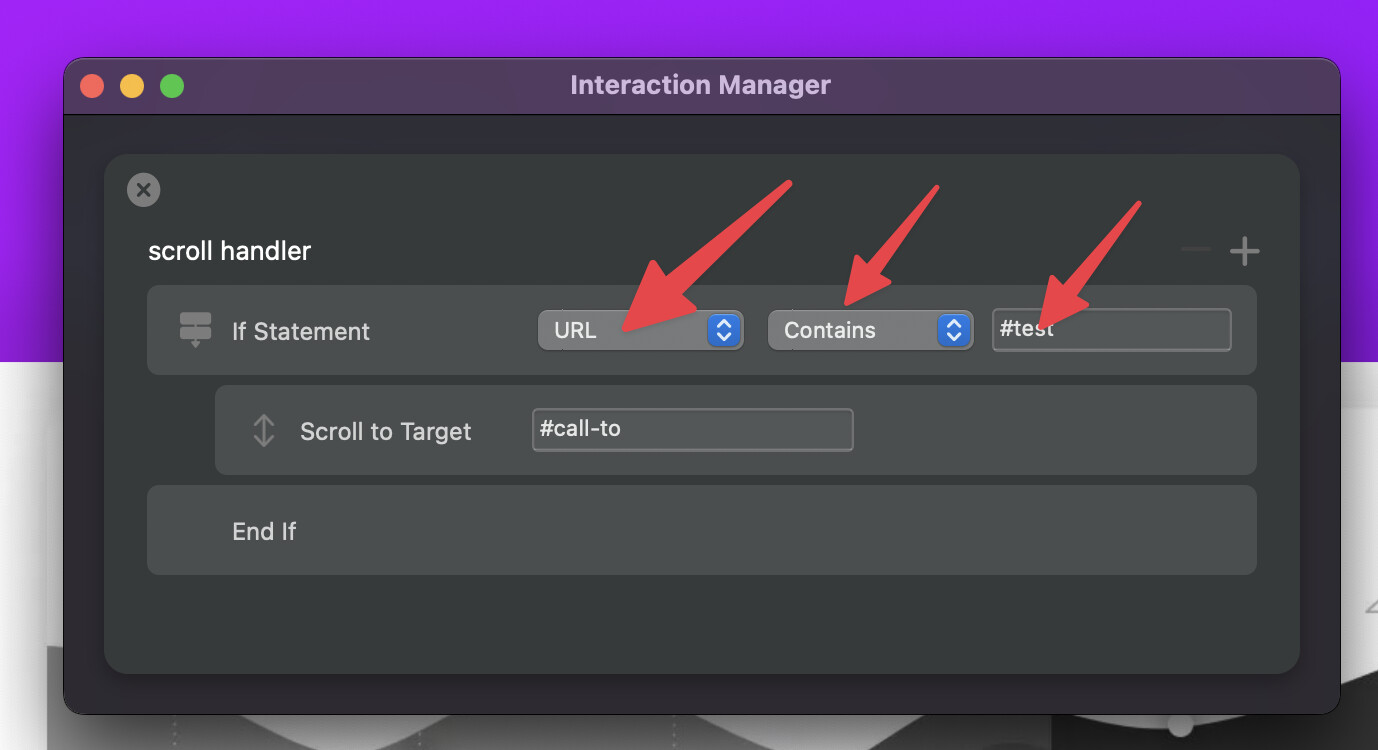
The problem is, once you move to a new page, the interaction will stop running as it’s Javascript based and it is flushed once you get to a new page.
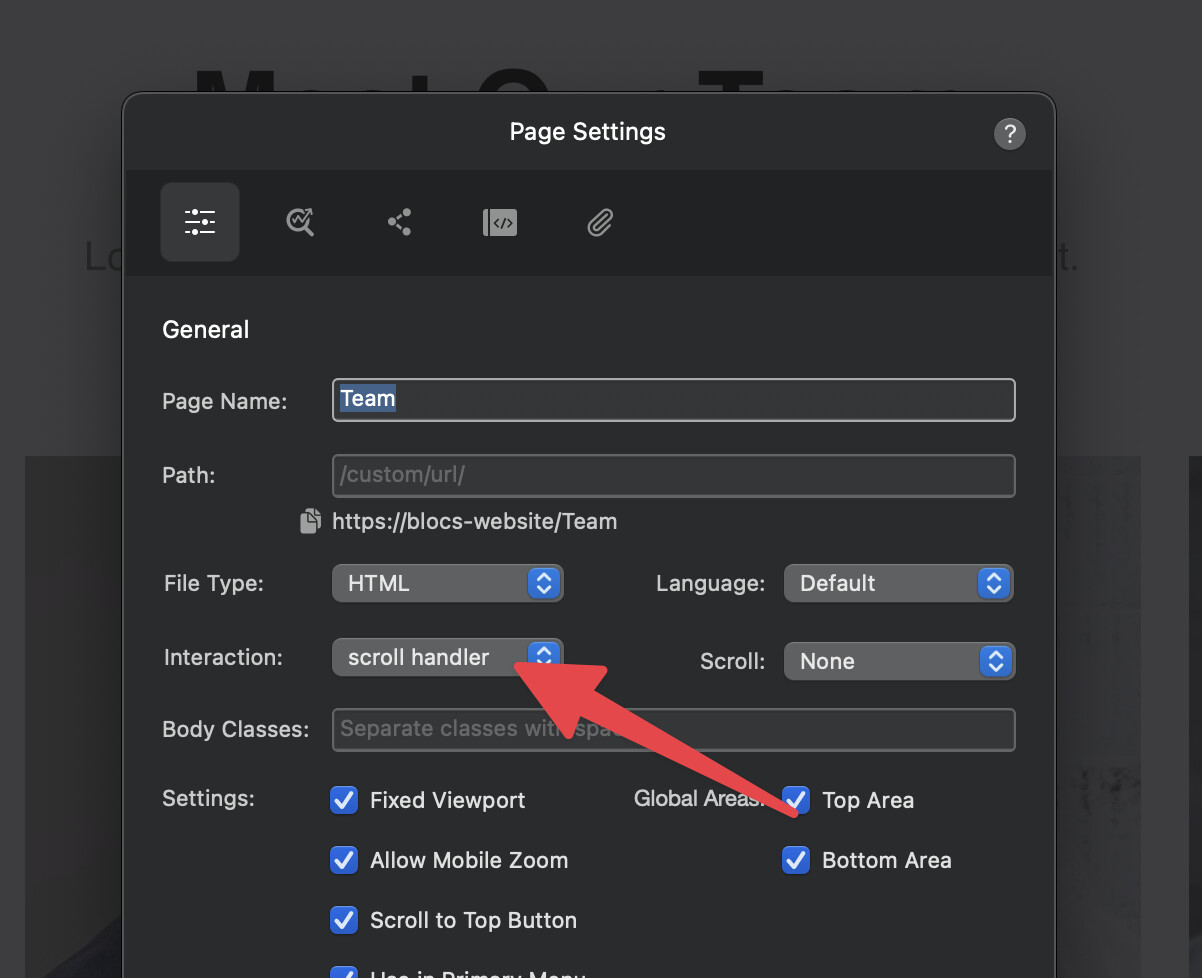
You need to create a page load interaction on the destination that checks the url for a value and then scrolls.
I hope this helps.
Here is the example project to take a look at. 
scroll-test.bloc (893.4 KB)
It certainly does.
Exactly what I was looking for.
But …
Although there is a little delay in scrolling already it’s not enough for a page with many pictures to load.
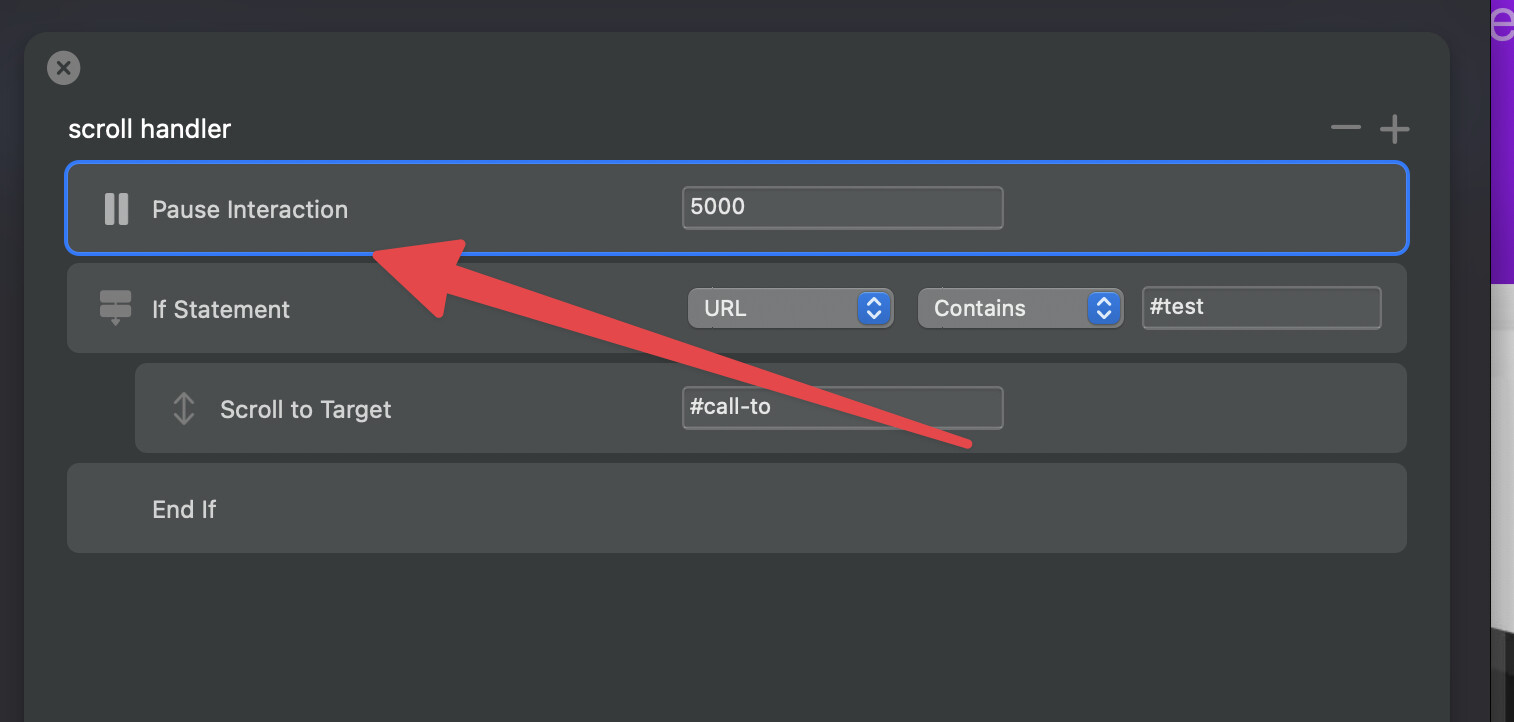
Is there a way to set a delay in the CI before scrolling?
I tried Pause Interaction but this doesn’t work.
Yep,
I put it in the wrong place.
All good now.
Thanks a lot Norm
Can’t it be simplified? This is a bit confusing.
You can just use a page link with an anchor tag but this won’t animate.
Use a url interaction on your link/button and point to your page plus anchor e.g.
https://yourwebsite.com/your-page/#your-anchor-id