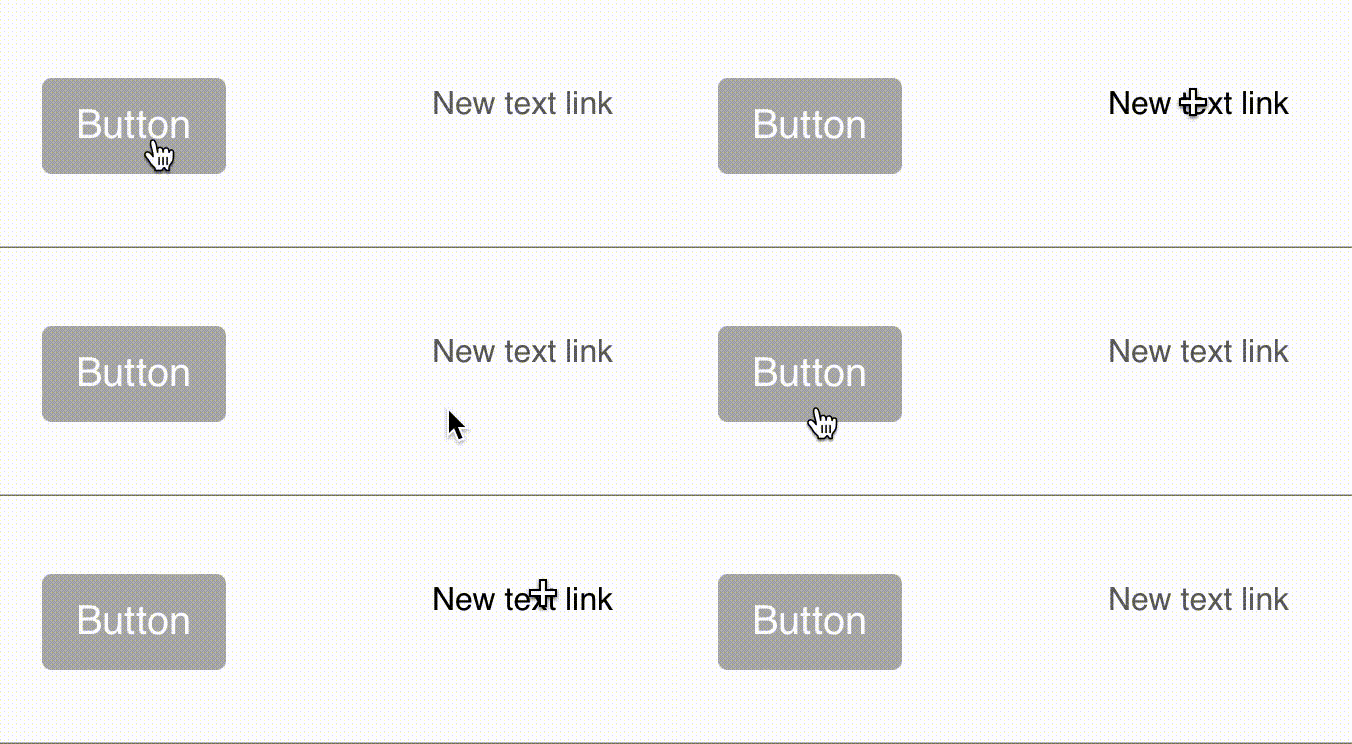
Custom mouse cursor

Hi,
is it possible to add your own png or svg for a custom mouse cursor. Which you can choose then in the class manager for e.g. a mouse over hoover.

I found this page explaining it somehow, but im not familiar with coding and I don’t know where in blocs I could add the link to the custom mouse cursor.

Thanks for your help in advance!

How to add the “normal” cursors I already knew. The css part I’m interested in!
Where to add this custom code?

Best place is the new CSS input zone in the code editor.

Documented here in the Blocs knowledge base.

https://help.blocsapp.com/knowledge-base/code-editor/#code-input-zones

1 Like

I’ve actually tried now several ways to add this code in the Code Editor in the stylesheet.css. Unfortunately nothing is going to change in my project. The url is correct. Do i need to add an additional class for the pointer or something?
Could you please explain me how to properly add the custom cursor?
Thank you!

I didn’t… but thats probably a good hint! Is there a way to add a class globally? So that the pointer will be always active?

Ok, I’ve almost managed to get it to work :slight_smile:
But when im trying to change the cursor “pointer” to something else the pointer always stays the standard pointer.
Ive figured out when im exporting the project, there is a line in the code:

a:hover{text-decoration: none; cursor:pointer;}

I’ve changed that like you explained to me and it actually works for hovering on the entire webpage. But is there a way to add this code/behavior within the Blocs app itself?
I would like to have different mouse cursors on different hovering actions. So for example there is a button which will show something so there the cursor should be a “+” when the user will click it again and hovering over it there should be a “-” for indicating the action.

Thanks so far! Your answers were really helpful :slight_smile:

Okay, already figured out a solution for the first problem. I added in the Code Window at the header this:

<style>
a:hover {
	cursor: url(https://www.myfancywebsite.com/myimage.png), auto;
}
</style>

But this works just for normal text links, unfortunately not for “Buttons”.

And I still don’t know a solution for my second problem how to trigger different hover events after something got activated.

Ok, actually I didn’t want to implement Java. Like you probably already noticed I don’t know anything about coding.
Can you explain me how I can change the “hover” effect for Buttons? This would already help me a lot.

This works on most of the items on Buttons unfortunately not.

Hmm this is weird. Tried even in a new fresh document and nothing happens.

Bildschirmaufnahme 2022-07-19 um 18.43.32

Same class, different effect.

Ok, here we go. I found a solution for my problem. Apparently my document always worked with Bootstrap 4. When i changed it to Bootstrap 5 it worked immediately.

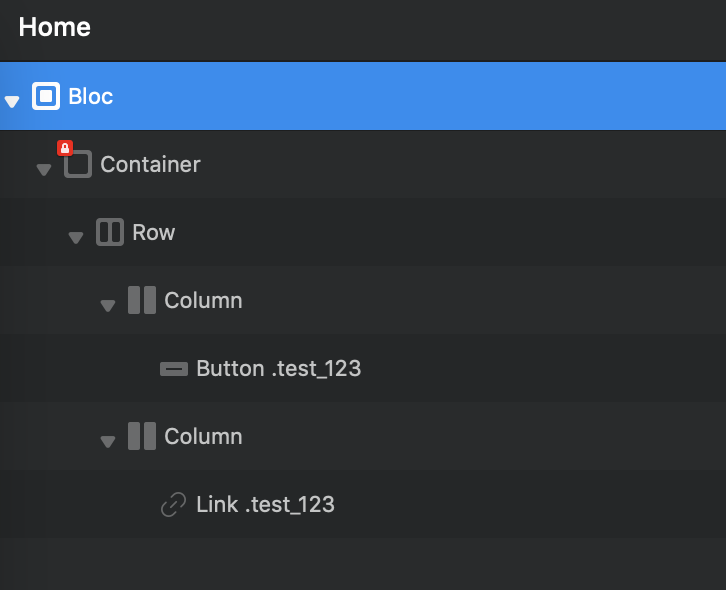
It doesn’t work for me for some reason.
I would like the buttons and links to be good.

But when I put it in, it shows everywhere, but when I go to the link or button, it changes back to the original.

I would like it to show only the link and button.

button

Maybe try the solution I’ve posted above where you add this text to the header in the Code Window:

<style>
a:hover {
	cursor: url(https://www.myfancywebsite.com/myimage.png), auto;
}
</style>

and turn on Bootstrap 5 in your project.

These were the settings which worked for me

In the meantime, I managed to do it with another method. And I stayed with Bootstrap 4, I didn’t have to switch to 5.

How did you manage to? Would be nice if you could share your solution.

Sorry, I forgot that. Of course, it’s here, you just need to rewrite the path to your own.
Enter CSS in the code editor and you’re done.

a {
cursor: url(“https://static.cargo.site/images/left.png”), auto !important;
}

.content img {
cursor: url(“https://static.cargo.site/images/left.png”), auto !important;
}