@Boss81 No need for a message, I checked out your website and found Counter Up Plus

COUNTDOWN PLUS
and
Counter Up Plus
@Boss81 No need for a message, I checked out your website and found Counter Up Plus
COUNTDOWN PLUS
and
Counter Up Plus
Oh, I see—you meant there should be a countdown, because you didn’t know I’ve already made one?
Date Plus version 1.0.1 has been released, featuring a new function. 
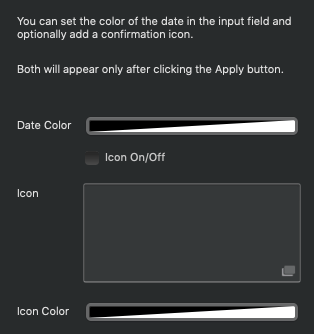
You can fully customize the color of the date characters (numbers and letters) that appear in the input field, so you can match it perfectly to your website’s design.
You also have the option to add a confirmation icon to the right side of the field, giving users a visual cue that the date has been successfully set.
Note that the selected date, the chosen color, and the icon will only appear in the field after you click the Apply button, ensuring that only finalized data is displayed.
Wonderful.
Works perfect.If you want you can see it in action here:
Go to contacts.
You’re very welcome—it was a great idea to allow setting a text color once the setting is applied. I just took the idea a bit further by also adding an optional icon, so this feature is available as well. 
@Bootsie looks great—it was awesome to see it live! 
Unfortunately the icon is not appearing.
Also I think the datepicker should close after the date is applied.
Hi @Bootsie
I’ve released an update, please check it now. I tested it with both the stable and beta versions, and I also tried it on a live server — everything worked flawlessly.
Please let me know.
I’ll test …
Yep,
all good now.
Thanks a lot.