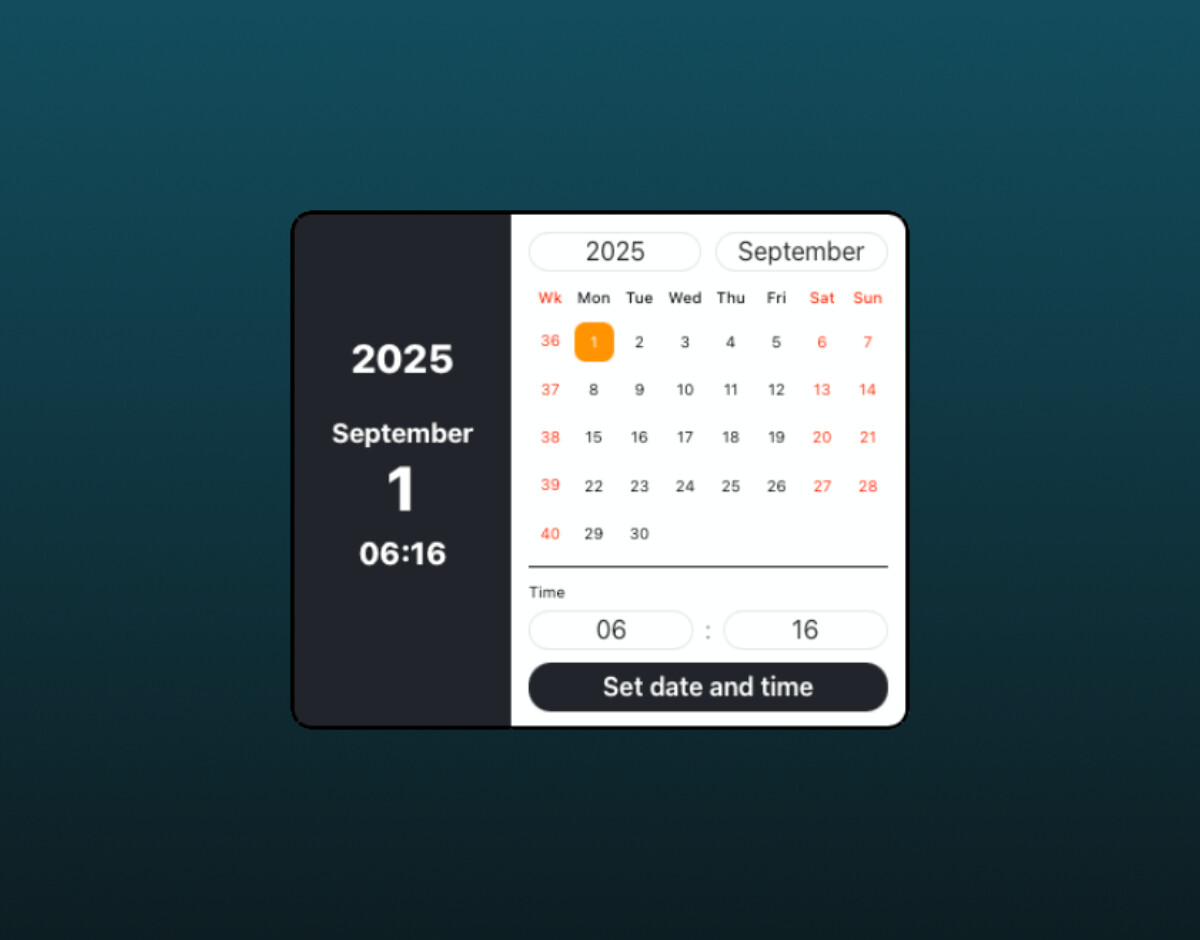
I’ve finished another new brick, and I hope many of you will find it useful for your websites. It has a ton of customization options, so the video turned out a bit long.
Visit the website to find a detailed description for every setting.
Date Plus is an advanced date and time picker solution designed specifically for Blocs users. The goal was to create something modern, visually appealing, easy to use, and fully customizable.
Thanks to the settings, you can match every little detail to your website’s style and needs—from colors, icons, and text colors to backgrounds, borders, weekend highlighting, or even the calendar sidebar. You’re free to make it your own.
User experience comes first: the calendar is fast, clear, works great on touch screens, and automatically adapts to any device size. With multilingual support, you can use it anywhere in the world for any audience.
As a bonus, advanced features like time selection, week numbering, and blocking past dates can all be managed with a single click. So you can tailor it for any use—medical bookings, event registrations, customer service, or any online form.
I have tested this bric extensively, and all I can say is that it is a super handy bric with lots and lots of built-in customization options! Very good job @Boss81
The thoughts and experience you put into your Brics seems to cover just about everything. Very cool design! :
If I could think of one thing that would be good for Date Plus is a built-in clock with date and time. What are your thoughts?
One thing I forgot to mention is the instructional video that is available.
All of the brics that are created by “Blocs Tools” are excellent and visually show you just about every formatting option, and what it looks like.
I can’t begin to tell you how helpful these videos are when learning what a new bric does, how it works, and what the various options actually look like once chosen.