I read this topic in here by others, but none have come up with a solution. I have a background image on my homepage that just refuses to export along with the rest of the site. I’ve rebuilt the homepage from scratch, I’ve opened the image in Preview and copied it to create an entire new image, even using a new name and file format. I don’t know how many times I’ve checked Project Settings to make sure all assets are embedded along with the project. It still won’t export. Everything else works fine. Just for fun and to see what happens, I’ve created a new dummy page that doesn’t show up in the menu and with the image not as a background. Still doesn’t export. I’ve resorted to manually copying the file into the img directory before uploading to my web server.
I’m completely flummoxed by this one. Anyone have any ideas that I haven’t tried?
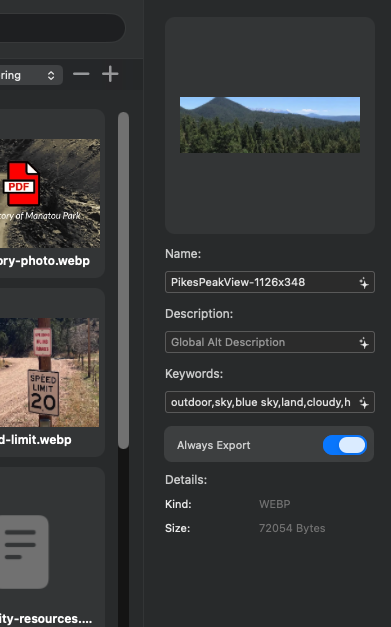
I may have found a solution. It might not be THE solution, but in the Asset Manager, when the Demon Image is selected, there’s a switch you can turn on that from what I can guess, forces the image to Always Export. None of my other images have this selected. But turning it on solved this issue for me. Here’s a little screenshot of what I’m talking about.
What is the original image format of the image, jpg, png? It would be interesting to see if opening the image in the Mac Preview and then exporting into jpg again and bring it back into Blocs does anything. If you have an image editor that exports to webp try that too. I’ve had export problems as well, even on sites with no export problems and then all of a sudden it happens.
Not adding any help to this topic whatsoever, but I’ve NEVER had any success when WebP is enabled on my sites. There’s always a glitch somewhere, so I just leave it turned off and rely on good old jpg.
I wonder if I’m the only person, as it’s a hit rate of 100% failure pretty much.
Did you rename an existing image in the Asset Manager?
There’s been a nasty bug for a while now. If you rename an image in the Asset Manager, it doesn’t get exported. It’s only exported once you save the project and reopen it. But sometimes the renamed image still doesn’t get exported. Really annoying…
I save the image in all kinds of formats. Even recropped and saved from the original. I’ve renamed the file by both just renaming in the finder and saving as a new name, even from the original image. No dice. I don’t remember if I tried a different image or used the image on another page on my site…I’m sure I did, and the results didn’t really help. Finding that “Always Export” setting in the asset manager was the only thing that did help.
Rename in the asset manager…No. I did try reimporting as a new image with a different name and file format. The only thing that worked was to force it by selecting the “Always Export” setting in the Asset Manager.
I’ve found that WebP acts strangely on Macs. If you crop/save/convert your file in a browser, the current version of Safari doesn’t create WebP…you don’t get a warning or notice or nuthin’. It just exports it and you’ll be disappointed. Using Chrome give you a whole different experience…ie, it works. All I can say is Your Milage May Vary when it comes to using WebP.