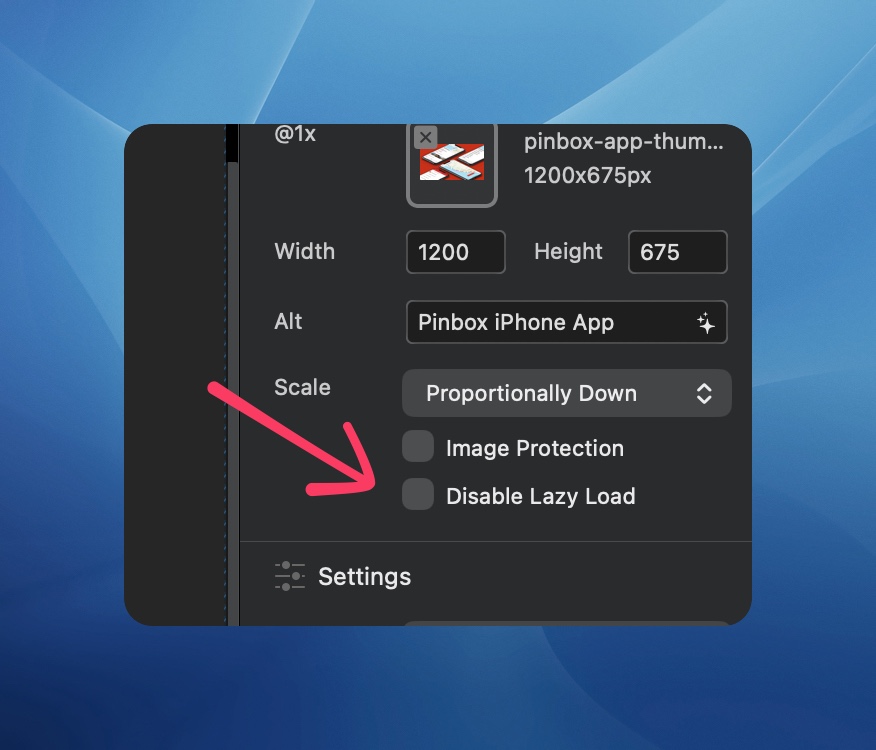
I tried checking the Disable Lazy Load checkbox for a single image, and the image disappeared completely. I don’t want to globally disable it, so I thought this was the checkbox to disable it for a single image. Am I misunderstanding the checkbox, or is this a bug? Using Blocs 6.4.2.
It is, do you have a live link I can take a look at to see what’s going on?
My site is here, but none of the images use the checkbox since I couldn’t get it to work (I thought). I did a little more testing and here’s what I found:
- Yesterday, when I checked that box, the image disappeared immediately in the editor. It also didn’t show in the preview (in browser)
- Today, checking the box doesn’t affect the editor, but the image is missing in the browser preview. If I export the site, the image is shown correctly.
- When previewing in the browser, the image has no src attribute on the img element. Instead, it has
blocs-temp-search-link="img/my-file.jpg”. This only happens on images with the checkbox enabled.
So, this appears to be a bug in the browser preview (and possibly the editor). It works fine in the built-in preview. It’s not unique to my existing project. You should be able to create a new blank project and see this behavior.
1 Like
Thanks for all of the details, I’ll investigate this further.
Are any of the images located within one of the two global areas?
Nope, they’re in the body of the page. Let me know if you can’t reproduce the problem, and I’ll send a sample file.
Hey @PaulB I have located the issue causing the missing images when using preview in browser.
It’s all patched up and ready for 6.4.3 (beta build 2) coming later today, thanks again for your help on the matter. 
Yep, everything looks good now when previewing in the browser (6.4.3 B2). Thanks @Norm !
1 Like