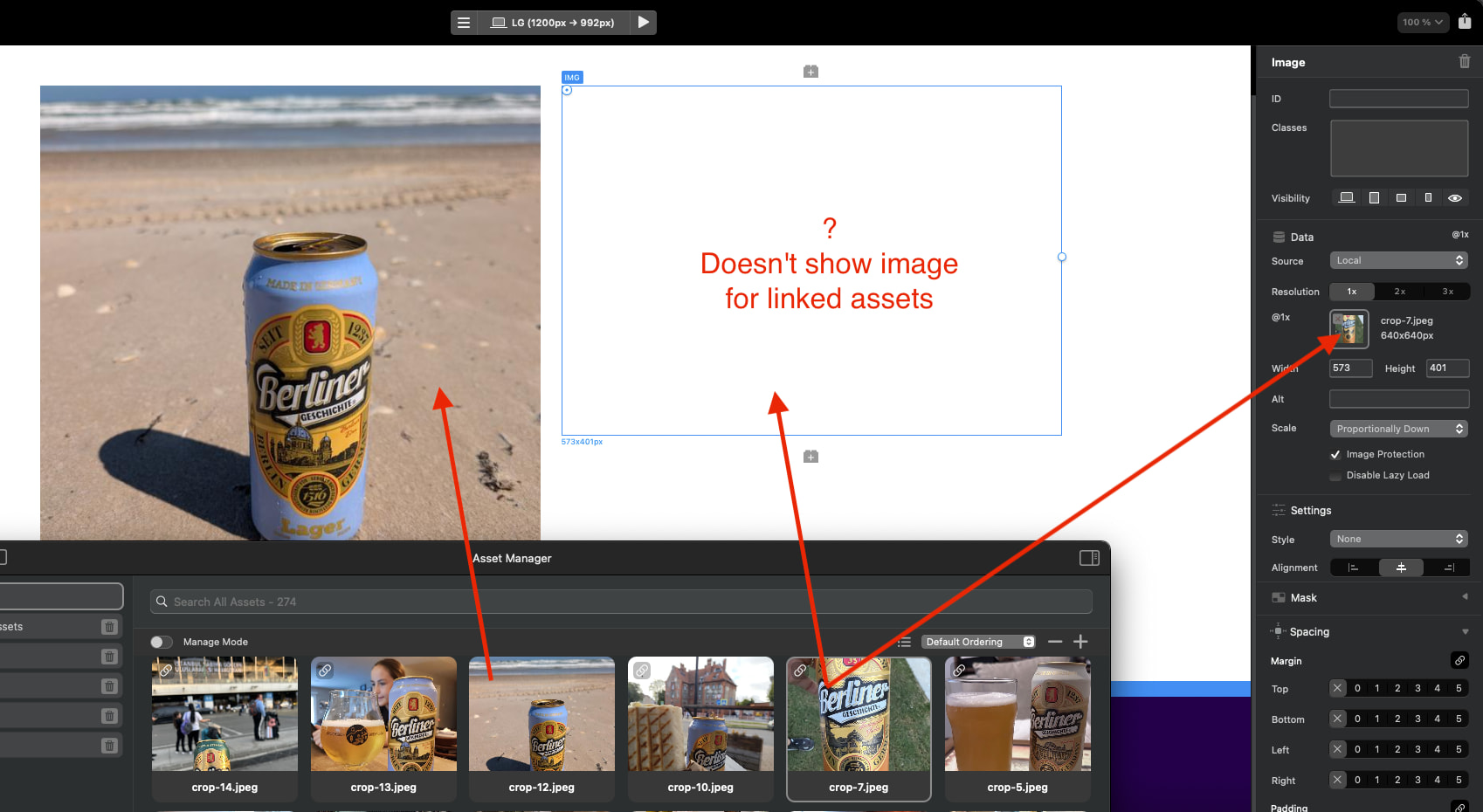
Does not show images for linked assets. For embed it is shown normally. For new projects it also shows normally. Problem with imported from version 5.
Macos 13.7.8
Blocs 6.4.3
Does not show images for linked assets. For embed it is shown normally. For new projects it also shows normally. Problem with imported from version 5.
Macos 13.7.8
Blocs 6.4.3
Which location is Blocs running from? And which location is the asset ?
Working files on a different drive from the system and programs
What location does Block operate from?
SSD/Applications/Blocs
And where is the asset located?
Work/Work/files
Version 6.4.5 has the same issue.
The Refresh Assets function doesn’t work, it doesn’t update anything in the window.
Is the addition drive permanently connected?
Inside the Mac or connected?
Both internal drives are connected via SATA: the system SSD where /Aplications/Blocs is located, and the work HDD where the project files are located. The issue only occurs with the imported project from version 5. Creating a new project with the same files displays everything normally. So, it doesn’t seem to be a drive issue.
Yes, it’s really a matter of different drives!) It only shows images from its own drive. If you move Blocs to the drive with the project files, it shows the project files from the HDD, but the one from the system desktop shows an empty frame. New images are shown when added, but opening an old project results in empty frames and no local fonts, with empty frames everywhere. If you move Blocs back to the system drive, the situation returns: the project images are visible, but the new ones are in empty frames.
Hello Dude,
One thing that may be worth trying, after all the missing images are relinked, is using File → Export → Generate Package.
I would do it in this order:
Make a backup of the original project first. Duplicate the .bloc file before changing anything, just in case something goes sideways.
Open the duplicated project in Blocs. Work from the copy, not the original.
Relink all missing images first. Go through the project and reconnect any images that are showing as blank or missing. Make sure the images actually appear correctly inside Blocs before moving on.
Check other linked assets too. If the project uses local fonts, videos, PDFs, downloads, or other custom linked files, make sure those are working as well.
Save, close, and reopen the project. This helps confirm Blocs is still able to find the relinked assets after reopening the file.
Run Generate Package. Go to File → Export → Generate Package and save the package to a new clean location, I would make a new folder to save it into.
Open the .bloc file from inside the generated package. After the package is created, close the old project and open the project file inside the newly generated package folder. Don’t keep working from the old scattered project file.
Use the packaged version as the new master. If everything opens correctly and the images still appear, I would use that packaged project as the new working copy and archive the old version.
One caveat: Generate Package can only collect assets that Blocs can currently find. So if an image is already missing, blank, or disconnected inside Blocs, the package probably will not magically recover it.
The important order is: relink the missing images first, confirm they display correctly, save and reopen the project, then run File → Export → Generate Package.
If the images are not fixed before generating the package, the packaged version may still have missing assets. But if everything is relinked first, this might be a good way to get the project back into one clean, portable folder and avoid the external-drive path issues going forward.
Hope it works for you, if not maybe we can try some fine tuning to get it to work.
Calibinder
Ah yes, this older setup can be problematic (multiple internal drives). Apple Changed permissions a while back that meant loading assets into the WKWebview (which Blocs uses for the design canvas) need to be on the same drive the app is being run from.
Blocs has a built in feature to handle scenarios when linking to assets on external drives, it temporarily copies the files over to the main drive Blocs lives on to get around it.
But as it stands, Blocs doesn’t do the same for multiple internal drives, as with almost all Modern Macs, additional internal drives is not really a possibility.
The only workaround is to use an embedded asset workflow or copy the assets onto the main HD Blocs runs from.
Sorry it’s not a proper solution.