Hello,
I am using the Google font “Inter” in my latest project. I’ve successfully added it into the Blocs Font Manager…
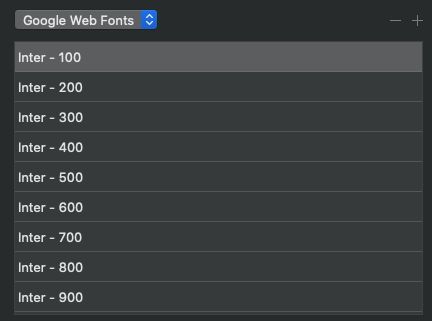
But when I export my project there is not Google API reference in the code and the fonts do not load when the site is live…

If I go into the HTML and manually add the code from Google, the fonts load properly on the homepage of the site but no other pages…
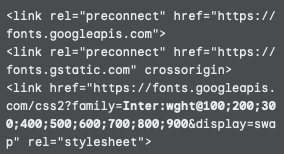
I am pretty new to Blocs, and obviously not a developer, but shouldn’t that code be in the exported files without me having to enter it manually?? Am I looking for it in the wrong place? I’ve deleted, re-added the font, and restarted Blocs several times with the same results…no Google Font code and the font won’t load on the live site.
I am using Blocs 3.5.8, could that be an issue?
Thanks,
John
Google changed the links a few months back and Blocs was updated to take account of this in 4.4 I think. You could sidestep this issue in Blocs 3 by hosting the local web fonts on your server.
You would first need to download the ttf files from Google and convert them to web formats ttf, woff and woff2. Then you would add the folder of fonts inside the font manager. You will probably have to choose the new fonts inside the project settings text area.
Thanks Flashman!
I first deleted all of the Google Web Fonts from the project’s Font manager.
Then, I downloaded the fonts from Google and used Transfonter to create the web formats you listed (ttf, woff and woff2). I then loaded those fonts into my project…
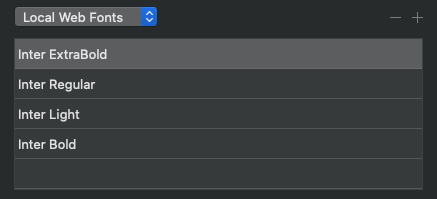
After that I went into project settings and selected the font and turned off Enable Google Fonts…
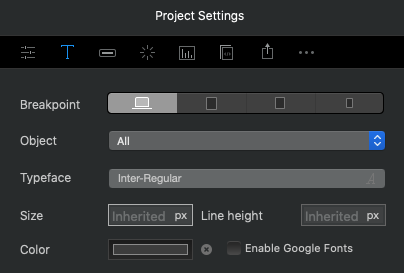
Everything looked good in the project so I exported. I noticed none of the fonts I added to the project were present in the font folder. I uploaded the site anyway with no font luck.
Why would my exported site not have the fonts in the folder? Do I have to manually add the fonts into the exported font folder?
I would start by restarting Blocs after adding those fonts if you have not done so already. In Blocs 4 you don’t need to restart, but this was necessary in Blocs 3 for them to load properly.
Try emptying the export folder and then exporting fresh. Did you add the fonts as folders containing the different font formats? That is important.
N.B If you are using a really old OS like El Capitan or Sierra you might encounter glitches. In Blocs 4 High Sierra is on wobbly ground.
Thank you! The fonts are working and in the exported font folder!!
I ended up deleting the fonts from the Font Manager, quitting Blocs, getting the font files and the Blocs app on the same partition (not sure if that is necessary but did it anyway), restarting Blocs, then reloading the fonts back into Font Manager and restarting Blocs one more time.
Thanks again! Really appreciate the help.
It shouldn’t be necessary to have the font files on the same partition, but it wouldn’t hurt I guess. When you add a folder of fonts, Blocs makes a copy and places them inside a folder called fonts, which is found inside the user library of application support. From there the fonts are available for any Blocs project and exported as needed.
The key difference between Blocs 3 and 4 is that version 4 is much more efficient for adding fonts. Just stick with self hosted fonts from now on and you will be fine. They are also faster loading so they are better all round.