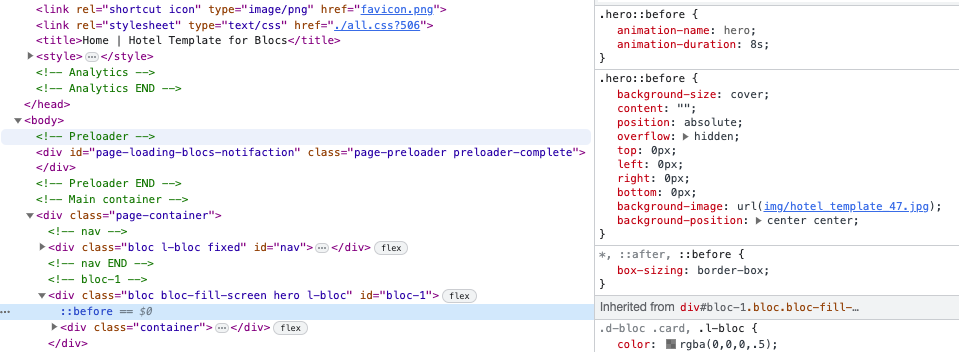
Hi @Piet, I don’t have this template so can’t tell how it’s constructed, but the first thing I’d try is to see if there’s a class with a background image connected to this particular picture.
Best of luck, and please report back when you find the problem so others can learn.
Thanks for your help! I searched for classen but didn’t find any results. It’s strange that replacing/overwriting the photos in the img folder didn’t make a difference either.
Do you also have a link to your problem page? The link provided is to the developer’s shop page. It would be interesting to have a link directly to the page that is causing the problems…
I’ve now deleted everything again, restarted the computer and Blocs, and opened the project from the hard drive – as an alternative to the external SD card where I usually work on my Blocs projects.
Overwriting the file worked this time. I then renamed it in the Blocs Asset Manager. That works for now; I’ll check the path online later to find a better way to edit it. The darn photo must be hidden somewhere in the sidebar. It’s probably something really simple. Thanks for your tips!
Hi @Piet I sent you a message last week with the instructions. I’m happy to help if you have any questions. Feel free to reach out anytime. The issue with the photos is very easy to fix. The images are included in the class hero:before and the ones that follow (hero1:before). You can simply replace the photo there.