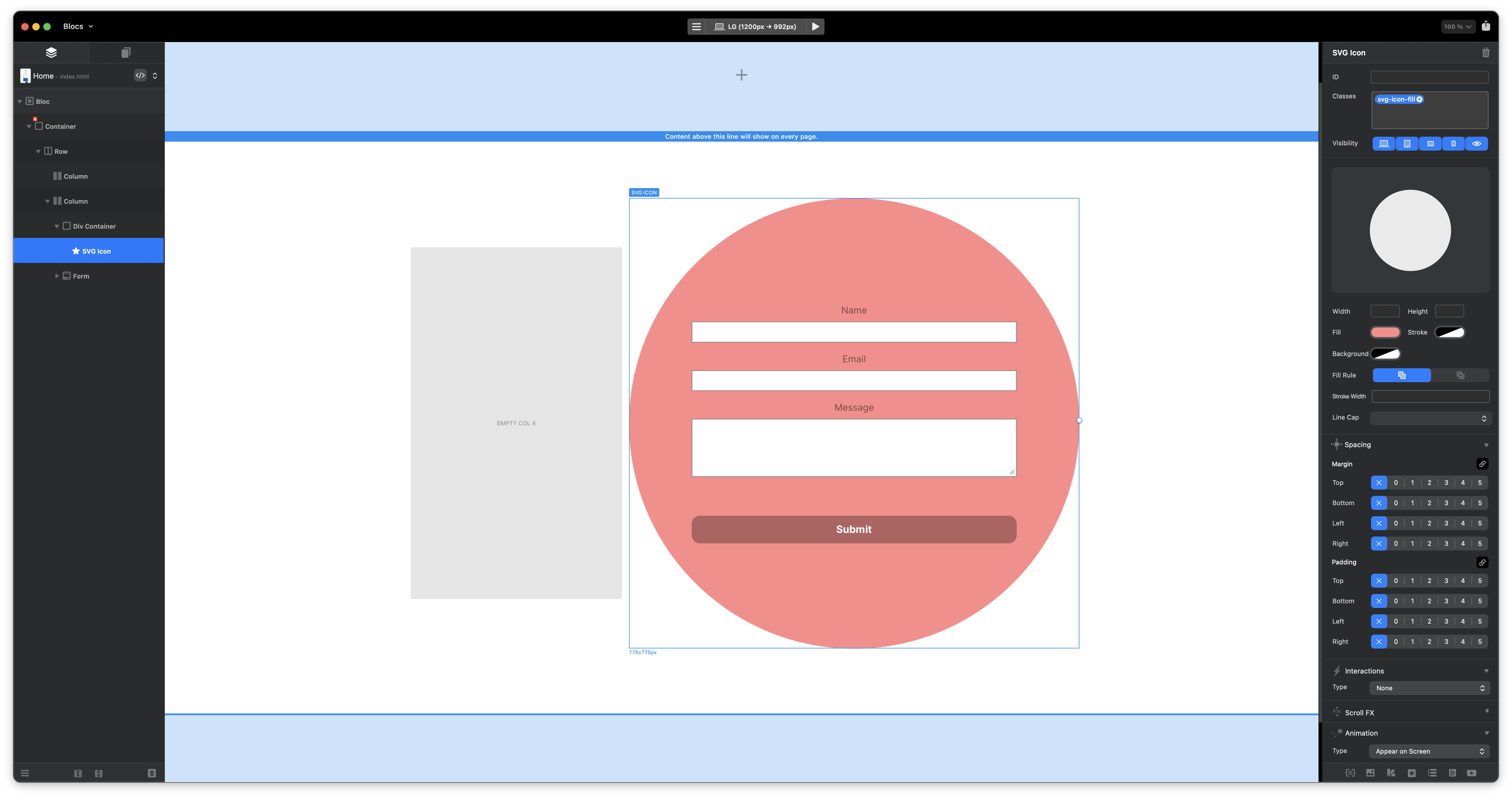
Presuming you want the form on the red background, you could add an extra column in and just make each column 6 wide rather than 12, I think! Not in Blocs atm, so can’t check.
Or, just thinking through, you may be able just to adjust the offset in the right panel to ‘0’, which would left align the form box column (or make it 6 (depending on how wide your column is) to right align the form box column).
not knowing how you’ve constructed it, it’s a bit difficult to diagnose, but I’ve just been in Blocs an hour or 2 ago testing what I said, and I was able to move my central form to left and right.
Think outside the box/ Instead of placing teh white circle as part of the background, place just the white circle as teh background of the element containing the form. Then the circle goes where ever the form goes.
You can use an svg icon “circle” for the background in an absolutely positioned div behind the form. It does get virtually impossible to do in iPhone as the form becomes taller than wide, so it simply will not fit in a circle.
i would proceed similarly to @doobox, but perhaps set a background image for a column with a class. Columns with width, offset, and spacing can be aligned slightly for each breakpoint, and perhaps you can also get the small bubbles. You have to experiment, but it will certainly work somehow…
I did something similar for a form on a car as it was background image and set various positions of the car with 3 different pics as background on a class.
I put the form in a DIV and made a class and used Positioning in the class editor across breakpoints and got it in position of the middle side that they wanted, worked like a dream as I could get a pin point position.
Doing what I did above is more or less like a free move - set your position and BOOM! your in!
Blocs really has it all! - I experiment and play around, sometimes it’s not the best way! but it works and looks great!