Can someone (maybe my friend, @Eldar) reply back with how to add an outside link. I tried the Youtube/Vimeo, but the popup shows up blank.
Does Tubi even allow embedding? You won’t be able to use the same link as Youtube or Vimeo.
(Assuming you want to embed the video, not just link to it)
Hey Pete, thank you for getting back to me. I’m trying to log different things first starting out with the minimalist 1.7 using #164 under features. Adding this URL Watch Born 2 Hustle (2023) - Free Movies | Tubi brought up a blank window. Even though I added the poster.
I tried to use any video but ran into several issues such as not getting the video link to play.
Where I’m at now is using a carousel which is what I really didn’t want to do but I needed to get it up and running.
Regarding your question I’m using I frame. Not using embedding.
I do not use the minimalist library, so cant say. But Any Video plays videos not webpages.
If you check the browser inspector you will likely see a X-frame-options error.
So that becomes your reference for researching the issue  There is a ton of info on Google that explains it.
By the way, embedding does use iframe’s.
So other than local, YouTube or Vimeo Any Video cannot use URLs.
Minimalist library at least the one I’m using uses modals. You would think that this would be really simple, but it’s not.
Why is it that it’s so difficult to use outside source videos from URL links?
Of course it does URLs,
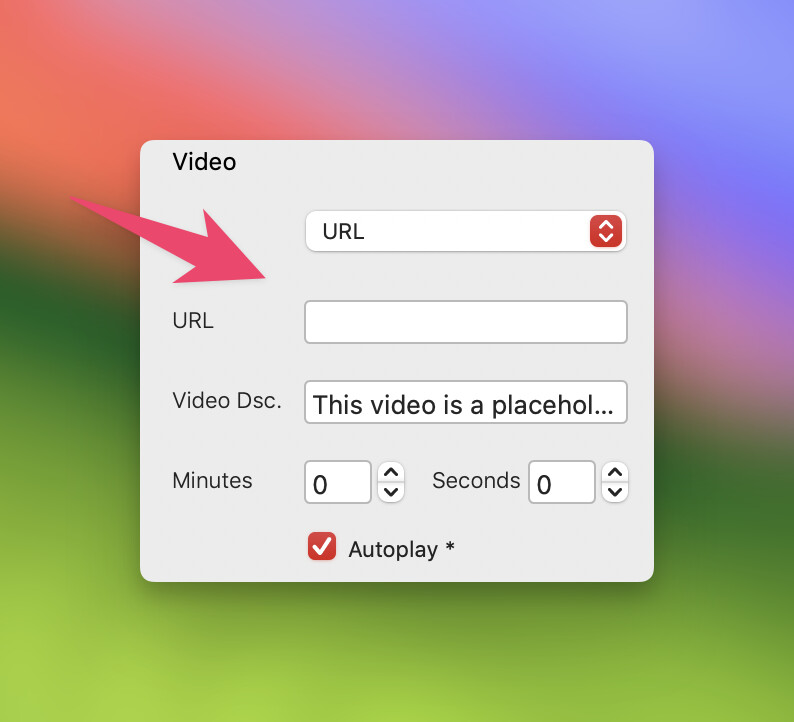
But thats to a video file, not a website. Your link to Tubi is not a video file, it’s a webpage with a video embedded.
You need to link to the video itself, and with services like YouTube, Vimeo, Tubi they usually have a URL to use for embedding. Thats why I mentioned initially - are you sure Tubi allows embedding.
It is up to the content provider to decide if they want people to embed their content on another website. eg, think about how you can restrict Vimeo from being embedded or you can even lock it to a domain.
I do not see anything on Tubi or online, that suggests they have made embedding videos available.
No they do not. 
It looks like I have to use Carousel.
LOL not trying to embed I just want it to open in a window and the user can click play.
Well unless you’re just linking to the page itself you are actually embedding it.
I could play the video from New Zealand. But then I’m using a VPN 
Hi @KBConcepts,
I haven’t watched or used Tubi in the past, so I can’t provide guidance on how to embed it. I intended to test it and conduct some research, but as other users have pointed out, the website is not accessible outside of the US. Is there any kind of ‘Embed’ feature in the video player you observe on Tubi?
On another note, the lock screen on their website resembles that of Netflix or something similar, right? I don’t think you can typically embed videos from sites like that. It is not important if you are using Minimalist Library or any other bric/bloc, if you can’t get the embed code from the provider, it won’t work.
You can embed videos from any modern video hosting provider, which allows the embedding feature. For example, Rumble. You can see they show the ‘Embed’ button under the video.
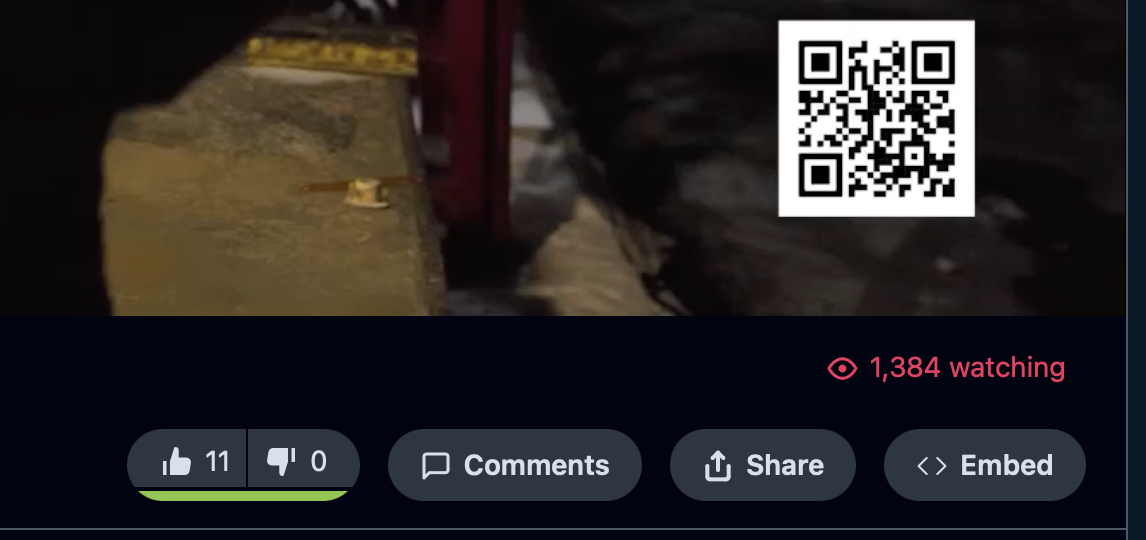
Hello @Eldar 
I am aware embedding does not work. I was hoping to Minimalist v1.7 using #164 under features.
I really liked the design and use. I added the URL (removing the embed info) and when I previewed it there was up a blank window. Even though I added the poster. I was hoping it would play within the modal.
1 Like
Can you share a URL of the webpage you are trying to embed? I guess if you are trying to embed the webpage itself, not the video, it should work. Although I am not sure if it is a good idea to do that for a video behind a login.
https://tubitv.com/movies/100013222/born-2-hustle
Login is not needed
I am not able to view the web page here, so the result for me looks as follows.
I guess it should work in the US.
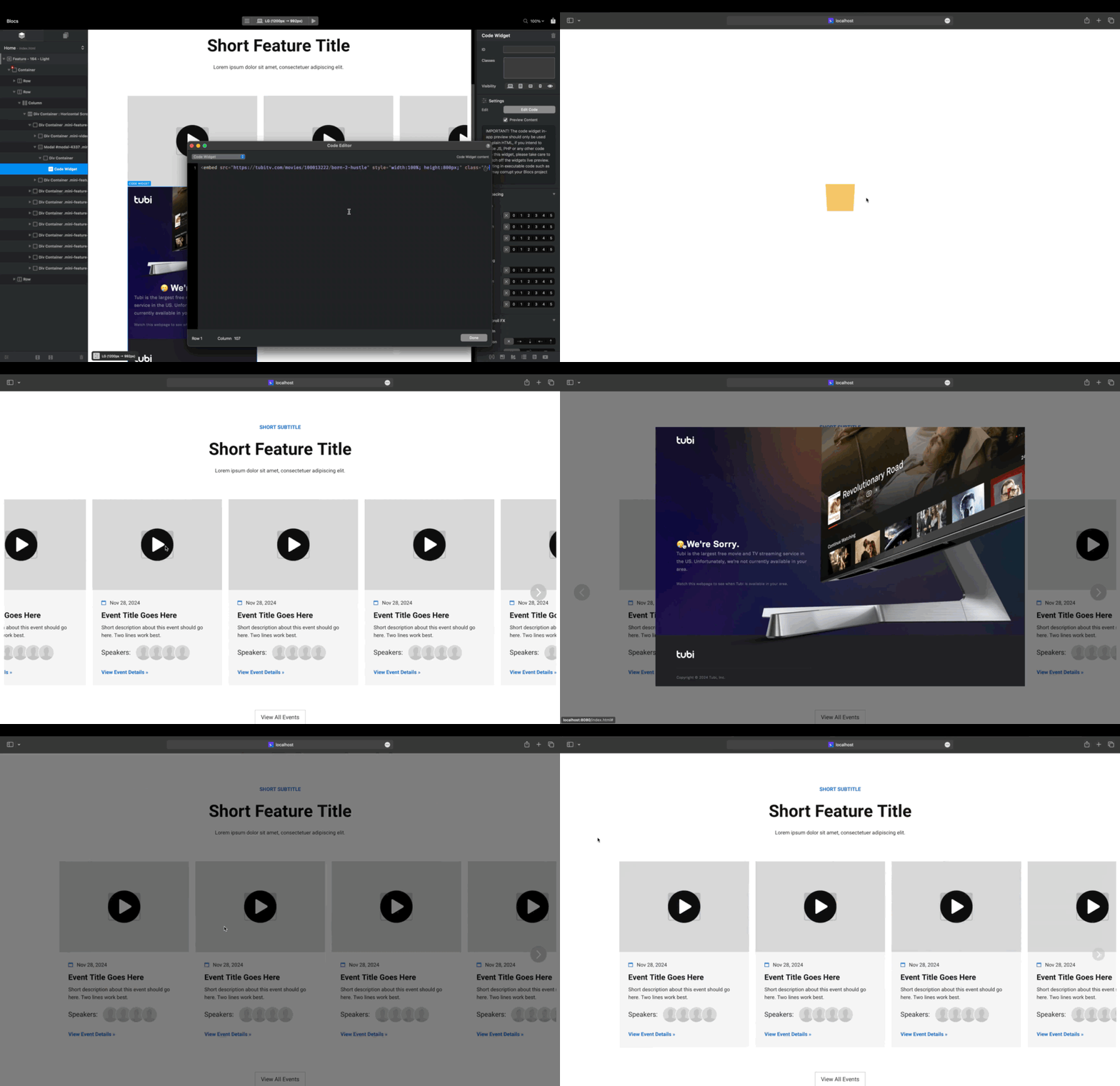
Thank you, I will check it out. Where did you add the URL link?
Your video was to fast for me to catch what you wrote
He has added a code widget bric and then added the embed code to that.
1 Like
So this was added to the modal in the video area?
Hi @KBConcepts,
As @Pixla (thanks) said, I just added the code widget bric to the modal and put the code. Maybe there is a better way to do this, but for me this method has been working for many years.
1 Like
I will give it a try.