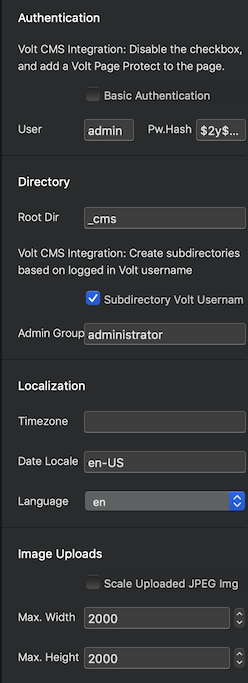
Is there a way to get the thumbnail images in Gallery and Features Brics to either letterbox or stretch (or even crop) to fixed dimensions so that everything lines up in a nice grid, or do I have to pre-size all my images to the same pixel dimensions? This doesn’t look very professional.

If I set the image heights to a constant value in the inspector, everything looks great
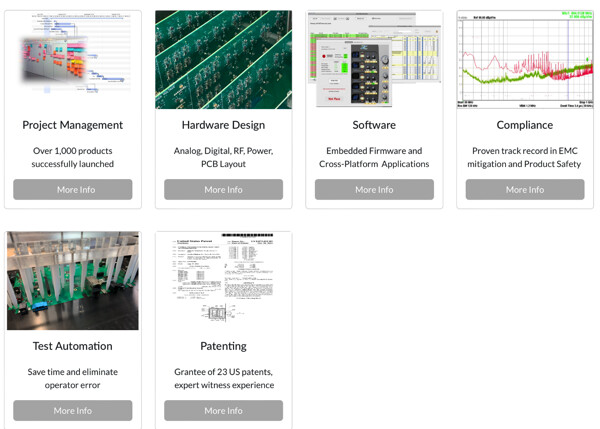
But in preview, the images all revert to their full dimensions.
Following. A for years I’ve been creating the image in affinity photo the same dimensions, a pain in the backside so if there is a way around it that would be great
1 Like
I can’t believe this isn’t built in.
I personally have always sized my images in something like pixlemator so they are all uniformed in size and how many kb they are etc
I do not see it as a pain - it does not take long to do to make it look exactly how you want it.
You can also edit in the image editor in Blocs - you can also set you sizes by creating a class so they are all the same width or height.
All the tools are available in Blocs - it will only happen if you make it happen.
Have fun experimenting in different ways etc
I guess I’m old school like that too - having grown up on websites where every Kb mattered and I wanted to make sure the image looked right, so images were done before putting them into a webpage and so weren’t some browser approximation!
I’m with you here Julia.
Adobes Muse worked like a picture box where you could have the box at set dimensions and resize the image inside. Very handy for tweaks.
2 Likes
Hi @TrevReav - Been reading on this - does doing it like this (The old muse way) - just mask the image to a fit into a size for view and in reality the huge image is still sat on the website slowing it down?
I am old school too in that it does not take long to edit an image in size and KB, and ensure the image edited looks good too by tweaking it - there is nothing better than 1 minute on an image.
I find today we are moving to an instant world where everyone wants everything instant - yes I 100% get it if so someone is uploading 20-50 images a week and its a simple solution, but if its say a few images on a page or a site then nothing beats a small edit.
Not sure how Muse worked - but if its something @Norm could look into if demand was there ? but its also worth considering the downsides too.
Hi @AdieJAM, and Happy New Year to you. I used a (sort of) in between method.
The images were roughly sized down to whe I needed in Photoshop with a bit of bleed and I was able to move left/right/up/down and enlarge/reduce slightly within the picture box to fine tune.
I can’t remember fully now, but I think Muse also used to optimise when output.
I get what you’re saying and agree that preparation work is everything, but this was a handy little fall back for a couple of kb trade-off.
1 Like
Happy new year to you too - hope you had a great Christmas break (still working through treats here ! so extended ours till next Monday !..LOL)
Yeah - I see the benefit in both, but I do think if there is an easier inbuilt way then this would be great for iPad too for users on the go for blogging, doing pages on the go without having to go from app to app to blocs etc.
Be great to have an dedicated image class to say : 200px x 200px x 150kb or bric with a set class that will be easier to duplicate.
Drop an image of ANY size in! and make bigger, smaller, edit, rotate etc and size and BOOM!
@Norm - your first 2026 request !!! chop chop ! get off that Switch 2 norm ! LOL
4 Likes
What an interesting post. It is definingly one to bookmark. For me I use FastStone Photo Resizer. It makes everything so much easier. These are my go to settings.
Portrait-768X1024-SmartCrop
Landscape-1024X768-SmartCrop
Banner-3072X1116-96dpi-SmartCrop
1 Like
Repository Manager lets you resize photos directly during upload. Maybe this will help.
1 Like
If there is a tutorial about how to do this, sure would love to see it, maybe I just missed it.