The solution is probably super easy for you coders, but it isn’t clear to me, hence this post.
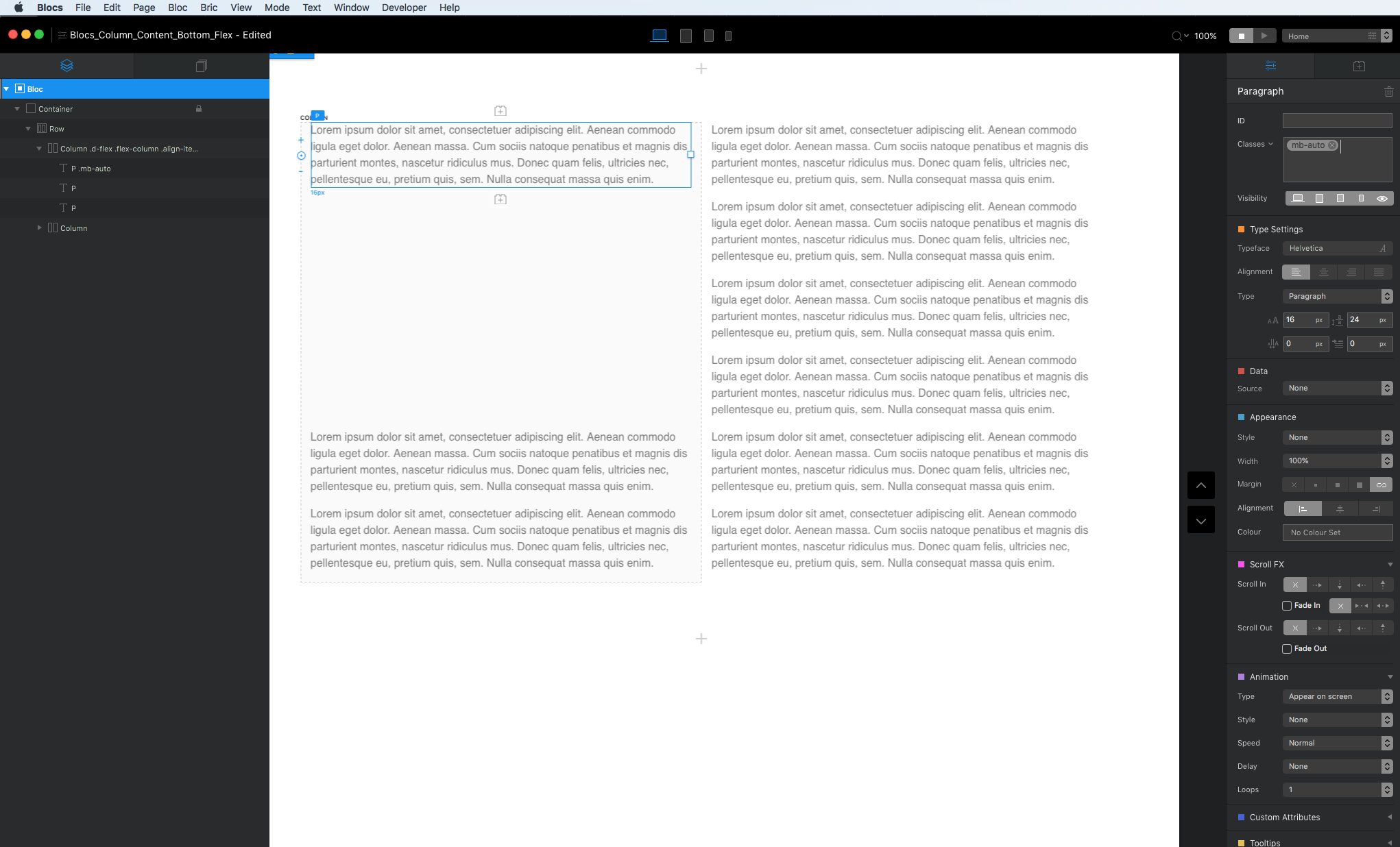
I have 3 paragraphs vertically stacked inside a Column in Blocs. I want the bottom 2 paragraphs to be locked to the bottom of that Column (with a margin of about 20px or so between the bottom paragraph box and the bottom of the Column).
Why lock them? Because I have 2 side-by-side columns and when the leftmost column grows bigger, there is a whitespace GAP at the bottom of my rightmost column (which has the 3 paragraphs). I want that whitespace gap to appear between the upper paragraph and the lower 2 paragraphs. To achieve my aim, I think locking the lower 2 paragraphs to the bottom of the column would be a good solution, but I cannot figure out how to do it even though I’ve put them both inside a DIV container.
I tried the CSS below but failed because it only makes my DIV (containing my 2 paragraphs) vanish on Preview (".lock-to-btm" is a Class I have applied to my DIV and the style CSS is contained in Page Settings):
I then tried adding the Bootstrap “fixed-bottom” class to my DIV, but that locks my 2 paragraphs to the bottom of the browser window, which is NOT what I want. Again, I want to lock them to the bottom of the Column that contains them.
@Malachiman I am humbled a grateful by your quick, helpful advice. I can get your sample document to work perfectly, but mine is more fiddly for some reason. Here’s a document that contains the 2 columns in question, with your Classes properly applied: RightMostColumn.zip (225.8 KB)
When you preview in Safari and then shrink the browser window, you will see something like the below screenshot, which clearly shows the whitespace gap at the bottom of the rightmost column, despite my having added the recommended classes:
I greatly appreciate your reply, but very frustrated right now because I simply cannot, for the life of me, get this to work as you suggest. Before you edited your previous post, you asked me to delete the “no-margin” class. I did that. No change. I then added the DIV and adjusted the Class as you suggested. No change. You can see there is no improvement in the animated GIF below.
What do I want to happen? I want the last 5 lines of the rightmost column to be locked to the bottom of the rightmost column even when I alter the browser window width. Why? So there isn’t a huge whitespace gap at the very bottom. I want the gap to be between the top paragraph and the 5 lines at bottom.
No need to keep repeating it, I understand, and what I suggested works fine.
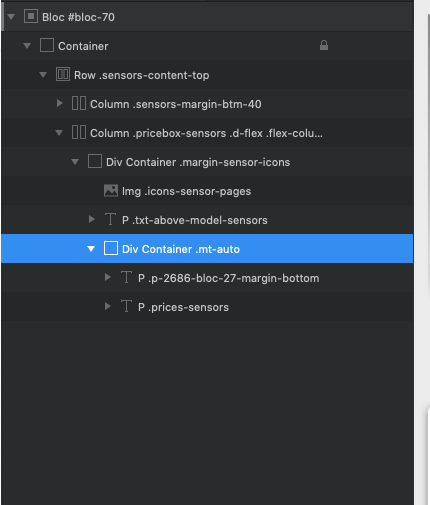
Don’t nest the DIV in the other one which is what you have here (see image below). That div highlighted needs to be in the column directly for the Flex class to effect it.
Cool, Pete!. Just learned something new. Btw… based on what you just revealed, I discovered the same can achieved if the class mb-auto is applied only to the top paragraph.