Is there a way to trigger a modal with the button instead of “go to page or url”?
Exactly.
But not with Image Overlay.
In The side Panel you can Only choose Page or url.
Ja.
Exactly
Imagine you have a galery with 10 Image overlays and each one has a modal.
If I interpret this script right, you need 10 different scripts for 10 different modals, right?
OK.
I give it a try.
Out for lunch.
Thank you Jerry for your help.
You deserve the respect for sure!! You spend so much time helping Blocs users. Thank you for being there for us learners.
So if we, give an ID to different models is this how the JS would look?
Sorry, if this has errors. I don’t know JS.
document.getElementById('mymodal-1');
document.getElementById('mymodal-2');
document.getElementById('mymodal-3');
if (window.location.hash === '#mymodal-1') {
      myModal-1.show();
if (window.location.hash === '#mymodal-2') {
      myModal-2.show();
if (window.location.hash === '#mymodal-3') {
      myModal-3.show();
I tried. 
I would do it this way. I do not have the bric, so I based this on what I have seen in this thread, let me know if the class is wrong.
This script will look at all instances of the Image Overlay, and only modify ones that have a URL set as an ID, eg the ID of the modal you want to open.
@Jerry I stole your screen shot.
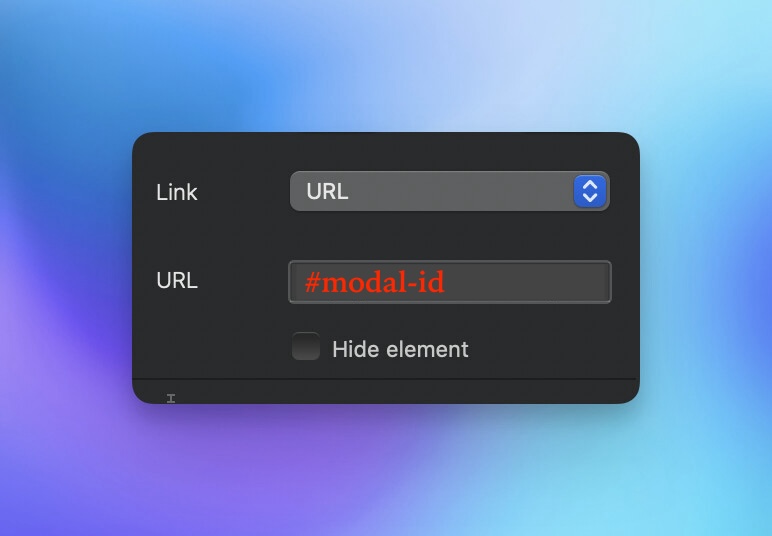
How this Script works
- Looks for all instances of the overlay button
- If the URL in the href starts with a # then continue
- Add the BS modal attribute triggers
- Remove the redundant href.
document.addEventListener('DOMContentLoaded', function() {
  const overlayButtons = document.querySelectorAll('.overlay-btn');
  overlayButtons.forEach(button => {
    const href = button.getAttribute('href');
    if (href && href.startsWith('#')) {
      button.setAttribute('data-bs-toggle', 'modal');
      button.setAttribute('data-bs-target', href);
      button.removeAttribute('href');
    }
  });
});
I can’t test it, because, as I say, I dont have the bric, let me know how it goes.
If we did this properly, I would also modify the < a > to be a < button > and set up an aria attribute. But that maybe present already in the bric. Not sure.
If anyone wants to learn about how modals are triggered, like in this case, using attributes, all the docs are here.
3 Likes
I know it’s debated, but key content shouldn’t probably be in a modal.
1 Like
Ideally modals are just added as an option.
This works perfect.
Thank you both for your help.
2 Likes