Hi @mr.birdy, I’ve been following this with interest, and not been able to get it to work either, however, straight ‘out of the box’ I came up with the following. Not exactly what you’re after, but it certainly tricks the eye into an inset text effect.
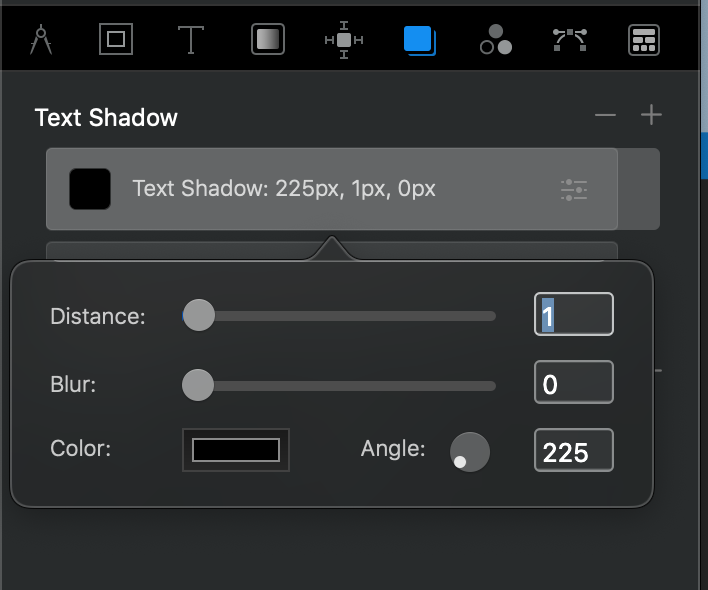
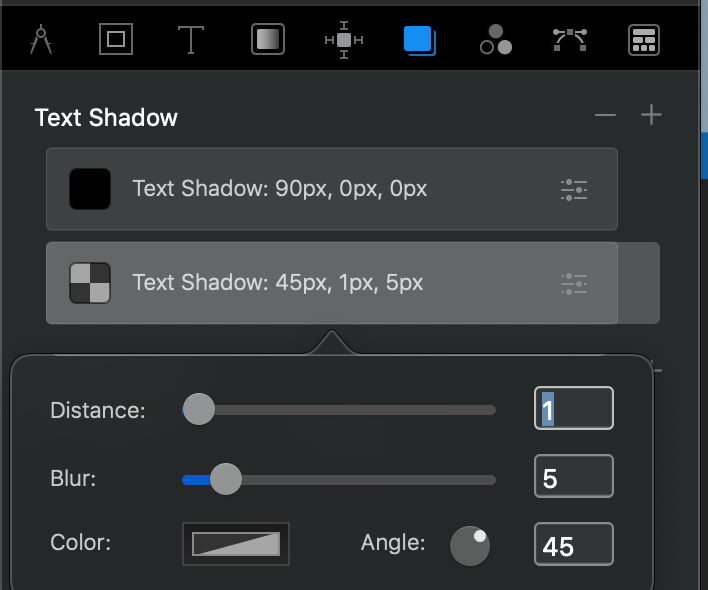
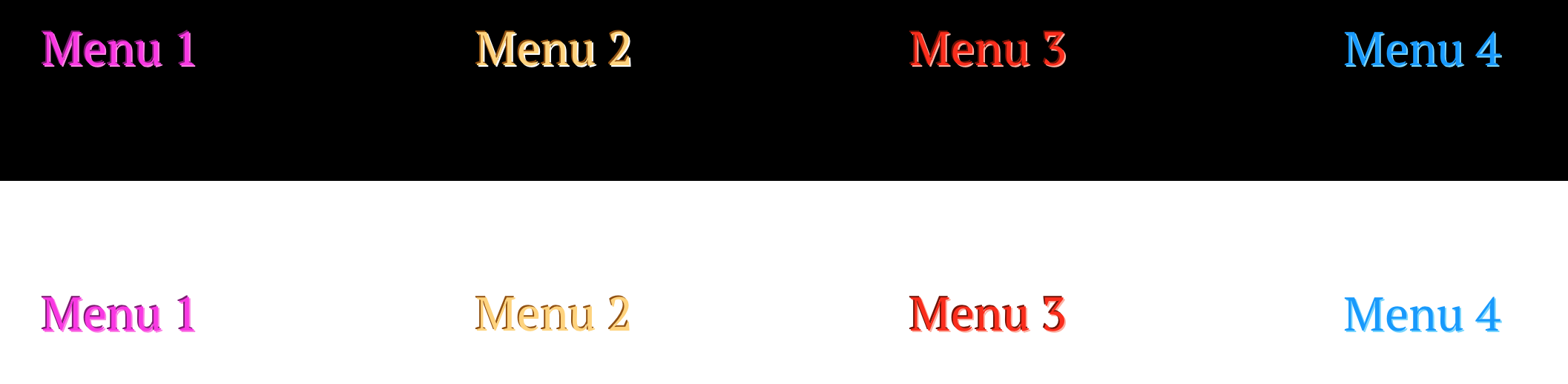
It’s a dark background, slightly darker text, and 2 outer shadows: a sharp (no blur), small black one offset to top left and a lighter, slightly blurred one to bottom right which gives a slightly embossed effect.
Worth having a play with a class and different shadow effects, you won’t get exactly what you want, but a decent simulation.
Here are a couple of screens of the settings I used on 150pt text if you find it useful:
2 Likes
Wow. Cool you achieved it without coding!
It’s always the same effect that only works with very specific color combinations. I also got it to work with a black background by now, but not with the preferred colors.
After scanning the internet, I’m quiet positive this isn’t able to achieve with html or css yet.
I’ll think about a graphic solution instead.
You’re after yellow & pink?
I’m away from the Mac at the moment, but I’ll have a chance a bit later to see if I can get anything close.
Or let me know what colours!
Not sure I will, but happy to give it a go.
No, the idea was a black Navigation header, that has about 5 Buttons.
Those buttons would’ve been the page titles all “cut out” of the black navbar, but with different colors “underneath” like yellow, green, red, blue, purple etc…
If you would’ve hovered above one off the cut out titles its would’ve changed the title to be black like the BG and instead a square button would’ve been cut out so it would’ve looked, like the Titel is now floating above the background behind the background…
Sharing great graphic concepts here, haha.
Its no problem to do it with a graphic program, but I hoped for a code solution 
I’m trying, but Blocs is playing silly bu66ers with me today. It’s refusing to save any classes and reverting back to 0, 0, 90 for shadow distance, blur and angle (and don’t get me started on how that angle thing works - it seems different each time!
Just spent an hour doing, saving, previewing and one bit ‘sticks’ while the other bits have lost their settings, so I’ll leave it for now and hopefully Blocs, the Mac and me will be in a better state of mind for it tomorrow!
1 Like
Im curious if you’ll find a solution, I pretty much ave up on the idea, that it’ll work, Id be quiet impressed!
Blocs also bugs me out a lot. Always something different. I must say, even though I really love it, it always lets me fear to lose ,y project, because of a bug.
The undo function for example seems always to make me risk my project, why I try to avoid it.
My question is can this be done with a transparent background? So far of all the cool designs, I have not seen one of those.
Hi @KBConcepts, yes, the way I did it - just using settings in the class options box - would work on a transparent bg.
I coloured the bloc dark grey and only applied the settings to the type.
I’m the first to admit, it’s not the best solution, but at a glance it looks the part, and how often does the average user dissect what you’ve done?
1 Like
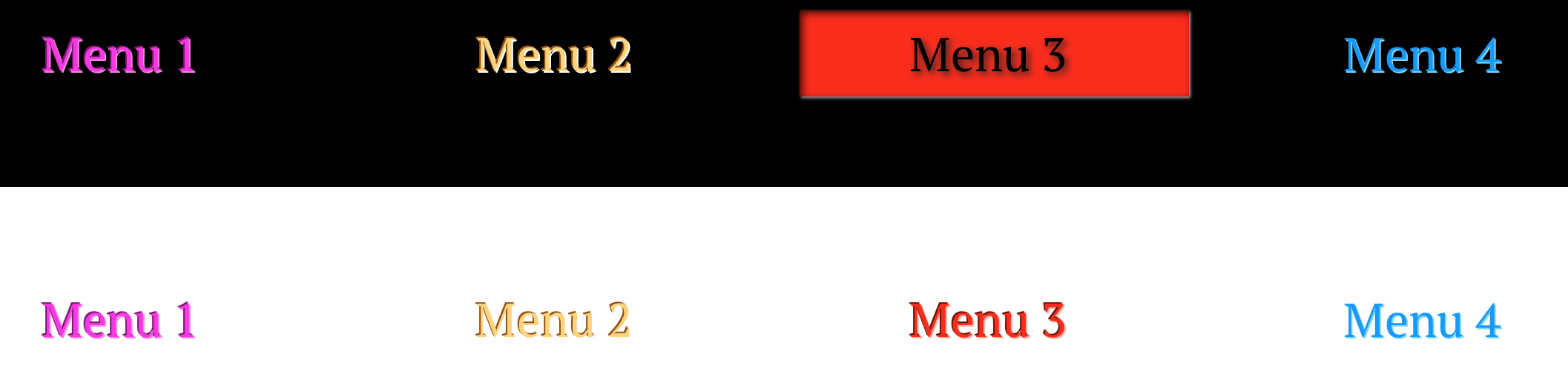
Here you go, not exactly what you were after, but gives the illusion of what you’d like, just really using the built in shadows in the class editor and a bit of fiddling. I think the thing is to keep the ‘embossing’ shadows pretty small so they don’t look like they’re adding to the font too much.
Black BG for @mr.birdy. White (done as transparent) for @KBConcepts
Excuse my naff colour choices - there were handy!
2 Likes
Thx I really appreciate the effort!
But it just doesn’t give the effect I am looking for 
I urge people to stop trying as i am, like I Said, very positive That my desired effect isn’t achievable that way!
The only part where it fits my imagination is with the red background. That’s because inner shadows are only possible with backgrounds but not with text when using html.
Thank you very much for trying! 
1 Like