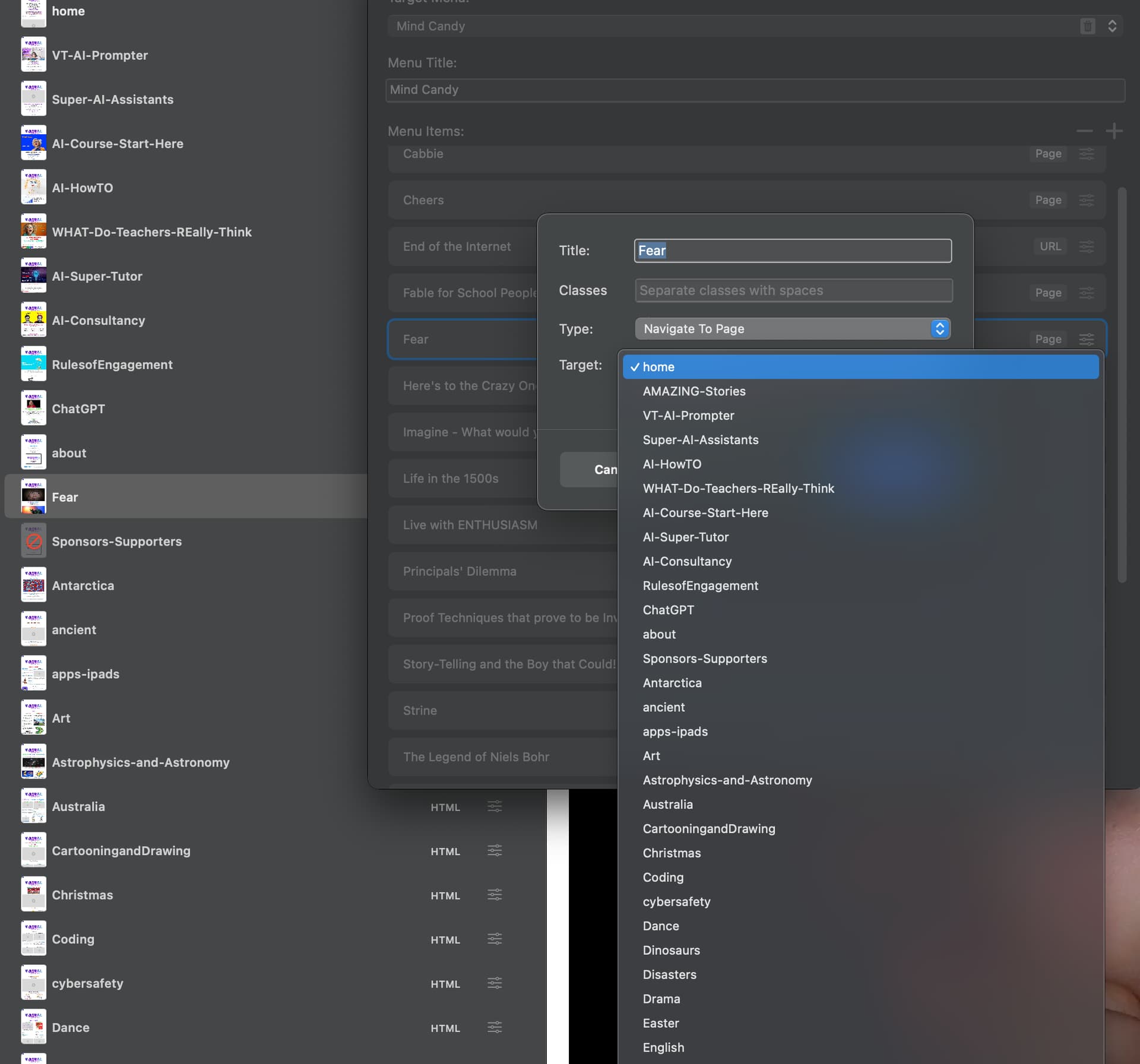
Hi Folks, The menu manger isn’t showing all the pages on my site so I am unable to select the page to add it to my menu. Is there a way of starting to type the name of it so I can add it. Or somehow make it show up in the drop down list. I have used the data toggle but no joy. This seems to happen when I add a new page. I have a lot of pages. As you can see from the image. The Fear file is new, it appears in the list after about, but doesn’t appear in the menu manager drop down here or anywhere else. Any help would be great. ciao Cathy
Search the name of the page in menu editor.If it does not appear, got to Custom Links in the menu manager and manually add the page’s URL with the page title.
2 Likes
Thanks Nickee. If I use the menu manager there is no search option. Not sure what you mean by th menu editor- could be the side bar on the left that displays all the pages, if that is so the page appears there. My work around has been as you say to close with page URL. I think a search option in the menu manager would be good.
Open the page that is missing & check its page settings
There is a checkbox ‘use in primary ‘menu’
1 Like
Thanks Strath, this is already checked. Still Doesn’t appear.