Menu manager refresh

As many of you will know, I am an infrequent Blocs user. I always have problems with refreshing Menu Manager. For some reason I can never find it in the right hand sidebar. I know how to access it from the icons bottom right of the window, and from Window > Menu Manager.

However neither of those two methods have the “refresh” option that should be in the sidebar … if only I could find it! Could we look at adding “refresh” to the Menu Manager window itself please @Norm?

NB, I’m updating a site that I built several versions of Blocs ago. Could this be the reason why MM isn’t showing? Or is there some Blocs magic that’s slipped my mind?
Frankly, when I was on version 4 of Blocs, and upgraded to V5, most of my site was “lost”. I had to rebuild a very large part.

From V5 to V6 went much smoother, and honestly, I wait to install new updates.

My two cents…

Rich the Weather Guy

1 Like

@Norm Can I check whether you can see the menu manager in this file please? It’s too big to upload here. Which will be the best way to get it to you?

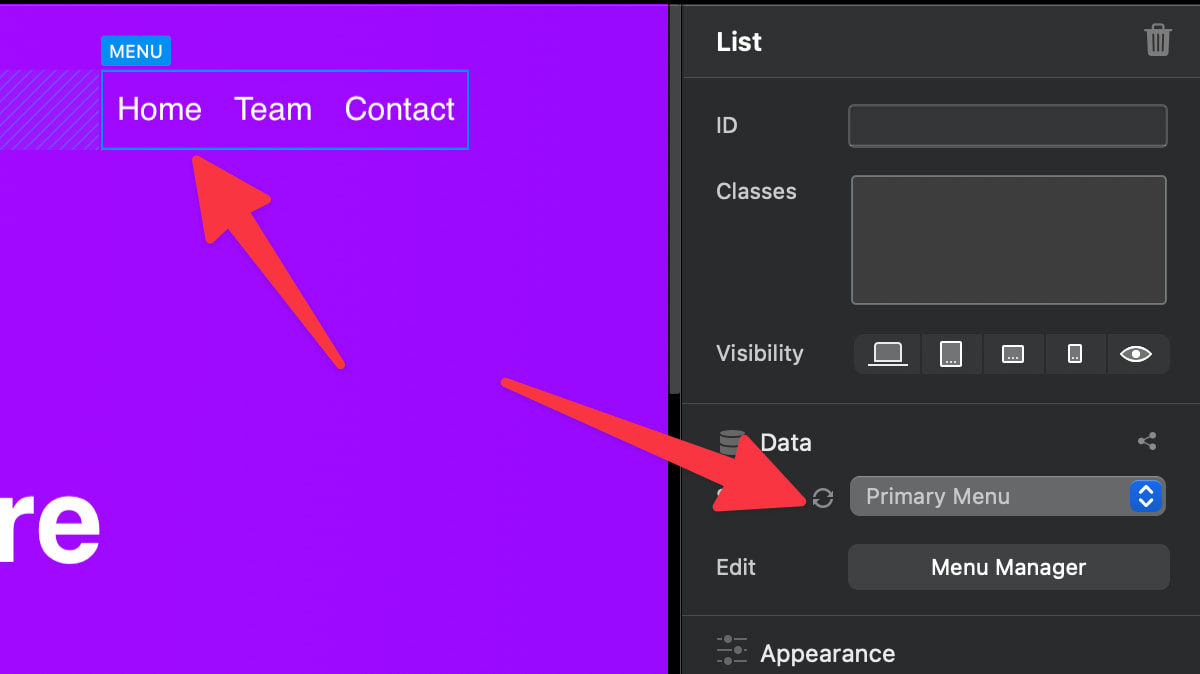
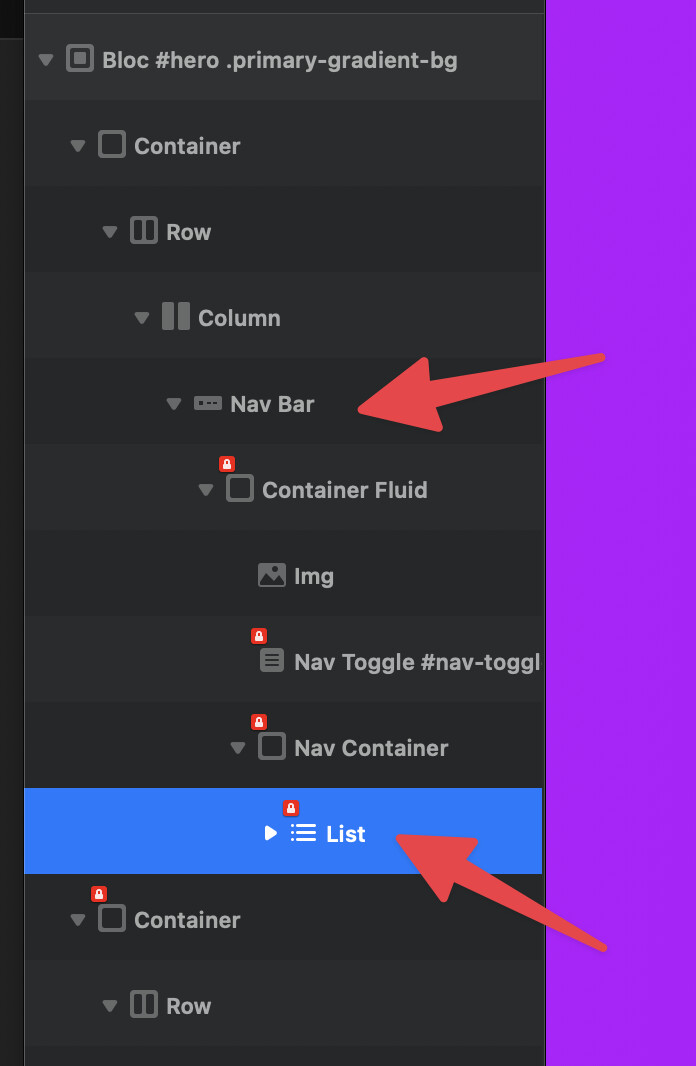
You need to select the list inside the navigation to get the refresh button.

The Layer Tree

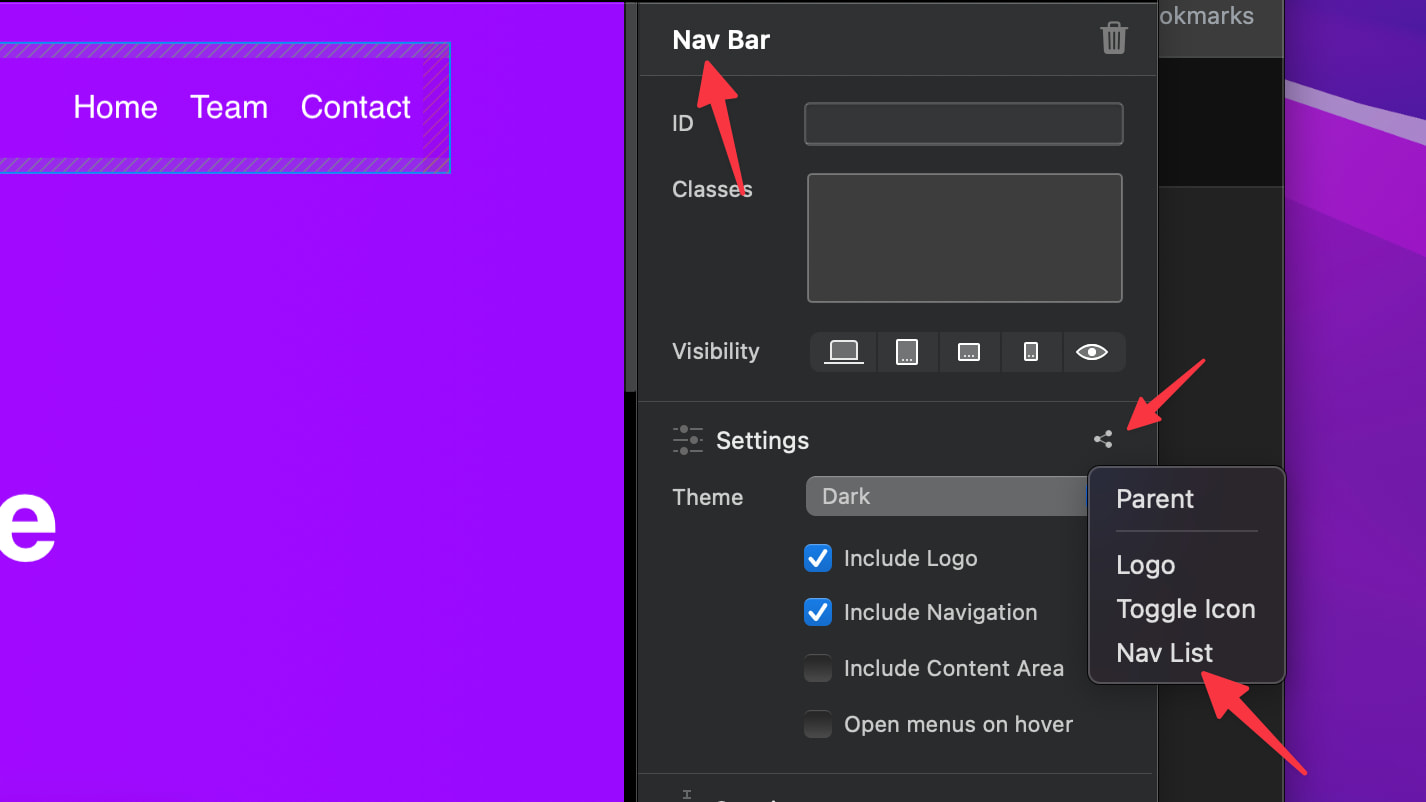
You can also quickly get to the list using the connection options on the Nav Bar Bric.

I hope that helps.

1 Like

Many thanks. That did the trick. Some of the more subtle tricks in Blocs fail to lodge in the old grey matter. I’ve now bookmarked this page.

All the best, Norm,

Will

1 Like