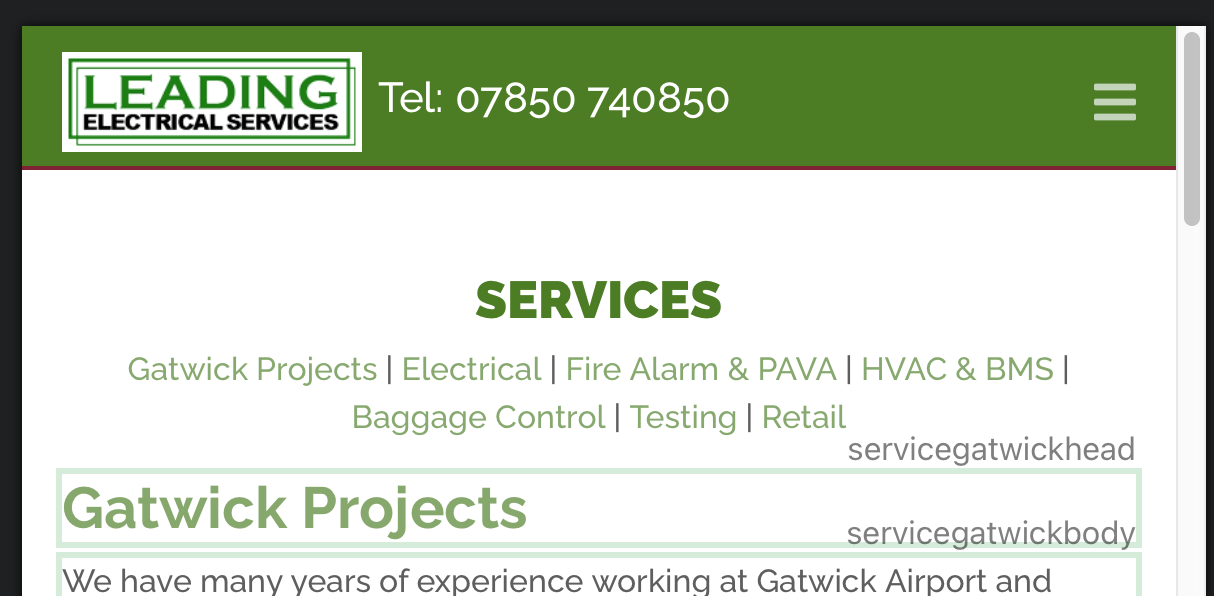
Hello all, there’s nothing live as yet, but screenshot below might help!
In sm and xs sizes I’m using @PeteSharp 's easy burger for the mobile menu (although I don’t think that has anything to do with it).
I’ve bumped it up using padding so it sits level with the logo and phone number, but now it’s not accessible. I think it’s being covered (ie: made unclickable) by the logo/phone number/large menu box sitting over the top of it.
I’ve tried targetting both the nav-toggler and Easy Burger with classes to increase the z-index, but with no luck so far. On the sm and xs screen sizes, the menu global area is just too large the ‘usual’ way.
Any thoughts/help much appreciated.
Hi @Jerry, I’ve tagged it on the end of my site - ignore the logo distorting, still very much working on things:
Yep, that’s the one I used to move it up level with the logo/copy as beforehand it was sitting below it like this:
So I would like the mobile menu to be where it is on the online example, but at the moment I just can’t access it.
Interesting. I’ve never had the mobile menu button on a second row. It always stayed on the same level as the rest of the navigation.
Just for the fun of it, have you tried to remove EasyBurger to see if that changes anything?
Shouldn’t be Easy Burger, as it sits inside the toggle that is made by blocs.
Disclaimer: I’m on my phone and haven’t looked 
Yes. It’s almost 7am and haven’t got up yet
Covid in the household and I hit a wall yesterday. So hopefully I haven’t got it… again
1 Like
Another birthday. You seem to give yourself a birthday every few days
Back on topic. Trev, it no one reply’s after I get back on my Mac. I’ll take a look.
1 Like
Hi Jerry - the main menu is in the global area. That first screenshot with the word ‘SERVICES’, the words are just links to anchors on that page.
Thanks for the carousel pointer @Jerry, I shall have a look at that later today
@pumpkin, yep tried that, and no difference
Get well (if you do have Covid) @PeteSharp, If you haven’t - MAN UP!!! 
Jerry must be, like, 109 at this point! 
Rich the Weather Guy
1 Like
Here’s an update - 1 problem fixed, another cropped up!
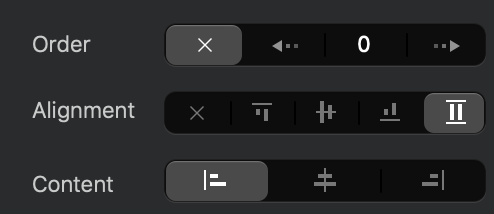
The menu toggle now lies in the correct place on the smaller breakpoints - for those who might like to know, picture below solved that for me.
However, I have now lost the colour from my class called active-link, which shows what page you’re on, and on the dropdown menu, the burger icon is still visible and starting to have a fight with the page titles! And no ‘close dropdown’ icon.
You can see the new link here:
The setting for ‘inline’ menu toggle - which I’m sure everyone except me knew about!:

 . What’s good is it doesn’t look like anyone else caught it this time round. My daughter has some things coming up the next few days. If she caught it, we would have lost $1000 we prepaid for things