Hi,
Does a solution exists to get a video with alpha transparent background ?
I tried several ways and impossible, only mp4 accepted as “universal”, and not possible with alpha in mp4 ; ok alpha with .m4v but not accepted by Blocs (feat wish then).
Thanks
If it helps, it should be possible with Hype.app, importing .png alphas sequence… and exporting without background.
Btw if vid solution 
The real question is browser support not blocs support. Because you can add the HTML5 Video markup yourself if needed.
Lots of info online about this. Here are some keywords to get you started…
.webM VP9 and .mov H.265/HEVC
Using both, one as fallback gives you the best support for users. Although I think the latest versions of safari work with webM, but probably best to use a fallback for now.
2 Likes
Oh yes off course, gonna make an iframe (it is in main center of empty page, will be ok in terme of window size flexibility etc.) with m4v or webM. Thank you Pete.
Indeed, I was questionning with blocs.
Why an iframe?
You are right, better a basic Html5 markup.
Thought, because it will be for 4 same headers page, then with all of them same iframe, linking to a single .html including the 4 vids (calling to anchors), thus for later updates of these vids for sure, just was thinking in term of gain of use for update. Btw better/cleaner markup.


I give up, 3 hours left and still nothing ; my vids are well transparent bg exported from davinci, tried many convertors in webm, no more transparency in browser, and controls obligated (I hoped as here with mp4 with the possibility to desactivate them)… (font with fx and size too heavy in .mov).
Let’s basic bloc’s fadein or css…
How can be such a basic need in design so long and complicated process ?! Even with davinci export (should be a one-click option, there are surely a lot of users who want to export titles fx as eg + alpha…)…
Btw thanks again.
Just take some time to understand and learn about it. Probably a better use of your 3 hours.
You need to understand and use the right codec.
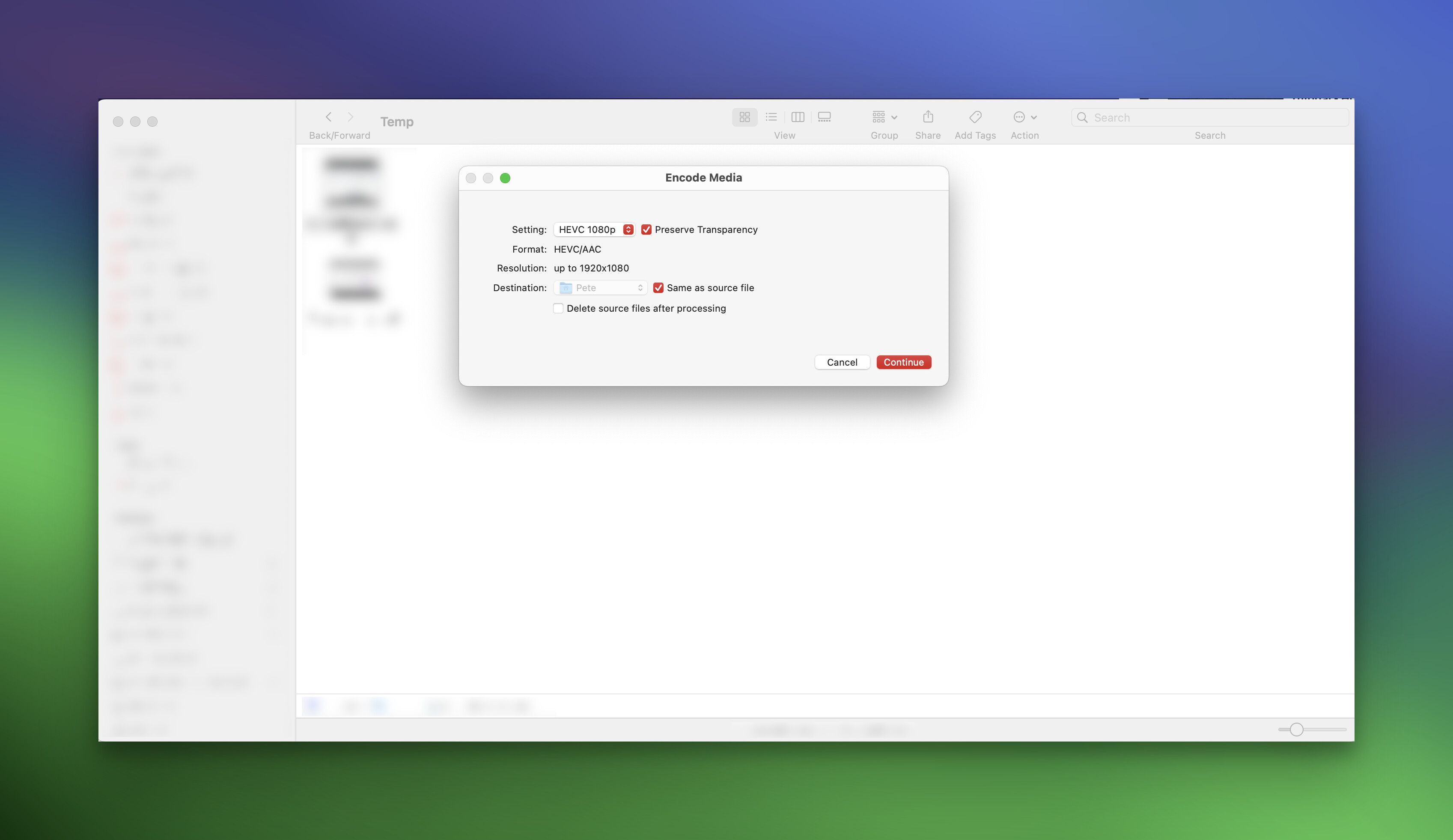
By the way. You can convert a ProRes 4444 (hint!) video to HEVC with transparency, in Finder. MacOS will do it for you. Basically a shortcut for using QuickTime 
That handles your Safari fallback. Easy!
1 Like
I tried several codecs accepting alpha in .mov export, result was ok (re-import in dvr with z-1 background ok) ; in fact the main problem was that with all WebM convertors I tried (online, app from the Store, Vlc convert nope, etc) there are no specs indications and alpha was always lost.
(With 2000’s FlashMx, webdesign animation and not a leading vid production as Dvr, it exported vids with alpha in « two » clicks without having to search and use sevral tools and to be expert in codecs, how can it be Dvr doesn’t do it ?!  btw.)
btw.)
Ok I’ll try your way monday, also I’m realizing I didn’t thought  about Apple Motion (I did a vid with alpha a year ago after importing .png alpha sequence, gonna have a look), was friday evening
Thank you again for support.
Ed. I also use exactly « Temp » file 
OMG damn ! 


I push up in case it interests to have alpha transparent background video movie mp4 blocs app / easy alpha export davinci resolve :
No need of quicktime .mov with codec DNxHR and other codecs as shown with plenty of vids on yt.
Simply MP4 > H.265 + Export Alpha and that’s it.
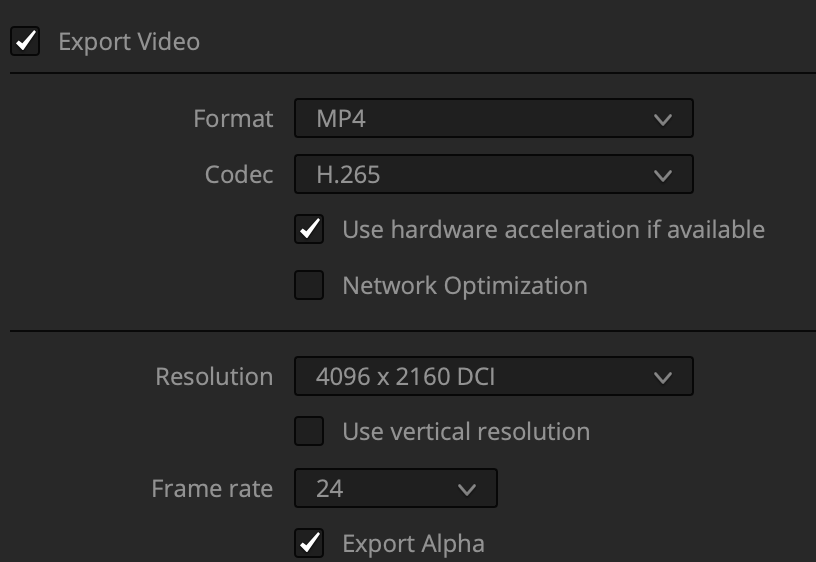
And the ~new H.265 is much lighter and it works perfect in Blocs & export browser
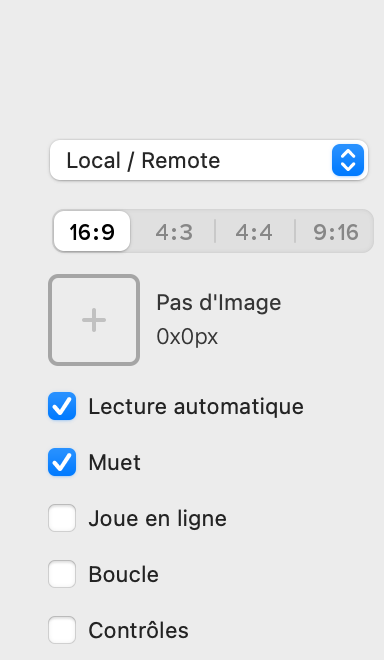
(Just a little problem with the vid replaying somehow randomly as disappearing sometimes @Norm https://www.normandie.website, in fact Loop desactivated sin’t respected)
Ed.
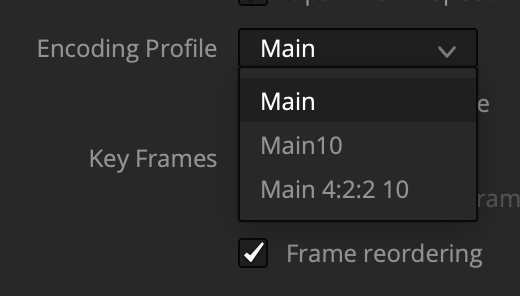
Forgot : Main and not Main10 default’s Encoding profile