When building client websites in Blocs, I kept running into the same problem with cookie banners. In many cases you need one, but most solutions were either external services with ongoing monthly costs, or they came with their own branding and styling, which I did not want on client websites. Blocs itself currently only offers a very basic banner where users can click accept.
So I ended up building two cookie banner Brics for Blocs: Premium Cookie Banner Easy and Premium Cookie Banner Advanced.
Both use a neutral black and white design, so they fit pretty much any website without bringing in third party branding.
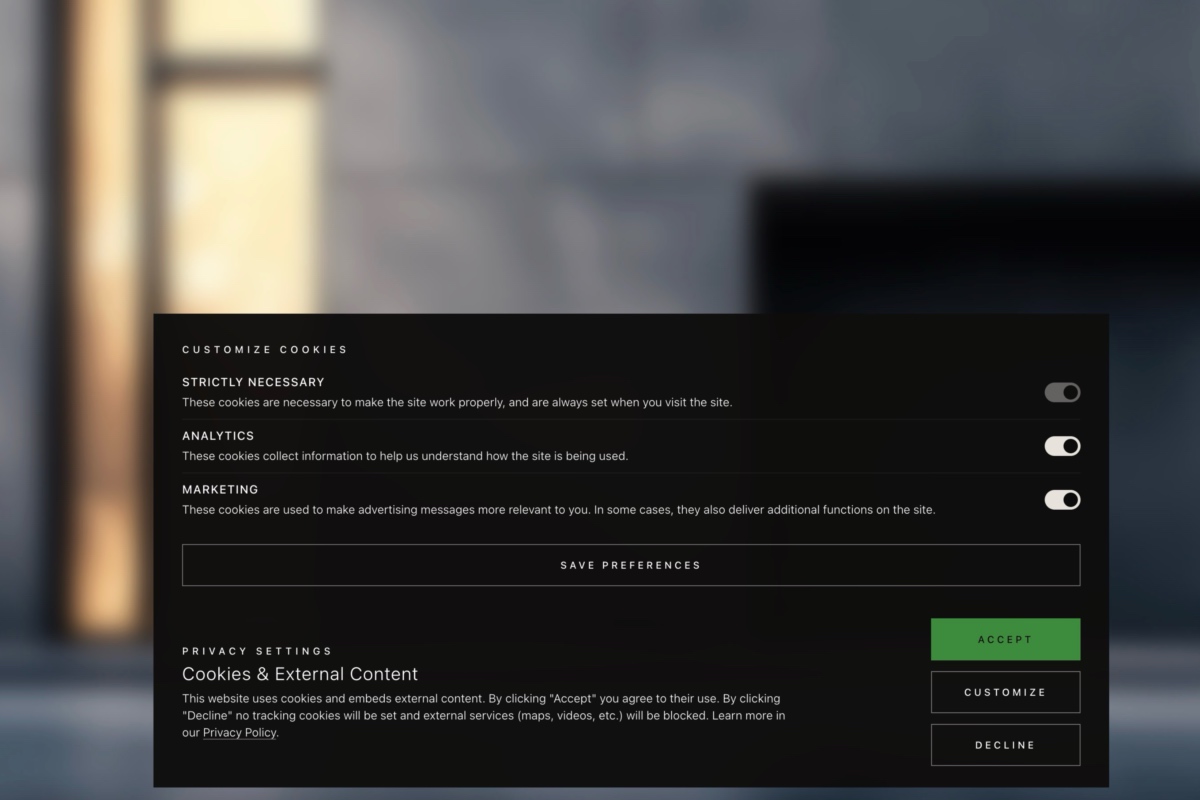
The Easy version gives visitors Accept and Decline.
The Advanced version adds a Customize option, so Analytics and Marketing can be allowed separately.
Both can be placed in a Global Area, work across the full site, and block external content until consent is given. Things like language, privacy policy link, font size, blur background and background darkening can all be adjusted in the Blocs sidebar.
To keep things simple, the text, the overall banner style, and the button design are fixed and cannot be individually redesigned. There is also detailed documentation included, especially how to handle things like Google Analytics correctly.
I really did my best to make everything as clean and error free as possible. I actually hesitated for a long time before offering these banners. I´m not a professional developer, just an end user myself, trying to find the best possible solution. For me, this has turned out to be the best solution, and my clients are very happy with it as well.
More details here: Cookie Banner Brics for Blocs
Blocs Store links:
Cookie Banner Easy for Blocs
Cookie Banner Advanced for Blocs
Maybe useful for anyone here who ran into the same issue.

 (This Cookie banner is a fine example). Skills and experience are just resolved with time, but critical thinking and problem solving are foundational.


