@PeteSharp
Hi Pete,
Did you ever develop the bric for making newspaper style columns?
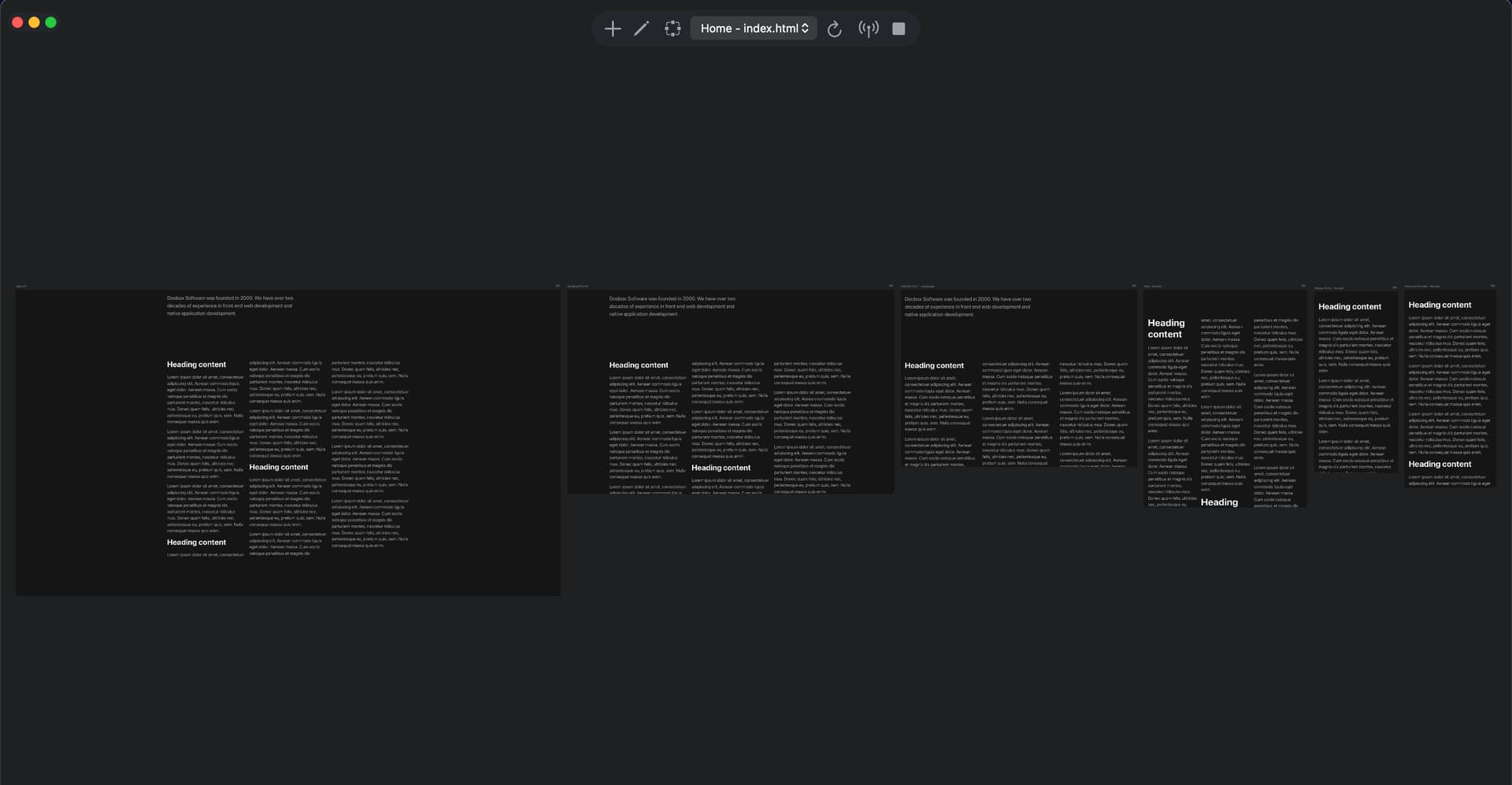
 , looks like I partially completed it. I totally forgot I made this.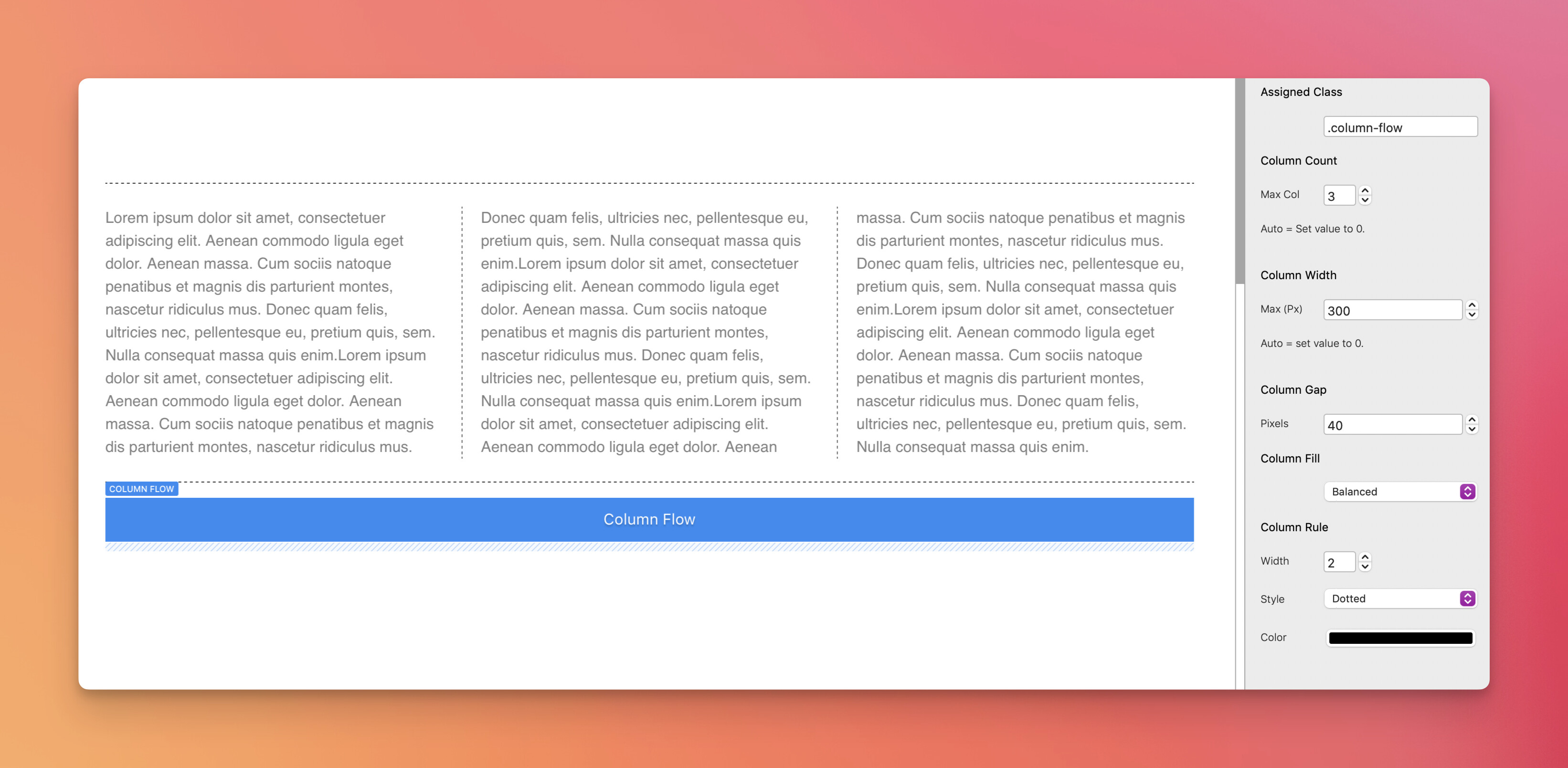
If It’s just 3 flowing columns of text, titles and images you need, It’s just a div bric > Heading and paragraph and image brics inside in any order you like.
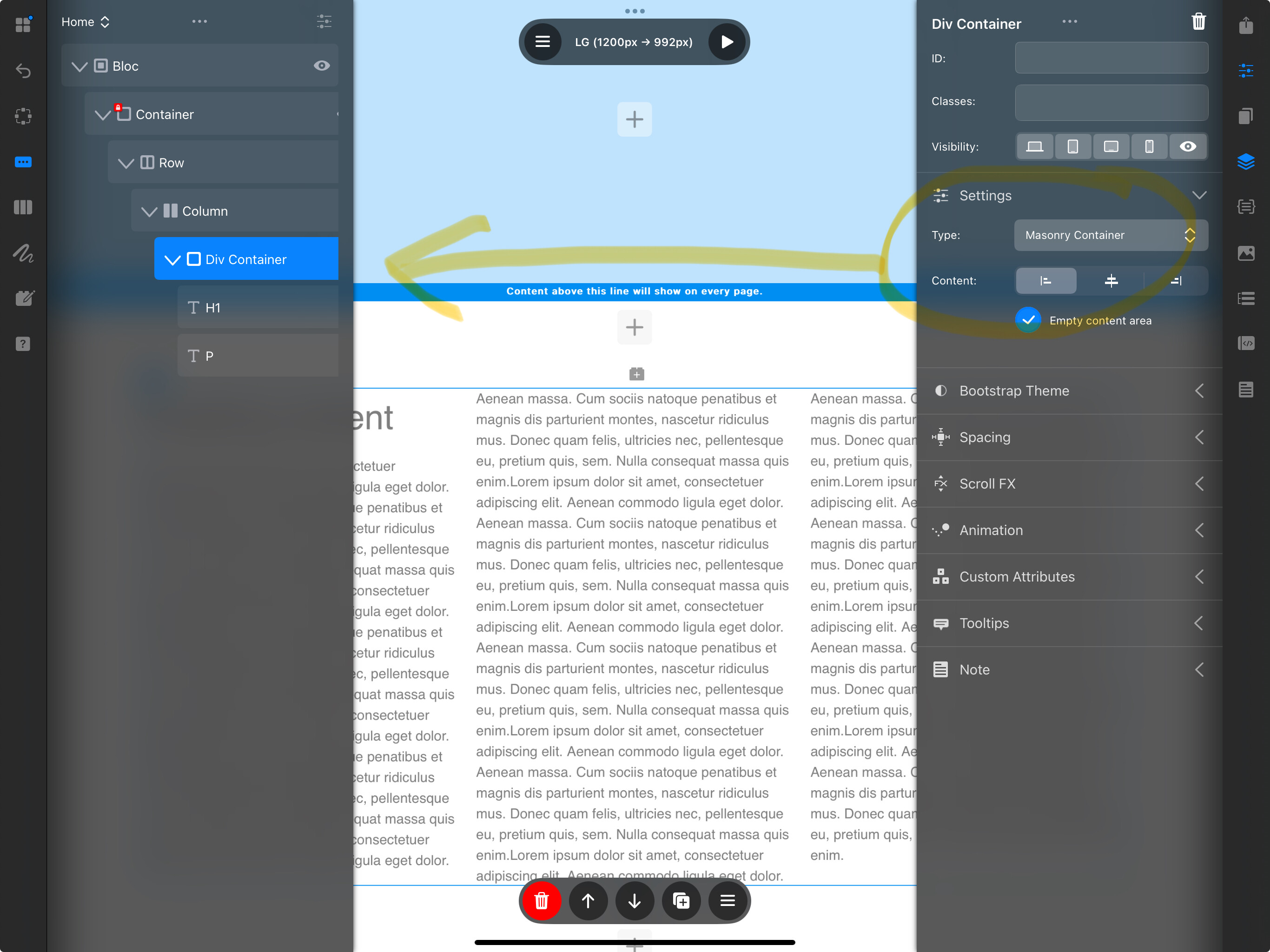
Set the div bric “Type” to “Masonry”.
8 Likes
Good post - but how do you get the text to flow from one column to the other? Mine seems to be contained in a single text box which just expands.
1 Like
If there is enough interest, I’ll finish up the Bric and release it, which would give users a lot of easy to implement options. Some of the post likes are rather telling anyway. 
8 Likes
Please do so.
I tried doobox’ suggestion with the masonry div which is OK.
But more styling with an extra bric would be great.
3 Likes
It’s a yes from me @PeteSharp, I can see lots of uses for it.
@PeteSharp
Any chance of purchasing it?
1 Like
@PeteSharp
Count me in - definite purchase.
2 Likes
What’s there to style other than what you already do when you use bootstrap or custom classes? Bit more work than using a Bric I guess?
Plus, I don’t really see the benefit of reading on a webpage in a newspaper style unless… I am on a newspaper website.
@doobox Thanks for the suggestion of using masonry for the div. Haven’t thought about that.
There are several things actually when it comes to content flow rules, the handling or widows and orphans with-in content flow and rules (dividers), setting the way certain elements you add behave in that flow from full span and avoids. Column count and width. My bric gives you the option of defining all of those, or keeping it on Smart Auto, which is optimised for most content.
Now styling in regards to cosmetics, yes use custom classes etc. The Column Flow bric is more for layout control.
This isn’t just for newspapers, it’s easily used in a lot of modern design structures. Don’t get caught out by the newspaper word.
If it’s not for you, then great.
3 Likes
Hi Pete! Do you also use the CSS hyphens Property in that bric?
I currently have a customer who insists on justified text. I advised him against it because it’s not ideal for websites due to the different display sizes, but with css hyphens it works relatively well anyway.
1 Like
'cause I’m a lazy bu …
2 Likes
Awesome! Thanks for providing that solution that doesn’t need a bric!
1 Like
Hey @wolfganghofer
Good idea, it’s already out for testing, but I’ll add it in. Nice to have options 
5 Likes
Yes! I have a fair bit of work on over the next few days, so it will have to be an early next week release I think.

6 Likes
@PeteSharp
Will the newspaper bric work in conjunction with Volt CMS ?
1 Like
Hey @pixelarte
Good question. Column Flow (the name of the bric), works by using a user assignable class, so you can have multiple instances, with different options on the same page.
With that in mind, it’s handled with just a class, so technically yes. Editing via Volt may potentially be interesting, because Column flowing is handled in browser rendering.
I had to make an edit mode into the bric, so you can edit content on the design canvas in blocs, because Blocs has a spaz at times when elements like a paragraph flowed between columns. This may or may not be a problem with Volt, it seems less likely than with Blocs though.
3 Likes
The “Edit” mode Pete mentions is simply brilliant!!!
Rich the Weather Guy
1 Like