I’m trying to make a parallax effect like in the “Apple” site and as shown in the courses. In the work window everything is fine but when I open the preview the effect does not work as it should. I uploaded a test page at this URL to show the problem.
What am I doing wrong?
Thank you.
Hi MAGA,
Is this what you are trying to achieve ?
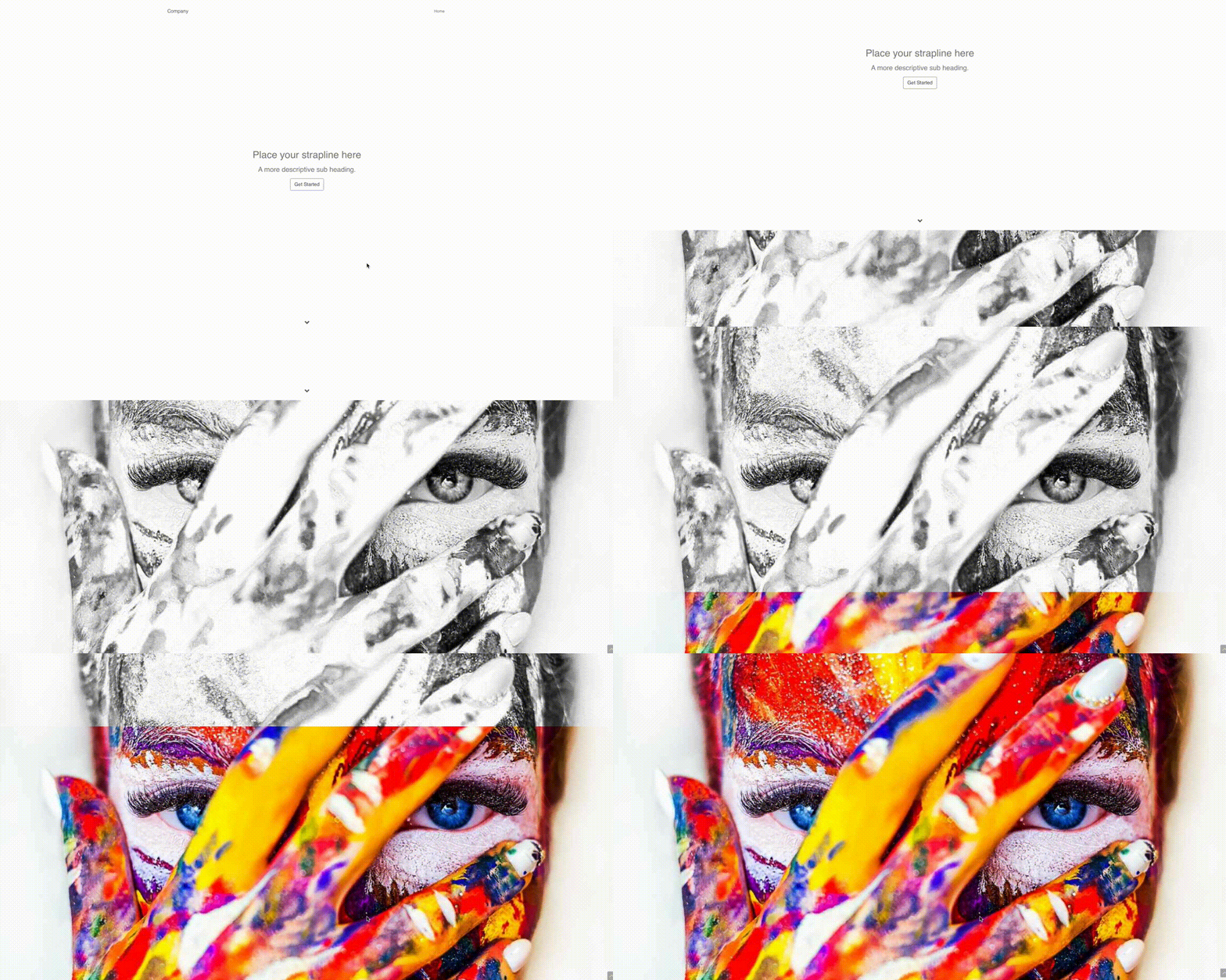
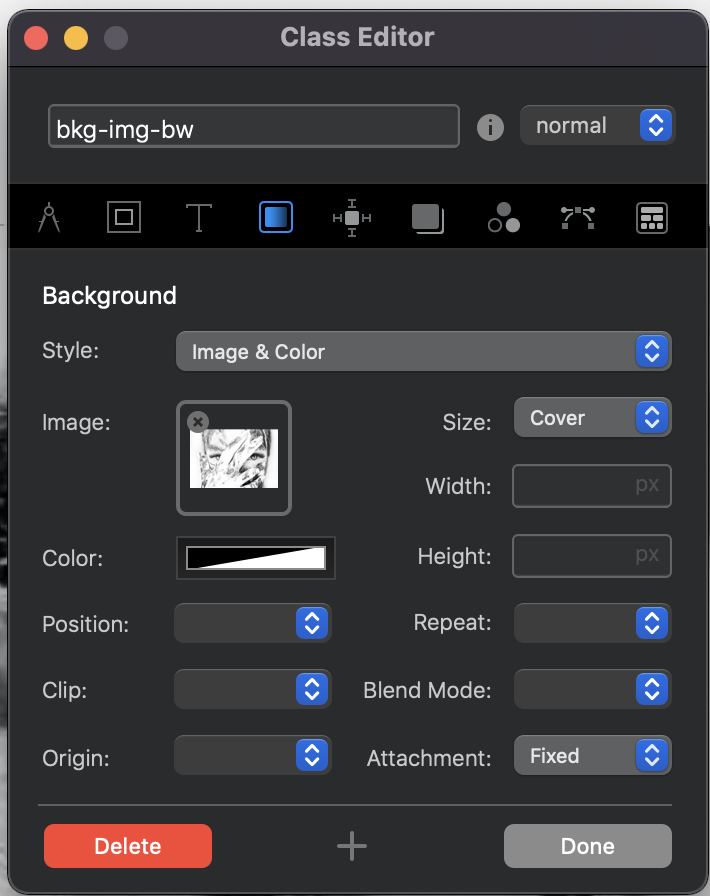
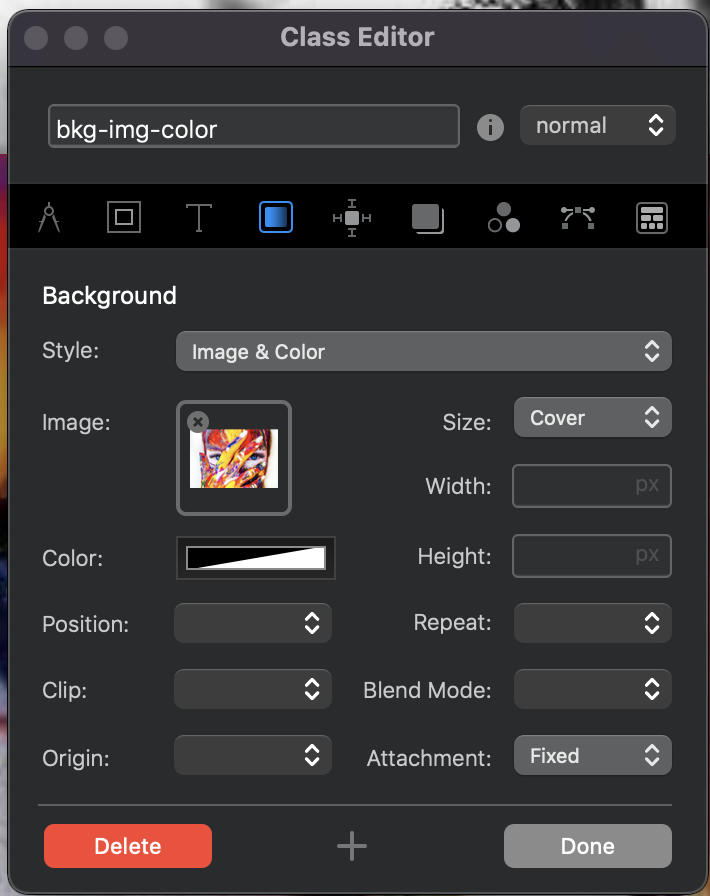
If so, I just created 2 different classes and applied the first class for the BW image to the second full screen bloc and the second class for the Color image to the third full screen bloc. For each created class I set the size to cover and the attachment to fixed while choosing the respective picture. See below.
MDS
2 Likes
Now that is cool, how do you apply the parallax effect?
You set the attachment to Fixed.
3 Likes
yeah it works well - I did it the same style for a website where I did an image and then had some changes to the image with text pointers as an over lay, and had the 1st one in black and white too.
Must always remember to add the image to the class and not the settings in the side bar.
Good post.
That’s the important part.
Thanks for the tip - I did it and it works.
 Thank you
yes, cool effect indeed.
Are there any warnings regarding devices (or browsers) where the parallax effect would NOT work (and possibly make the site look awkward)?
I think there were some caveats with the parallax effect but I don’t remember now what the problem was. Who knows it?
Safari on iOs 15 doesn´t display fixed attachments. At least that is my case
2 Likes
True, the effect doesn’t work on iOS. Has anyone found a solution?