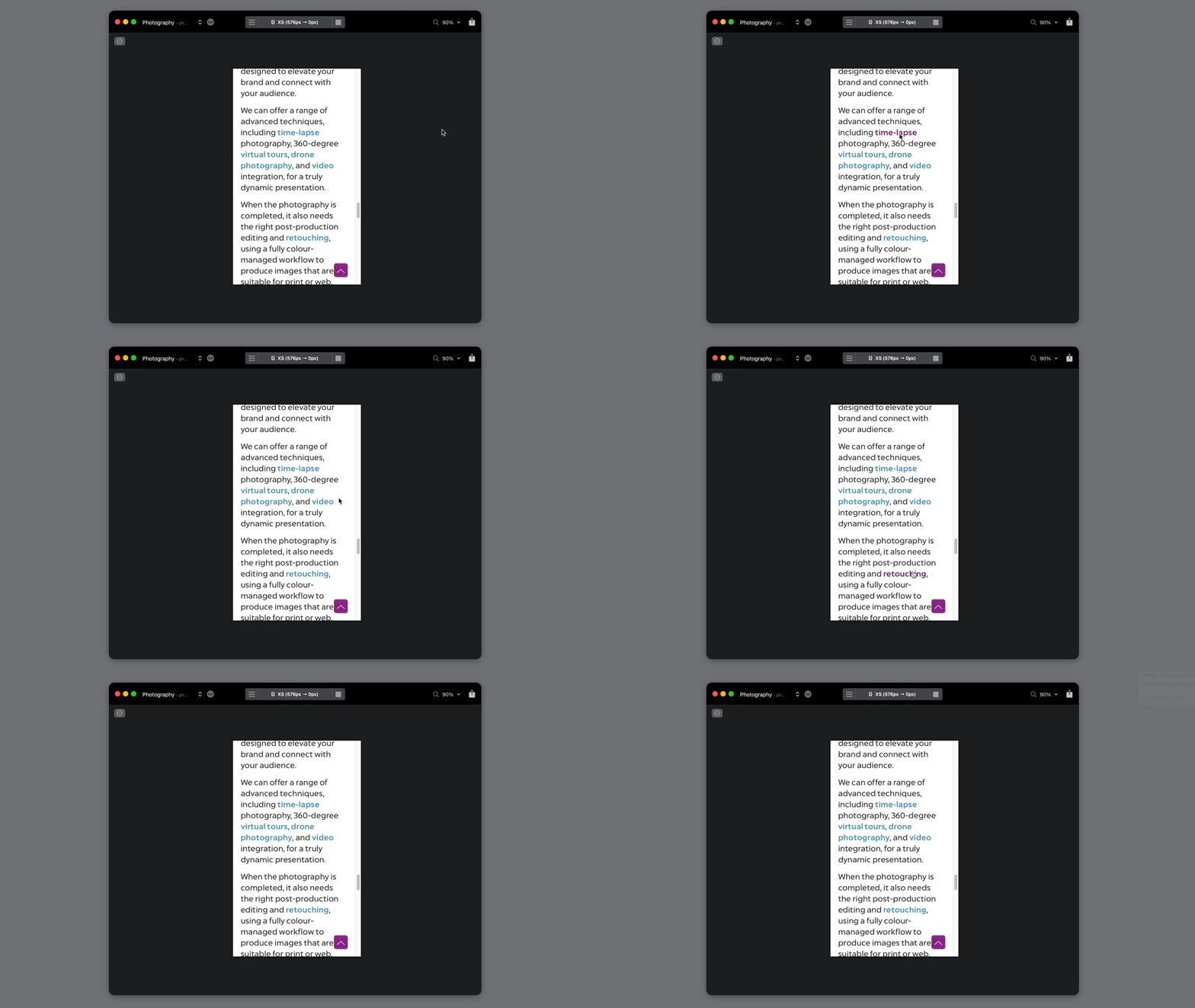
OK here we can set the global project colors etc. for anything within the project. let’s focus here on a “Typography” object, more specific the “Link” part: we set this color easy to any color we like. What if we now want to make a Hover effect (for when moving the mouse over the text links) how to get a different style/color for this one – automatic/global – let’s say in this example yellow. This can be set for the textblocks anywhere in the project with the help of marking the chosen linked text block and designing a CSS. But if we want to make this yellow color for Hover/mouse over everywhere in the project without any special CSS for each text block, where is that? I’m sure this is a very basic question and I missed it somehow.
Then you need to apply a custom class. I have actually wanted to see this option included in project settings, but it has never appeared.
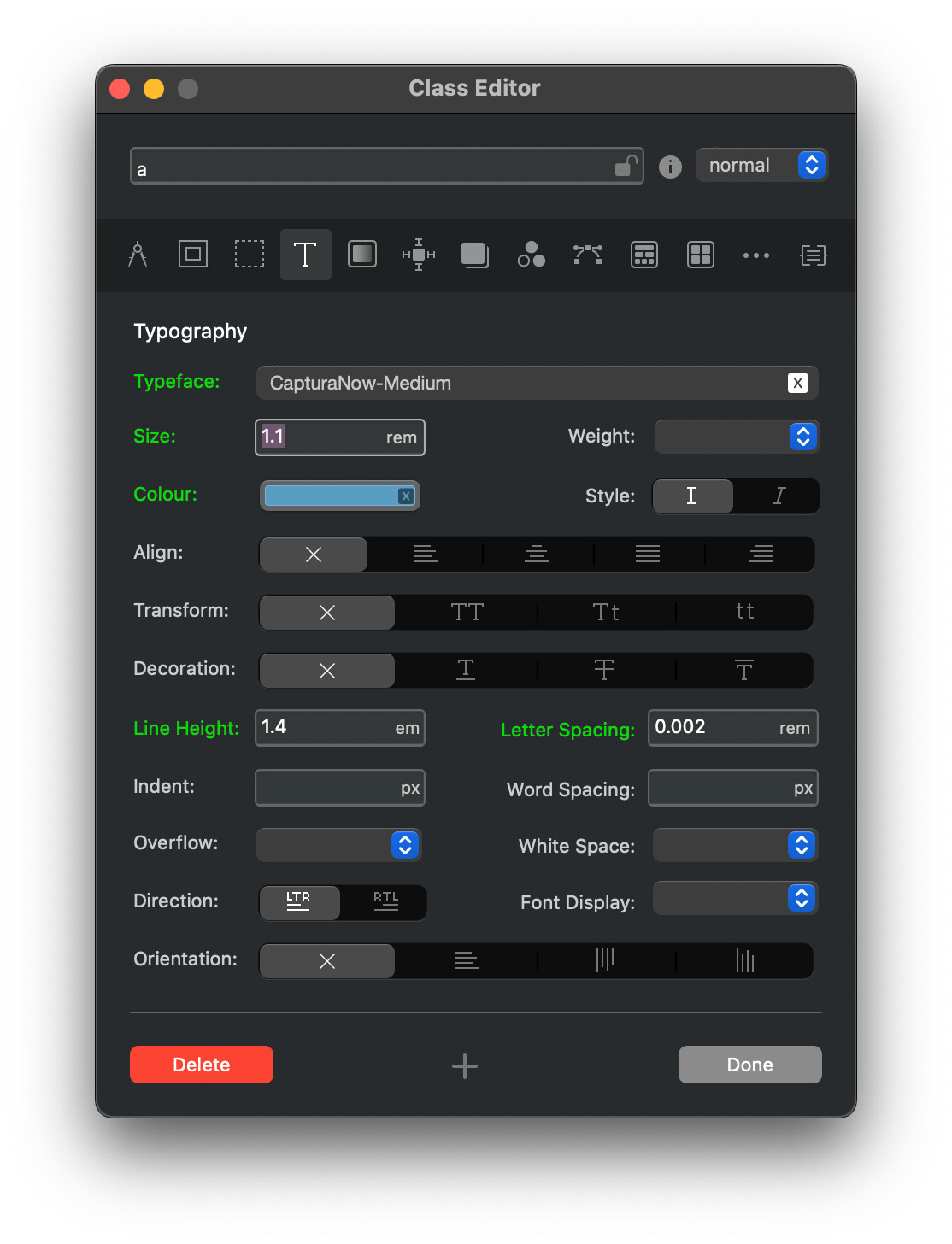
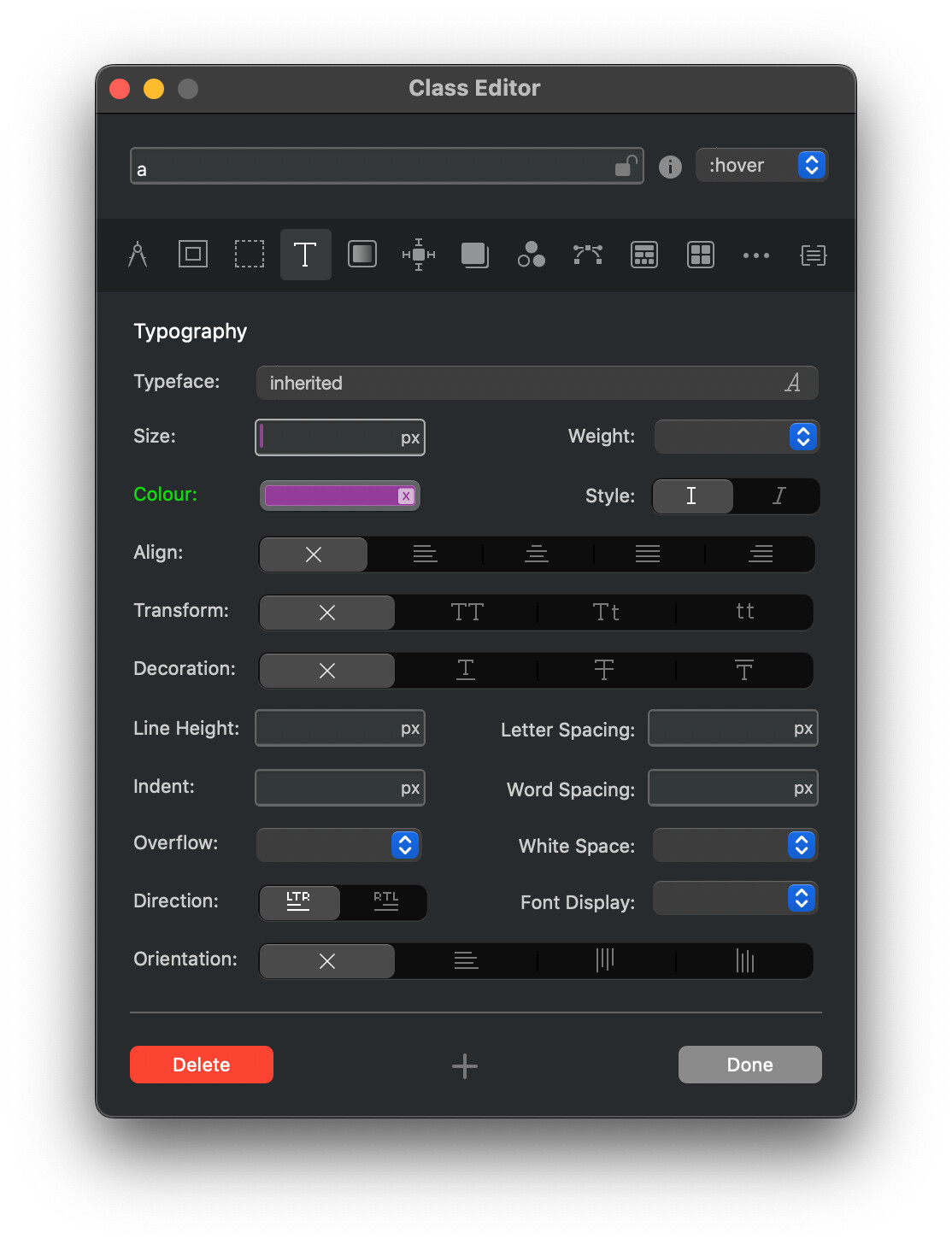
Go to custom classes and find the “a” class. Style it from there. This is one of those areas where Blocs could be more helpful in indicating the most relevant classes. In one alternative app, if you click on an item it will show the possible classes you can use.
2 Likes
Thanks, Flashman, it worked very good that way!