Serious bug in Wordpress export!

Hi @Norm ,

I discovered a serious bug that affects all page types exported to a WP theme. This occurs both in v5.x and 6.x. The entire content of the page that is not part of the global header or footer is contained inside a post loop, whether or not you setup a Wordpress loop on that page.

Please look at the generated single-test.php file, uploaded. There is NO Wordpress loop whatsoever. Please note that the top global are is disabled, and the header menu and banner are in the dynamic area, and are now within the loop.

single-test.php.zip (3.4 KB)

As result, the header, banner etc are now contained within the loop, and are repeated on top of every post!!

This same behavior occurs, even if I select a post loop in just a column containing specific elements:

single-test-with-loop.php.zip (3.5 KB)

Let me know, if you need any additional information.

I also filed a bug report.

Hi @norm,

Were you able to reproduce this bug? Any updates on a fix?

Thanks,

Ricardo

Hey sorry for no reply, big update on its way next week with various fixes. Hopefully including this one.

2 Likes

Thanks @Norm , Let me know if’d like to test it out before the official release.

1 Like

Are you able to share a screenshot of the actual Wordpress output with some arrows highlighting what is wrong. Im trying to get my head around how you are building your theme and what is unwanted.

Am I correct in thinking the header is showing on every post page even if it’s hidden?

Which pages of your project can I find the issue.

Sure, but to clarify, I need some pages not to use the global header (or footer in some cases). If I remove the global header, then add a header to the dynamic area of the page, this header now becomes para of a WP loop. You can see it clearly in the PHP files outputted. I have to upload a short video, as you need to scroll to see the issue.

In this page for example, I need the titles to reflect the categories. So, I don’t use the global header in this page, the header is in the dynamic are of this page, but as you can see, is in a WP loop, even though there no loop in the page (single-product-category). Also look at the archive page in the same project.

Screen Recording 2026-03-02 at 4.04.38 PM.webm.zip (2.1 MB)

@Norm I’d be happy to share my screen with you and show you the issue from the project to the output. Let me know and we can schedule a time.

After reviewing your template and structure I have figured out the issue and can see what is happening. This is less a bug and more a shortcoming of Blocs.

The Problem :thinking:
Blocs creates Wordpress Themes using a pre-defined method, the top global area is used to create your header template part and the bottom global area is used to create your footer template part.

Dynamic content is typically always inside the WordPress loop, so short codes and other parts of themes populate with no extra work. (If no short codes or Wordpress Text Data Feeds are used in the dynamic area content, then it will not be wrapped in a WordPress loop).

On single template pages this is fine, however, on template pages that load multiple items within the loop such as category or archive pages, the loop can contain multiple items.

The main issue is coming from the fact you are trying to create a header that you only want displayed once, but you are placing it within the dynamic portion of the page, this is not supported by Blocs and never has been, that’s why it’s the same on Blocs V5.

The Solution :innocent:
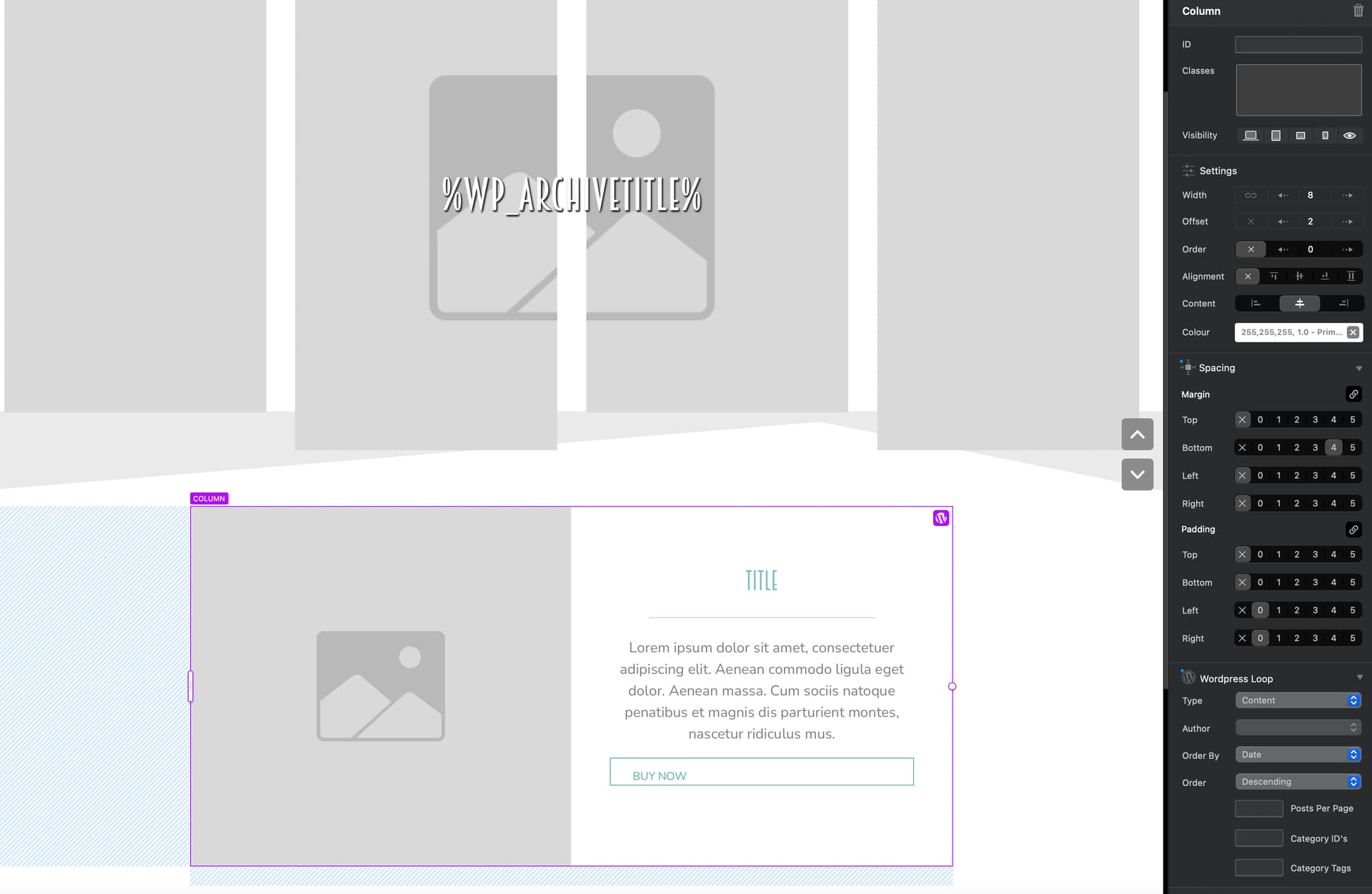
What is needed is a way to control the start of the loop in the dynamic area, so you can select a Bloc within the dynamic area and set that as the point the loop starts, then anything above it will be excluded from the loop, preventing duplications.

I’ve implement this new feature in Blocs for Mac 6.4 (beta build 6) that can be enabled on a Bloc within the dynamic area, when the theme code is generated, Blocs will get the last instance of Loop Begin Before in the dynamic area (just incase it is mistakenly applied in multiple places) and instead start the WP loop before this Bloc.

This should address the shortcoming and also add a little more flexibility to building WordPress Themes with Blocs.

Sorry it took a little while, I just needed a little time to come up with a simple solution that would not break old Blocs created themes and also wouldn’t require a lot of extra work. A checkbox is always ideal and should solve the problem.

Maybe in the future I will also add a, disable dynamic area WordPress loop wrapper, in page settings for even greater control. But hopefully this is enough for today.

5 Likes

Thanks @Norm,
I can’t wait to try beta 6 on these project that require different headers on a particular page template.

2 Likes

When will beta 6 be available?

Its available now. :sweat_smile:

4 Likes

Hi @Norm ,

It kinda works. But I had to add an empty bloc and mark that as the loop start just before the global footer, which kinda makes sense based on your solution description.

Maybe, the name of this option should be something different from Loop → “Begin Before Bloc” to Loop → “Begin From Bloc”, or Loop → “Starting Bloc”, I think that it might be less confusing.

Thanks for working on this, as now we can have page templates with different header and or footers (although I haven’t tested that yet).

2 Likes

Hi @Norm ,

Now that you have tackled this issue, could you look at this, and possibly adding it to the next version of Blocs? I have a couple of brics projects that could use this :wink: …