Kann mir jemand erklären wie smtp mit IONOS eingestellt wird ?
Ja.
In deinem Mail Formular Posttype: add new mailserver
Mail Server Manager:
Name: beliebig
Host: smtp.ionos.de
User Name: dein Mail Account
Password: das dazu passende Passwort
Port: 587
Save.
Bei mir funktioniert’s.
Yes. In your mail form Posttype: add new mailserver
Mail Server Manager:
Name: any
Host: smtp.ionos.de
User Name: your mail Account
Password: the matching password
Port: 587
Save.
It works for me.
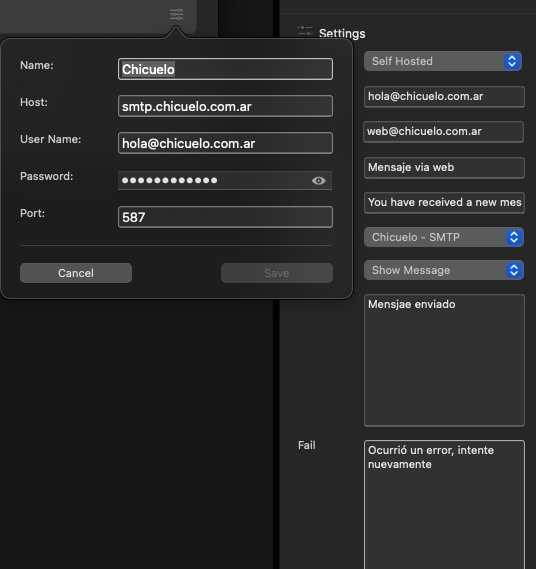
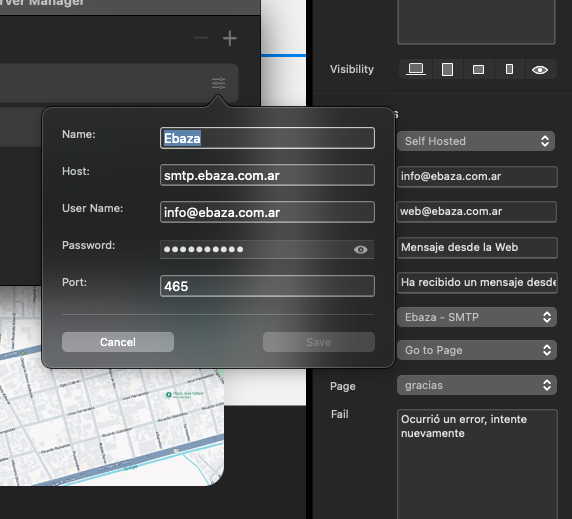
I wonder if anyone could help me with this. I am trying 2 different client servers and 2 different accounts. Changing from ports 465 or 587 and no one works.
Also tried using web@domain**.web**.com.ar from the sender and it does not work either
I assume your host is ionos.
I’m not sure but I think the input for “host” should be smtp.ionos.com
No, my host are ebaza.com.ar and chicuelo.com.ar, the same that appear on the settings.
I managed to make chicuelo work by replacing smtp.chicuelo.com.ar with mail.chicuelo.com.ar but the other server is still not working with any port or host combination
OK.
Sorry but I can’t help you with that.
1 Like