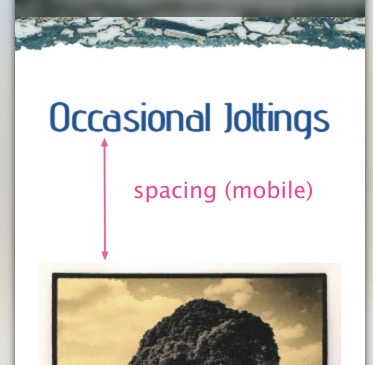
I having a problem setting the spacing between these two blocs (see attached).
I have both blocs set to no padding but still there is a gap. Both are using Volt and the problem seems to occur in mobile. Compare desktop to mobile.
https://stickynav.altography.co.uk/journal/

If you are using a hero Bloc (fill screen Bloc) and placing the content within the top or bottom additional content areas you would get this type of result.
Is there anyway to get around it?
I just took a look at your site, I can see the problem.
The title is in a separate Bloc to the images, so the Bloc padding on the lower Bloc (bloc 2) is effecting this because on the XS breakpoint it still has large padding set.
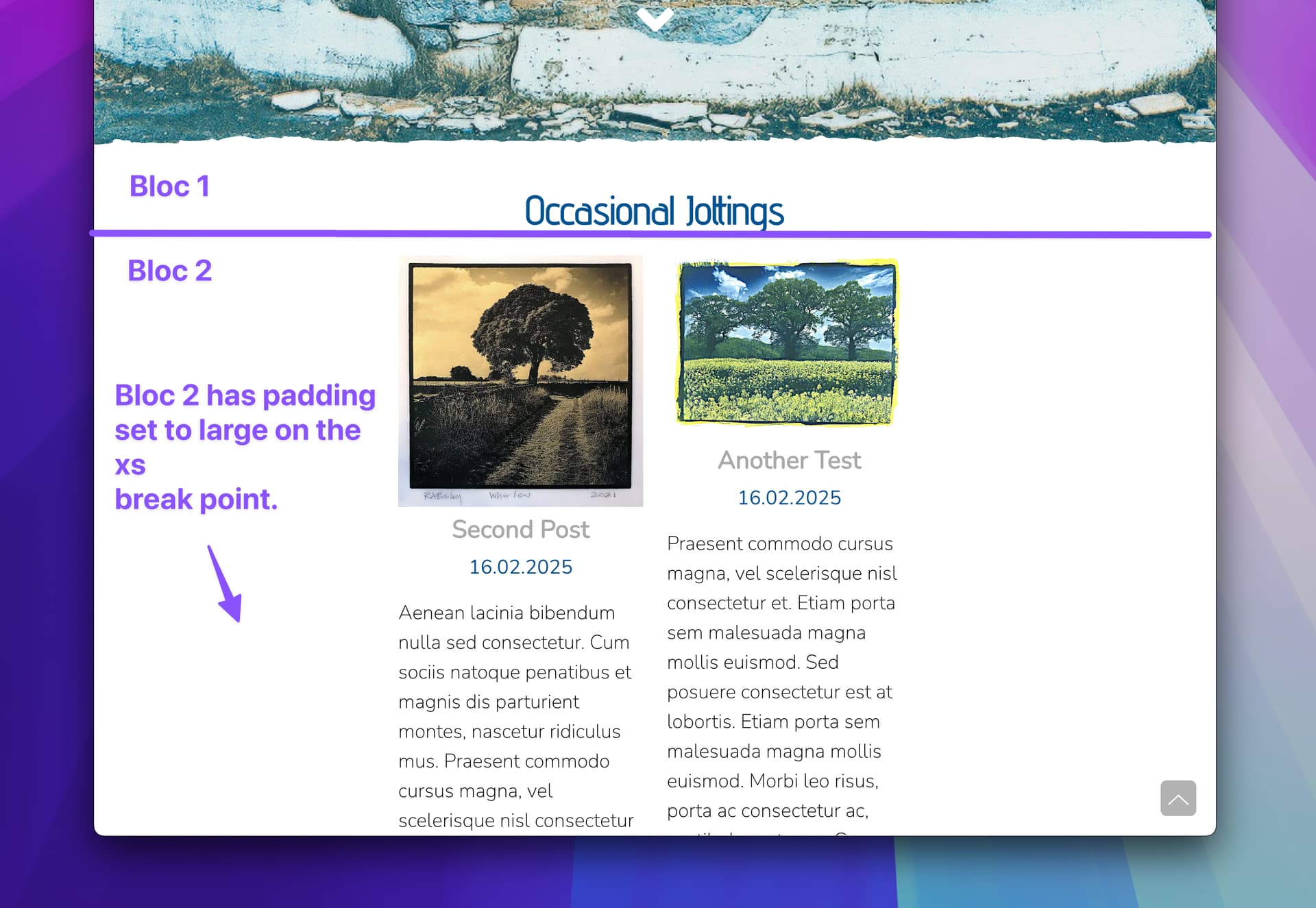
- Switch to the lowest breakpoint.

- Select Bloc 2 and set padding to none.
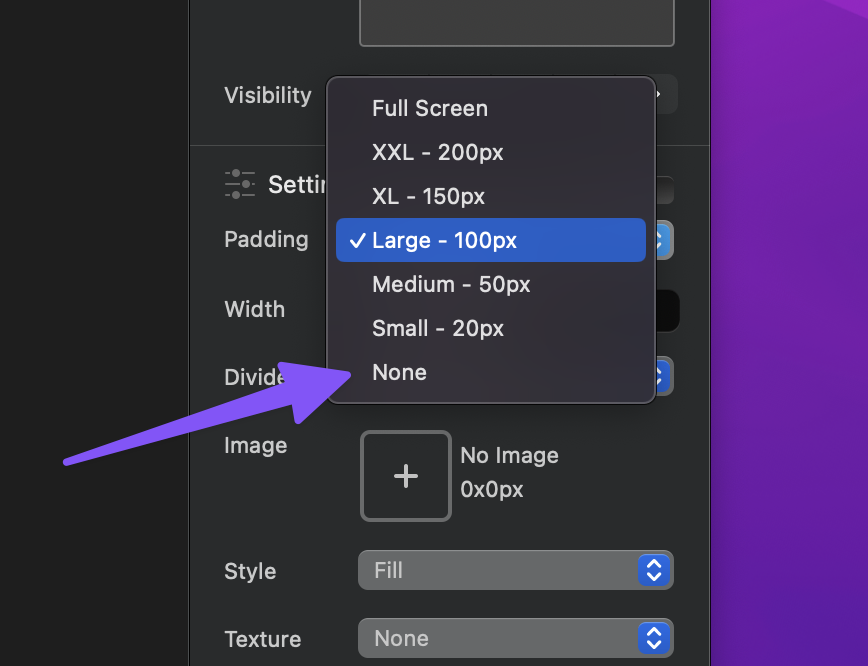
I hope that helps.
1 Like
It is set to none. If you check the home and about pages on mobile they don’t show the problem large space.
On that page I can see the bloc-lg class is on that bloc when I inspect it.
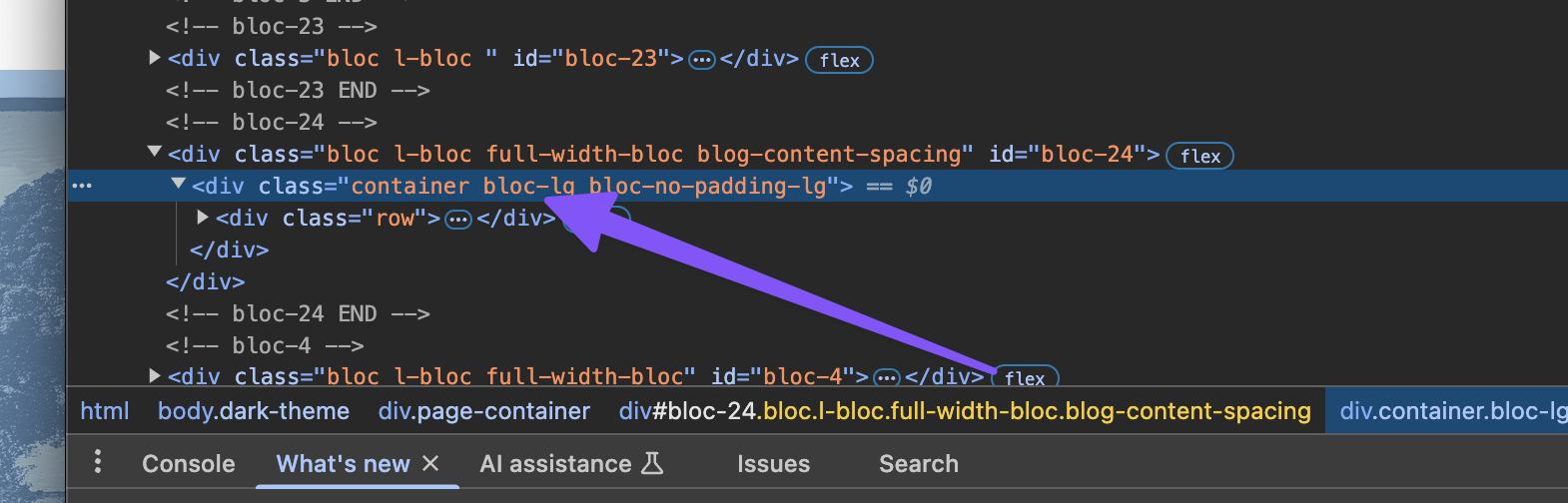
This is the class applied when a bloc has a padding set on the lowest breakpoint.
Can you confirm you have selected the second Bloc containing the images, switched to the lowest breakpoint XS and set the padding of the Bloc to none?
Another thing to try is to press and hold the option key on your keyboard when you set the Bloc padding to none.
Take care to select the Bloc, not the container or content within the Bloc.
Yes just re checked it is set to none
Any chance you can send me the Blocs project file? You can DM me a download link via the forum.
Did you try reseting the padding option using and holding the option key
Yes tried the option key. Have sent the project file as requested.
Hey I just looked at your project that you sent over. As I mentioned, you need to select the Bloc that loads the blog and images.
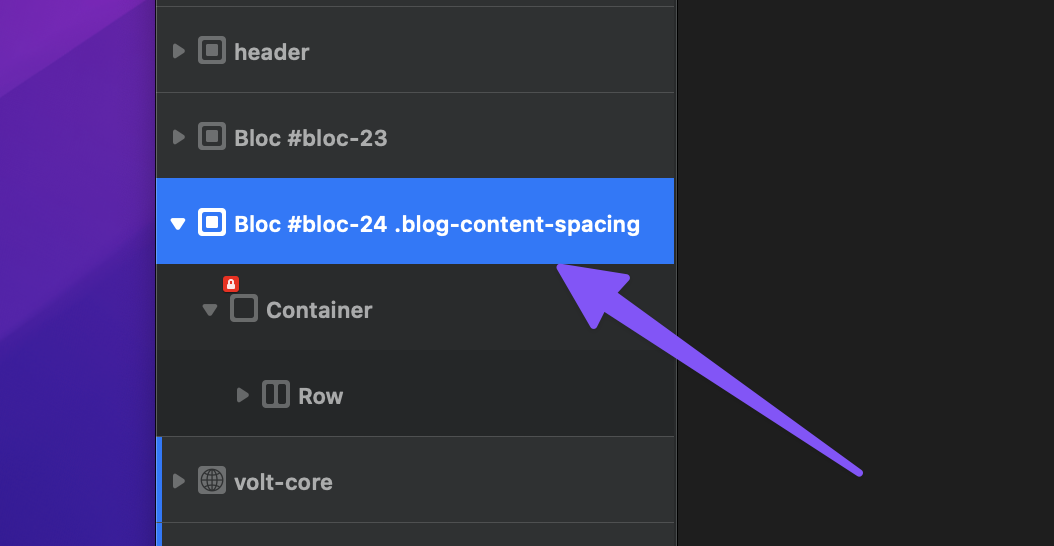
Set the breakpoint to XS and change the padding. You can see it’s still set to the large padding option with your project in the screenshot.
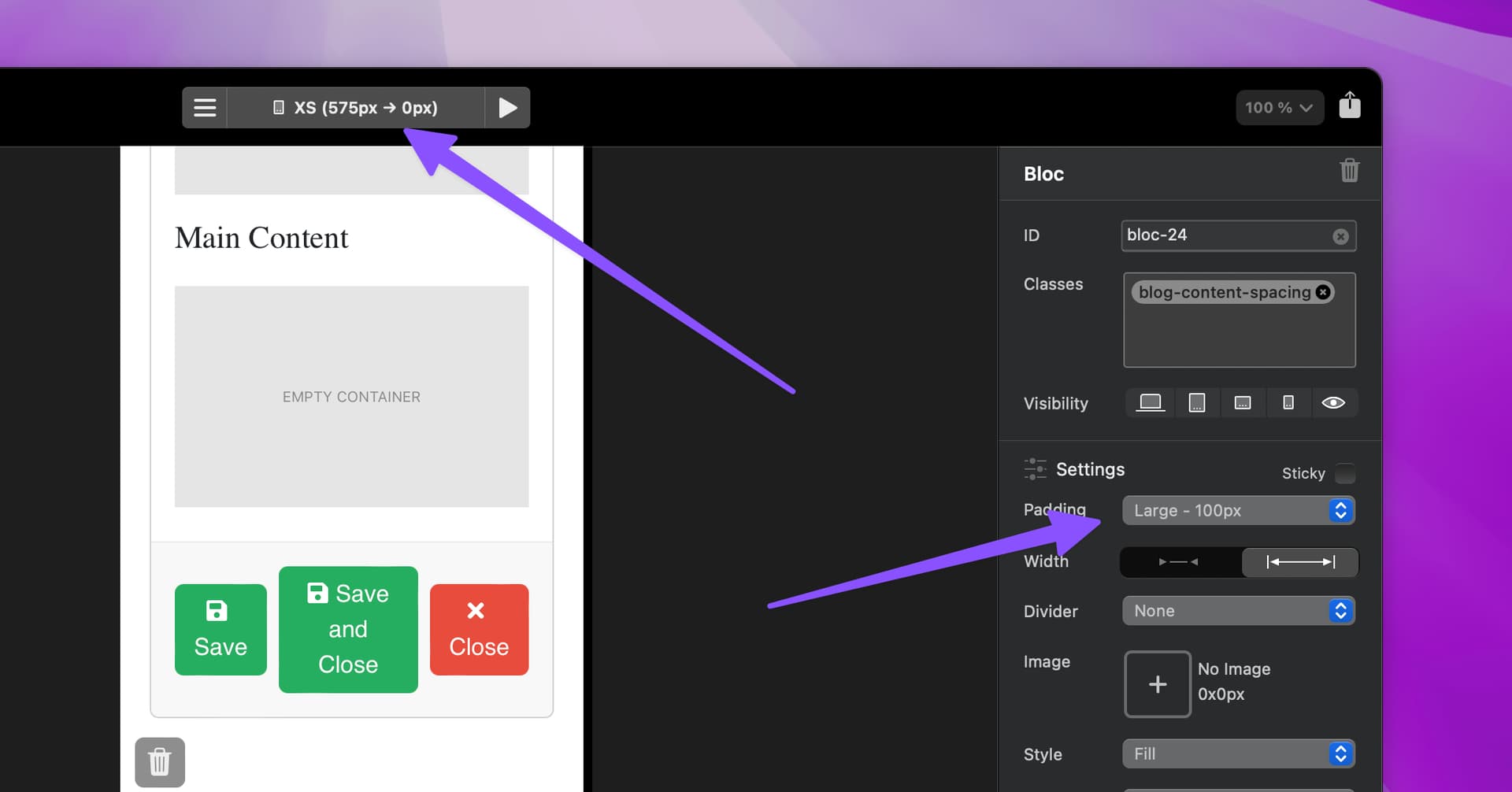
You may be selecting the Bloc that contains the volt login form rather than the one that contains the volt Blog.
I would suggest setting the Bloc IDs on your project to something more meaningful to help with this type of mixup.
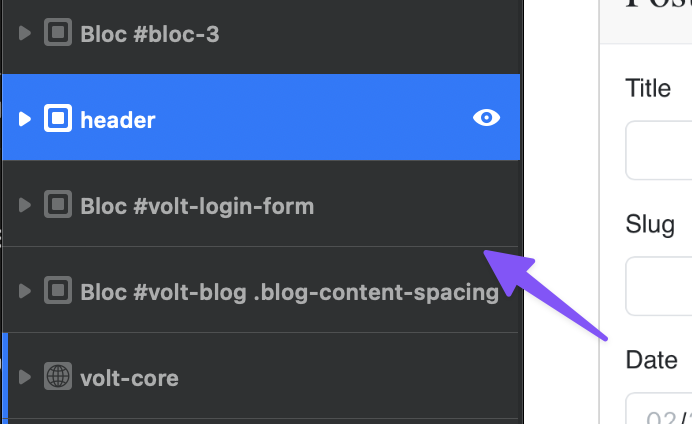
I hope that helps.
1 Like
Thanks for checking that I totally missed it, I’d been looking at the wrong bloc. Your support is much appreciated. Thanks again for your patience.
1 Like
No problemo, glad that is all fixed up 