Sticky Navbar background color not responding with parallax effect on blocs 4 [Solved]

Could someone explain to me how to change the background color of the Sticky navbar when it fades down? On blocs 3 used a custom class for this but it doesn’t work on blocs 4. I don’t really want to add a code to do this :confused: Ah the background has a parallax effect!

I want this on black like here https://fwdmusic.com/let-s-talk/

Hi, what happen when you select the bloc and set the background color to black ?
I think you use a full screen picture?
tom

If you select the bloc and add a color nothing happens. If you add a class all gets black

works for me …don´t know why. I use a hero …set it to sticky, use a picture and change the color. After scrolling I see that color in the header.

tom

Yes it works when I create a new project but not on my project from blocs 3! Also only if I don’t use parallax! @Norm ?

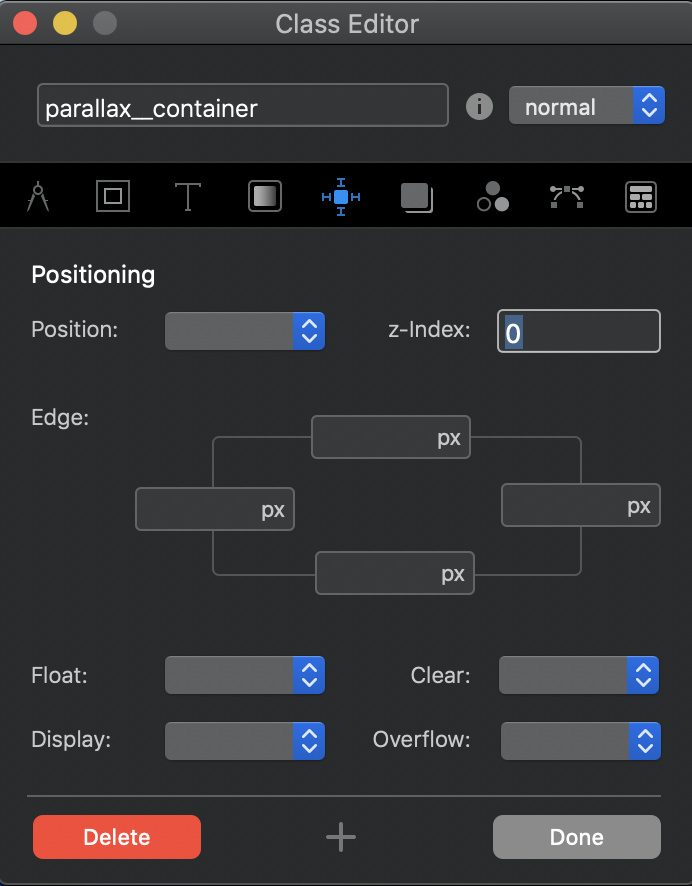
So I found a solution for this! for anyone who wants to have an image background with a parallax effect and a different color on the sticky navbar you need to create this class .parallax__container and set the z-index to 0

3 Likes