Is it just me, or do any of you Blocs 6.2.3 users see that your SVGs are flipped vertically in the Asset Manager like this?
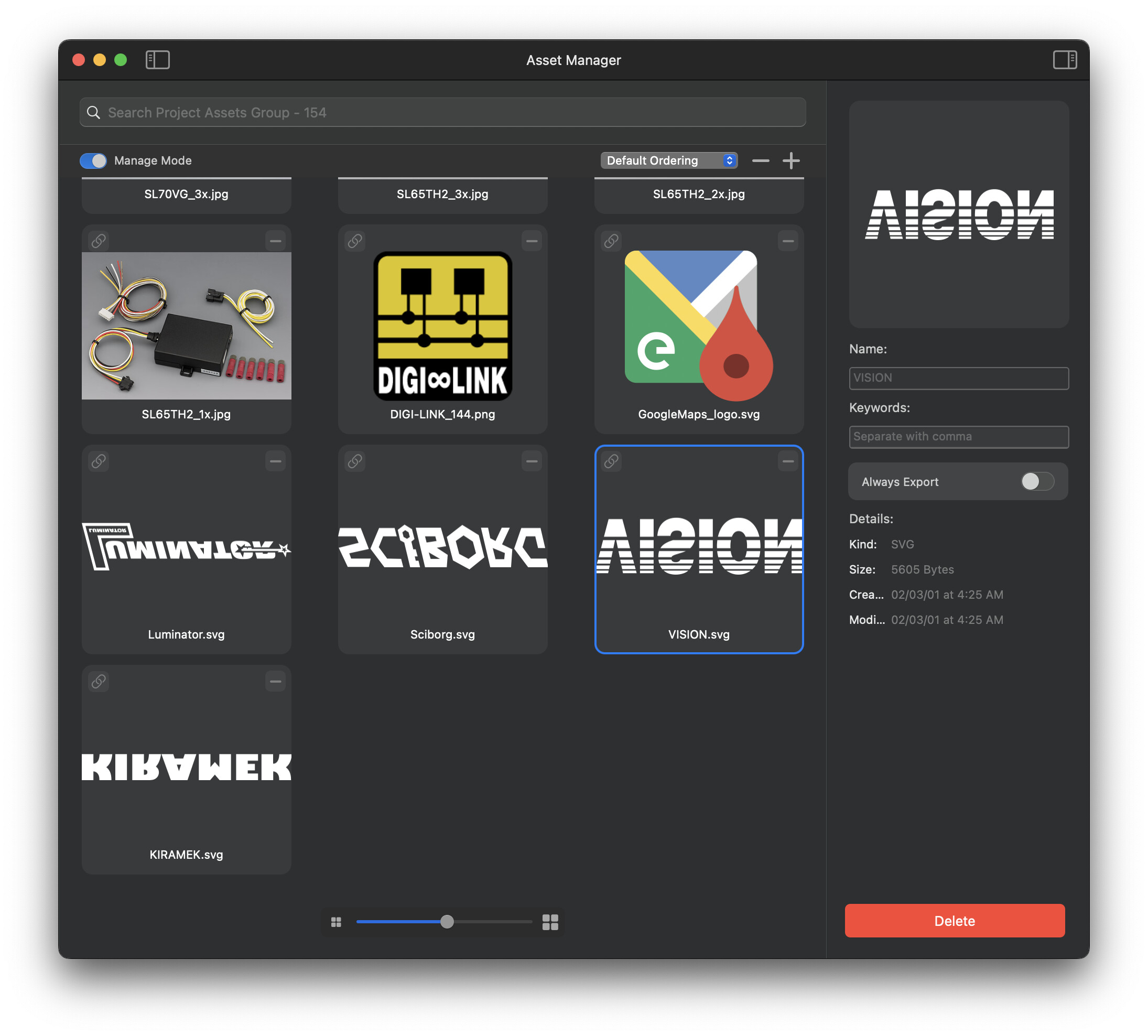
yes I get this more often then not.
1 Like
Thanks. I just reported it as a bug.
Which version of MacOS are you using. I think some older versions have a habit of doing this.
1 Like
My late 2015 5K Intel iMac 27” at the office can’t be upgraded beyond macOS Monterey, so that’s what I’m using.
1 Like
MacBook Air M1 - Sonoma - latest updates. Blocs 6+ latest version.
1 Like
macOS Sequoia – seems fine with latest Blocs 6.
Tried a few hand code SVG, a few SVG made in various vector apps, also the 4 SVG logos downloaded from the KIRAMEK site. All seemed to appear fine in Blocs.
Well, I’m rather glad BAM reported the problem on Sonoma and an Apple Silicon Mac because AFAIK that’s still a “supported” Mac and therefore any fix for that config might filter down to me, because I use Blocs at the office where I lack control over the Mac hardware and therefore am limited to macOS Monterey. The economic situation in Japan hasn’t been good in a long time, so replacing this Mac isn’t going to happen in the near future unless I foot the bill personally to replace it.
With that said, flipped SVGs are thankfully not a showstopper bug for me, so I am content right now. And in all other areas, Blocs 6 Plus is running surprisingly well on macOS Monterey. Kudos to @norm for that! 
1 Like
Your device also meets the stated Blocs 6 minimum requirements of macOS Big Sur and Intel, aside from Blocs AI features, etc., capable only with Apple silicon m-series.
The latest macOS 26 Tahoe is not exempt and has its own relative issues with random upside down UI items. Apple has various unresolved visual bugs and issues for everyone across many versions of macOS. Here are just a few examples: https://www.macobserver.com/news/macos-tahoe-upside-down-ui-bug-joins-long-list-of-visual-glitches/
If its an OS level issue, then Blocs would need to provide its own workaround for older affected yet supported macOS versions. If Blocs uses Preview’s rendering engine for the Asset Manager then that could possibly play a role, as I don’t think Preview adheres to the complete SVG specification and has quirks with SVG.
Though since its not a showstopper … :–)
And for me, the worst are in FCP, both in version X and 11. (I make videos on YouTube.) I absolutely loath Apple for still not fixing those bugs!
All I do is simply playback my footage in the FCP app on my M1 Max 16” MBP running the latest version of macOS (all pre-Tahoe), and after a few minutes, the audio will completely die. Clicking anything after that produces an eternal beachball. I must force-quit and relaunch the app. Happens multiple times a day. Yes, I’ve reported it, multiple times. Apple does nothing. NOTHING!
Yet another case where someone brilliant like Norm needs to be put in charge. Norm is responsive, humble, kind, and best of all, he actually ACTS to resolve issues.
So when anyone in this forum reads my words, please know I have the highest respect for Norm and for Blocs, but Apple is truly a love/hate relationship.
2 Likes
Hey @JDW I have this fixed up and working here on a trashcan running Monterey.
I had to use a 3rd party SVG framework as a fallback for the Icon Manager as Apples built in one is unreliable Pre-Ventura. You should find the new SVG Icon Manager displays the icons the correct way round (in your current version of Blocs)  .
.
Anyway, in Blocs 6.3 Beta 2 I’ve rerouted the SVG images into this third party framework when running Blocs below macOS Ventura, so you should see sober SVGs in the next beta. 
I’m not sure how @BAM is seeing flipped SVGs on a newer version of MacOS 
@BAM Do you get flipped icons in the new Icon Manager?
1 Like
@Norm I updated to Sequoia 15.7.1 and this problem is now gone.
I had some Blocs 4 projects and some of these problems were transferred over I think.
All is good now.
1 Like