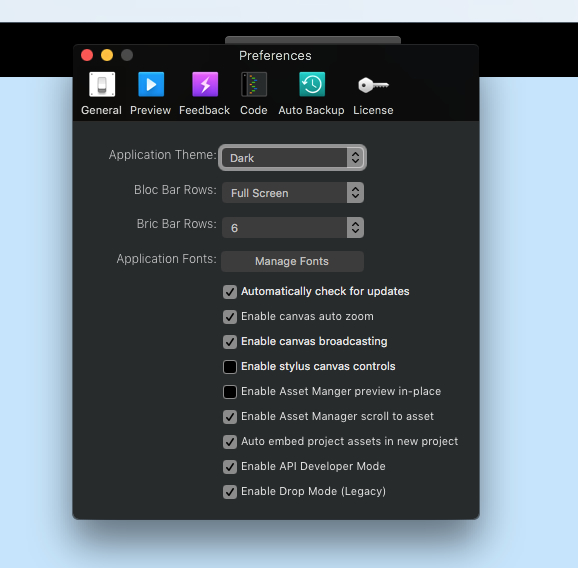
Hi, A completely daft question.
I have lost the 2 tabs at the top of the right hand inspector, where i would choose a new bric to place. Im on a windows keyboard sadly and cannot find how to put the two tabs back.
Hi, A completely daft question.
I have lost the 2 tabs at the top of the right hand inspector, where i would choose a new bric to place. Im on a windows keyboard sadly and cannot find how to put the two tabs back.
Brilliant, Thank you, that worked!!
No problem!  Btw… as you might’ve noticed, this is a legacy feature, which means it’ll be removed sometime in the future. So you might want to get used to not having the tab, so enjoy it while it’s there.
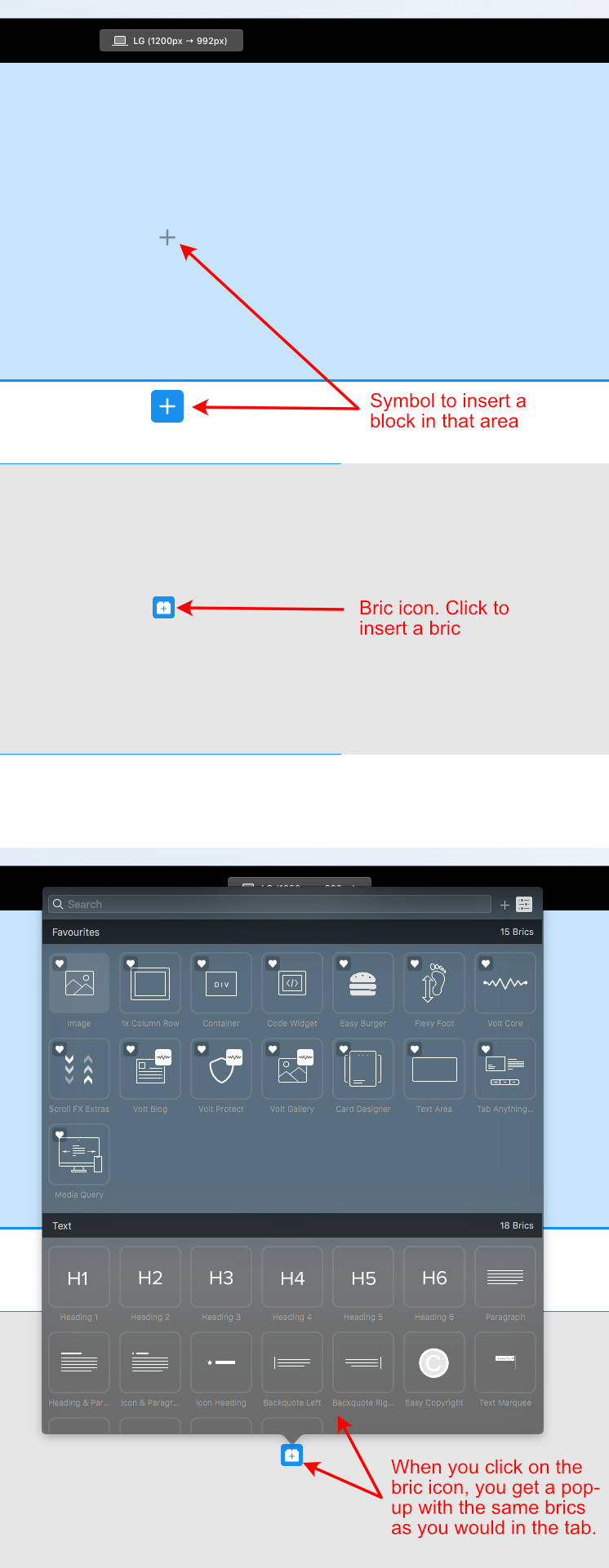
a good point not lost on me, but how then is the easy way to get to these selections? especially the brics. thats what i found so frustrating. i couldnt find an easy way, apart from clicking on those legacy tabs
thank you, i have used this before but dont find it as useful as the other legacy tabs, thank you though for posting, i wasnt sure if there was another method i had missed.