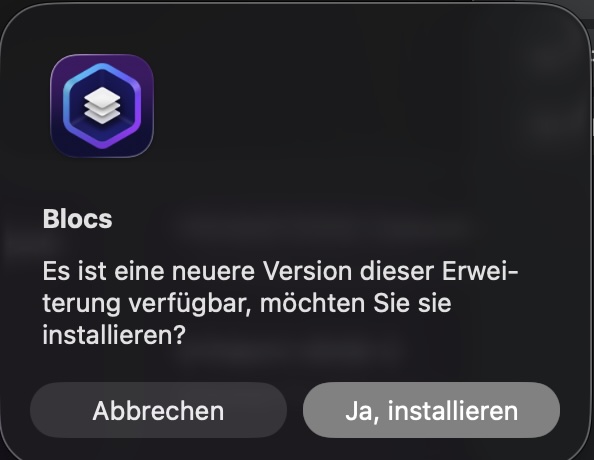
Warum bekomme ich ständig die Meldung, obwohl ich die Erweiterung schon mehrfach installiert habe? Danke
Why do I keep getting this message even though I’ve already installed the extension several times? Thank
Warum bekomme ich ständig die Meldung, obwohl ich die Erweiterung schon mehrfach installiert habe? Danke
Why do I keep getting this message even though I’ve already installed the extension several times? Thank
Same here with PageLingo.
I deinstalled it, because I don’t need it.
All quiet now.
The brics you’ve installed are all from Blocs-Brics.Store, which is Jerry.
This might’ve something to do with the Problem.
Hi @WebDesignRauen @Bootsie, There are several topics regarding this issue on the forum. In all cases (on this forum) installing the latest version from your Gumroad account solves the problem. The updater is controlled by Blocs and not the developer. If you need any assistance just sent us an email on support @blocs-brics.store.
I had the same issue with pagelingo, the file downloaded is not 1.2, the XML data is setup to link to 1.2 but the actual .bex file it links to is still 1.1 or some older version. (Not exact version numbers)
So you get an infinite loop, any developer can cause this issue if they don’t align there XML version number to the internal Bric version number.
I manually updated the Bric version number in Bric Builder and it stopped the loop.
I’ve no idea why an older version is still linked to or the url the update XML provides is passing back an older version of the Bric that’s set up by the 3rd party developer.
Hey @Norm, the updated Bric and the .xml both have the same version (V1.2.3). I did a test and downgraded to V1.2.2, ran the updater and then upgraded to V1.2.3. The new version appears as expected in the extension manager. However, when installing the update it shows the Bric is updated but after restarting Blocs it reverts to V1.2.2.
The only major change in the latest version is the update URL in the Bric. Could this be the culprit causing the loop? If so, I’ll need to contact all my Bric users and have them download the latest version from Gumroad. They’ll then need to manually uninstall their current version and install the downloaded one. Thanks, @Norm, to advise if my thinking is right here.
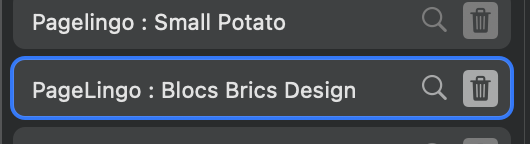
After looking into it further, I noticed my original copy of Page Lingo had a different Bric ID:
pagelingo-small-potato
After the updater is run, I can see the new version now has a different Bric ID:
pagelingo-blocs-brics-design
Because you have changed the Bric ID, when the new version installs, a copy is created, so you end up with two copies of Page Lingo installed.
Because the ID changed, Blocs cant recognise the update for the older version which creates the infinite update loop.
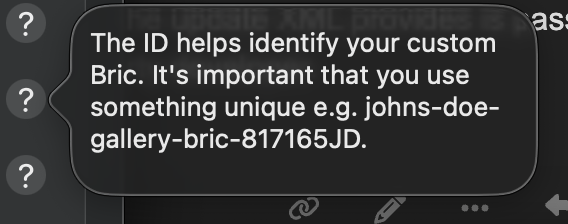
The Bric ID ideally shouldn’t be changed once the Bric is released as that ID is used as the reference in projects and install logs.
So due to the rebrand and ID change Blocs has no way to recognise the two versions of the Bric as being the same.
I hope that helps explain why this is happening.
I’ll update this help tooltip to be more clear and helpful.
Thanks @Norm.  Manually uninstalling and downloading the latest version seems the solution.I’ll get all users informed.