The logo box (png image) in navigation menu does not scale correctly in all other anchor breakpoints than LG (1200px > 922px). What am i doing wrong? I have made style for the menu text in Class Editor, but the logo box doesn’t have any style definitions.
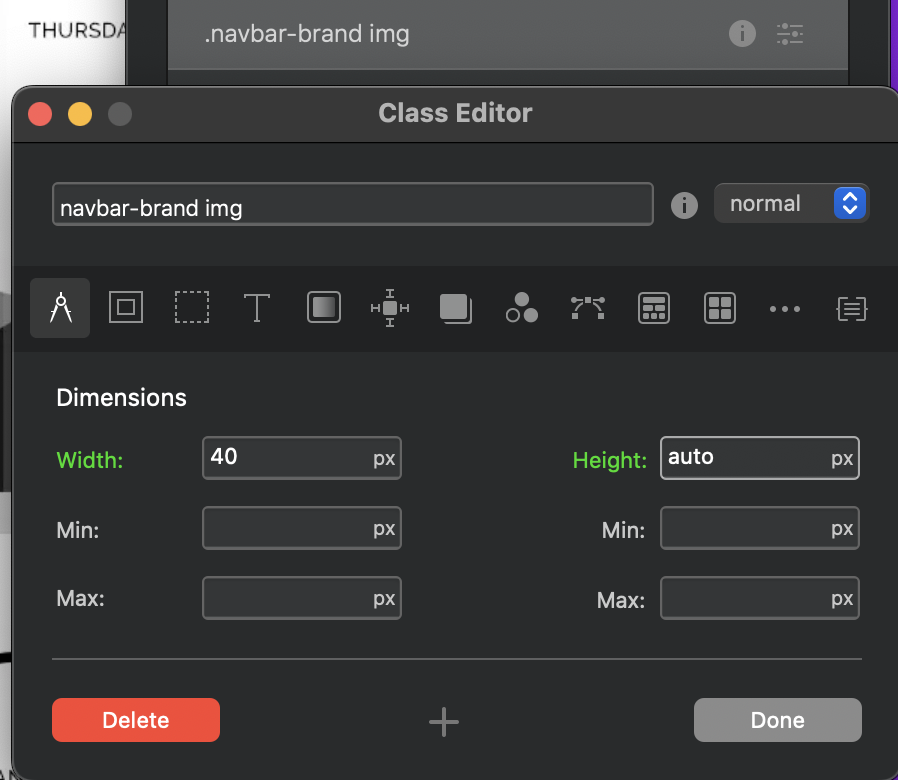
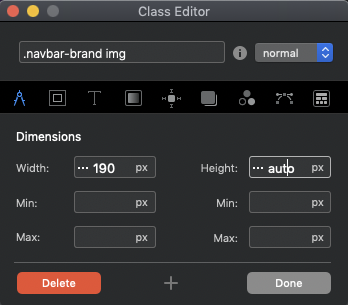
Use the class manager to add .navbar-brand img (make sure to keep spaces intact) class. Then set the height to auto and adjust the width to your likings.
Thanks for all the advice. I managed to write the “auto” text in the height section. But when I press preview (in the App), the logo’s proportions disappear, as has always happened so far! My Blocs version is 4.5.2.
Now I have tried the menu logo on the new site and it works. Menu scaling problems are on one of my client’s pages. Can I now just delete the old menu section and rebuild it? Or how should I do ?
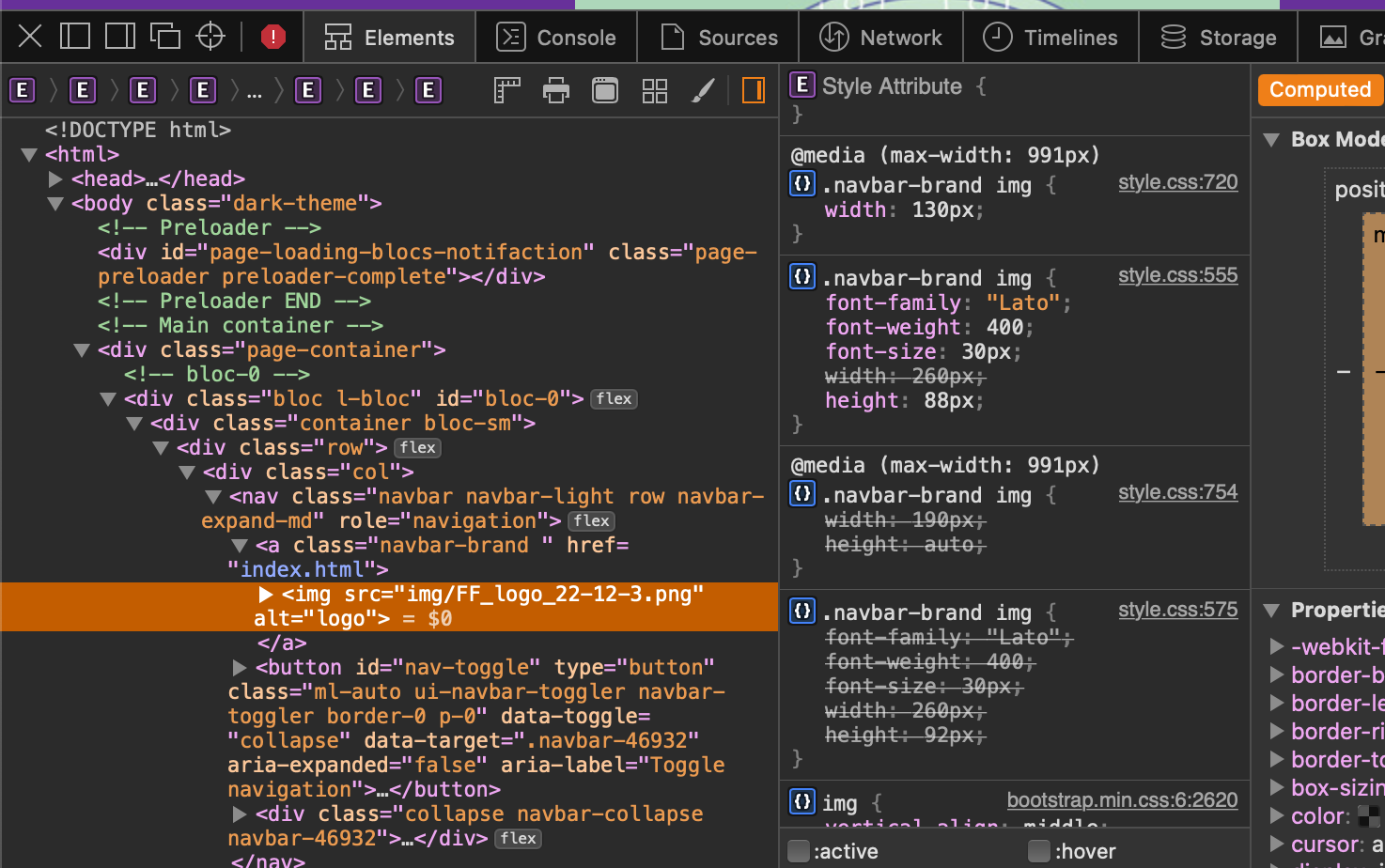
You haven’t given us much to go on, so it’s throwing guess work at it, have a look to see what’s overriding or defining the dimensions in the browser inspector or provide a link.
I’ve done some tests with my client’s pages, but I haven’t found a solution to my problem. With the attached link, you can see the test page I made from my client’s website: http://www.pkall.fidisk.fi/FFtest_22-12-2/
In addition, I have started with a completely new page and the logo attached to it works in all page breakpoints: http://www.pkall.fidisk.fi/testsite/
Jerry - I also have no problem scaling the logo when I make a completely new site. But on my client’s “old” site, I can’t get the logo to scale no matter what I’ve tried. I did exactly as you said - and it didn’t help. It may be worth mentioning that I have had this problem since the very beginning of the site. And now I have decided that this matter must be resolved.
There must be something on the site that is causing these problems. I have rebuilt all the elements of the Header section, but the problems just continue.
I’m still investigating the “Open Developer Tools” window in the upper left corner of the Header in the preview view. It said some file missing. I tried to get a screenshot of this, but that didn’t work either. But there it is told, for example, that the Feri_Omenapuu-4.png image is missing. But as far as I understand there is no such thing posted on this site. Is there any way to find an image with this name from the Blocs App pages?
You have different width set at different break points, which is fine, but you haven’t adjusted the height on the smaller ones. It’s fixed at 88px, so it’s distorting the logo.
Hi Malachiman. I have now updated the logo to the exact size it was made for, i.e. 246 x 88 px. This in breakpoint LG. Other breakpoints the logo is; MD and SM 190 x 68 px and in the XS 160 x 57 px. No Class Manager is used. Well, this didn’t make any difference; the logo still scales incorrectly. By the way, I can’t see yours screenshot!
I have also studied the earlier stages of my client’s site. The header logo scaling issues started when I switched to Blocs App 4 version. I have saved all the previous steps from the site. On 18 March 2020, I opened a website made with Blocs App version 3. The logo did not scale correctly in that program’s internal viewer. But the site exported to the web, the scaling was correct in the Chrome and Safari browsers. I updated the Blocs App to version 4 in November 2020. Since then, the header logo has not scaled correctly at any point.
Next, I tried saving a completely new site header in the program’s “repository” as a navigation section. From there I uploaded it to my client’s problem site. This didn’t help. So something has happened to the site when I switched to using version 4?
There are a few things that I don’t dare try outright, so I want to ask more about them: 1) Migrate from Bootstrap 4 to Bootstrap 5; could this help? If I switch to Bootstrap version 5, will it only affect the file I have open at the moment, or will the entire Blocs App switch to using Bootstrap 5. 2) I would also like to familiarize myself with the Code Editor. But I don’t know how to get the code appear in the code editor window?
My problem is still waiting for a solution. The last thing I have investigated is the following: 1) I deleted all other pages and class managers except for the front page. 2) I also tried to open the page with the trial version of the program version 5 on another machine with the Catalina operating system. None of these helped. The logo still scales incorrectly for MD, SM and XS breakpoints.
When looking at the site in preview mode, a small blue box with a question mark appears below the footer. I understand that this is about some missing picture.
The code shows something like this. But how on earth is there an image outside the design canvas? How do I remove it when it doesn’t show up in Layer tree?
I think I found a solution to the problem. I’ll start by making a whole new site. The only way to transfer “old” pages to the new site is to save each page from the old site as a template and use them on the new site. I tried this on the front page and the site works and the logo scales correctly. Or does anyone have better suggestions?
I have a very basic site in Blocs 4 and moved it to Blocs 5 today.
I noticed the logo was stretched & when I adjusted the size it corrected it in 3 breakpoints - but always a breakpoint it is stretched.
I had to shoot off out on a live event tonight so not had chance to play around but I’m wondering Norm if this is the same issue I had with the image size on the 2 column with an image where I need to set it to auto on width too like @Jerry has mentioned above.